Automate job postings, track applicants, and streamline hiring with an intuitive HCM platform for talent acquisition.
32M visits/mo+3.9%#5 Business & Marketing

Centralized interface for running commands on local and remote servers over SSH
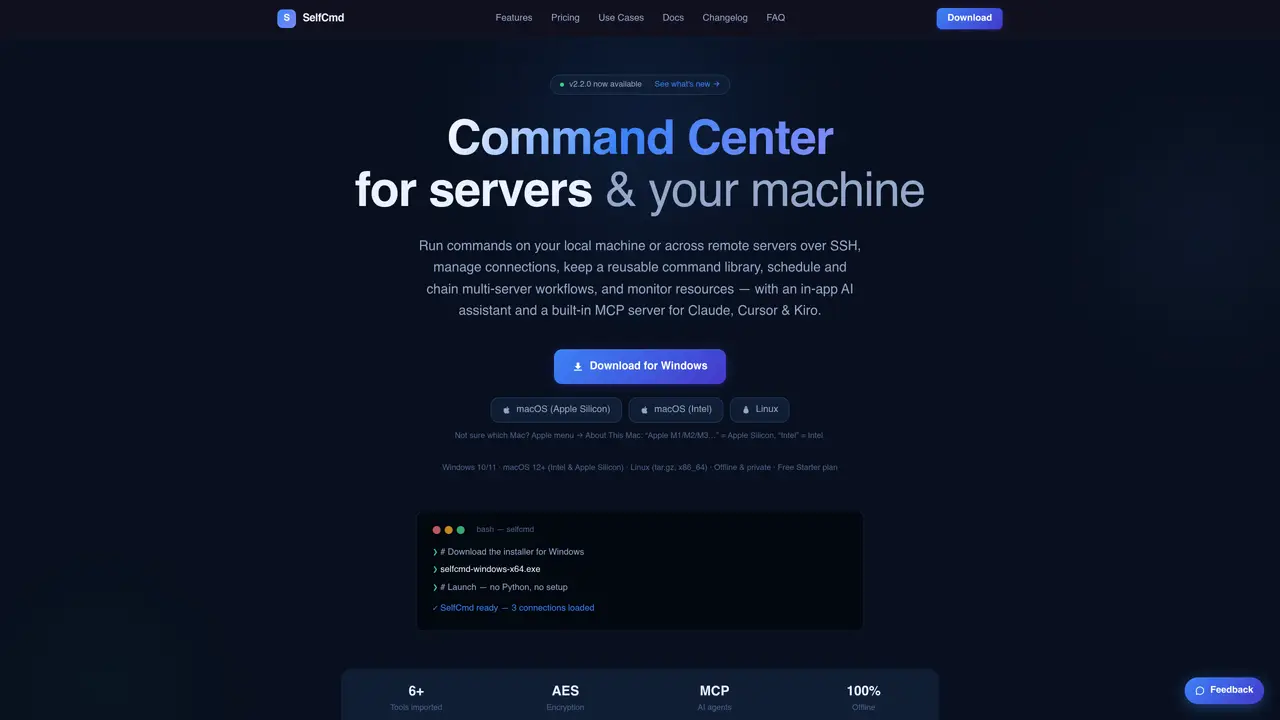
SelfCmd provides a unified interface for managing servers and local machines through SSH. It allows users to organize connections with groups and tags, import sessions from other SSH clients, and connect through bastion hosts. The tool includes an interactive terminal and built-in SFTP explorer for file transfers. Commands can be saved in a reusable library with syntax highlighting and variable support, and workflows can be created to chain multi-server tasks with retry logic and live progress tracking. Scheduled tasks can run commands periodically or one-time with result checks and output logging. A resource monitor tracks CPU, memory, disk, network, and SSD health against user-defined thresholds with alerting options. An in-app AI assistant translates plain-language intent into commands with one-click failure diagnosis, and a built-in MCP server integrates with external AI agents like Claude and Cursor. All data remains on the user’s machine with AES-encrypted credentials and optional offline licensing.
SelfCmd is a unified command center for managing local machines and remote servers over SSH. It provides tools for organizing connections, running commands, transferring files, scheduling tasks, monitoring resources, and using an in-app AI assistant to translate plain-language intent into commands.
SelfCmd is designed for system administrators, DevOps engineers, developers, and IT professionals who need to manage multiple servers, automate workflows, and monitor system resources efficiently from a single interface.
Yes, SelfCmd includes a built-in Model Context Protocol (MCP) server that allows external AI agents like Claude and Cursor to interact with its commands, tasks, and workflows, enabling automated assistance while maintaining offline privacy.
Yes, SelfCmd allows importing SSH sessions from tools like Xshell, MobaXterm, FinalShell, SecureCRT, PuTTY, and from the ~/.ssh/config file, making it easy to migrate existing setups.
The resource monitor tracks metrics such as CPU, memory, disk usage, network bandwidth, and SSD health against user-defined thresholds. It provides alerts, trend views, and exportable logs without requiring external services.
Yes, all data including credentials and logs remain on the user’s machine. Passwords are AES-encrypted at rest, and the app operates fully offline with no telemetry or external data transmission.
We use essential cookies to run aitoolnavio™, and optional cookies to analyze traffic and measure our marketing. You choose what we use — optional cookies stay off unless you turn them on. See our Privacy Policy.
One short email a week: fresh tools worth trying, honest takes and the updates that actually matter. No spam, unsubscribe any time.
Automate job postings, track applicants, and streamline hiring with an intuitive HCM platform for talent acquisition.
Automate workflow, optimize operations, and detect potential issues with this efficient AI-driven solution.
AI automation and agent-building platform with 3,000+ app integrations
Automate email sending, save leads to CRMs, and create complex workflows for customer support tickets.
Open-source workflow automation platform to build, run, and monitor agentic and traditional workflows with 500+ integrations and AI governance.
AI-powered platform streamlining workflows with no-code automation.
With Accio, manufactures/ products/ suppliers/ inspirations will come to you, any time, any where.
Create & deploy AI apps, access real-time insights, and easily build models with an intuitive user interface.
Automate outreach campaigns, create personalized emails with AI, and monitor results with detailed analytics.
AI-powered fleet management platform for trucking, delivery, and field service teams, combining GPS tracking, ELD compliance, dash cams, maintenance, and spend management.
Automate tasks, streamline workflows, and create powerful automation flows effortlessly.
Control your computer and apps from any chat.
Matched on what this tool does — grouped by the job you would be replacing.
Paid placement · similar tools from listings that support aitoolnavio™
Instant lead response for home-service pros: your phone rings on every new lead, plus 14 days of follow-up
matches SSH connection manager with groups, tags, and import from other clients · Interactive terminal and SFTP explorer for file transfers · Command library with variables and syntax highlighting
matches AI assistant for command generation and failure diagnosis · Workflow engine for multi-server task chaining · Scheduled tasks with periodic and one-time execution
matches Built-in MCP server for integration with AI agents like Claude and Cursor
Local-first desktop app for managing Linux servers with AI terminal and one-click deployments
Native macOS SSH client with built-in file transfer and AI integration
Unified terminal client for SSH, SFTP, Telnet and RDP with an AI agent
Open-source AI assistant that plans and runs Python locally for private file, database, and device automation.
Open-source CLI for natural-language server administration with reviewable execution
Local app that launches, runs and shares AI-built tools from project folders
MCP server that exposes Windows desktop search via Everything to Cursor, Claude Desktop and Windsurf.
Desktop library to search and resume coding agent sessions locally