Collaboration and version control platform for software development and AI model hosting.
645M visits/mo-0.6%#1 Coding & Development
Local-first desktop app for managing Linux servers with AI terminal and one-click deployments
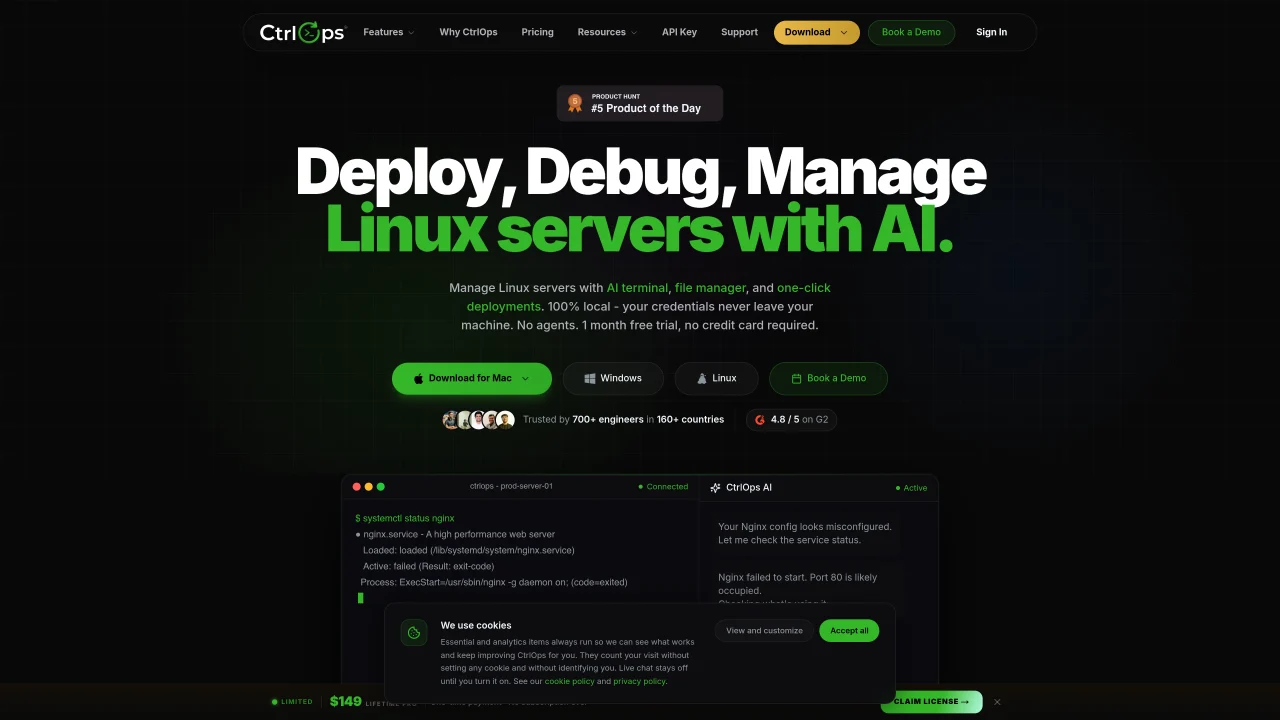
CtrlOps is a local-first desktop application designed to manage Linux servers from a single interface. It connects directly to servers via SSH without requiring agents, allowing users to handle multi-server management, file operations, log monitoring, security audits, and deployments from one dashboard. The AI terminal translates plain English commands into shell scripts, which can be reviewed and approved before execution. The tool includes features like real-time infrastructure monitoring, scheduled backups to S3, access management, and port forwarding. It supports one-click deployments from GitHub repositories with PM2, Nginx, and SSL handling. Security is emphasized with 25 audits, hardening reports, and SSH key management stored locally. The application is available for macOS (Apple Silicon and Intel), Windows, and Linux.
CtrlOps is a local-first desktop application for managing Linux servers from a single interface. It connects directly to servers via SSH without requiring agents, enabling multi-server management, file operations, log monitoring, security audits, and deployments from one dashboard.
CtrlOps is designed for engineers, DevOps teams, and IT professionals who need to manage multiple Linux servers efficiently. It is particularly useful for those who prefer a unified interface over traditional terminal-based workflows.
The AI terminal translates plain English commands into shell scripts, which users can review and approve before execution. This feature helps simplify complex tasks and reduces the risk of errors by allowing human oversight.
No, CtrlOps connects directly to servers over SSH without requiring any agents to be installed. This ensures a lightweight and secure setup.
CtrlOps is available for macOS (including Apple Silicon and Intel), Windows, and Linux, providing cross-platform compatibility for users.
CtrlOps includes features like SSH key management, access control to monitor and revoke server access, and 25 security audits with hardening reports. All credentials and data remain local, ensuring privacy and security.
ctrlops.io · third-party estimates from Similarweb
Last 4 months · grows by one month every month
Share of visits by channel
No measurable traffic from Social, Paid Referrals or Search.
Share of visits · estimated visits
Other countries: 36.4%
How people reach this site from other AI tools
7 a month
Coding & Development · Sep 2026
Traffic figures are third-party estimates, good for scale and trends; they can differ from a company's own numbers. Updated monthly.
We use essential cookies to run Aitoolnavio, and optional cookies to analyze traffic and measure our marketing. You choose what we use — optional cookies stay off unless you turn them on. See our Privacy Policy.
One short email a week: fresh tools worth trying, honest takes and the updates that actually matter. No spam, unsubscribe any time.
Collaboration and version control platform for software development and AI model hosting.
A cloud platform for deploying, scaling, and managing web apps and AI workloads with Git-based CI/CD and edge functions.
AI-first electronic design automation for ICs, advanced packaging, and systems with hardware-assisted acceleration and elastic cloud delivery.
Standardize application packaging and execution with portable containers for consistent local and cloud workflows.
Unified AI-powered platform for real-time monitoring, analytics, and security across cloud infrastructure, applications, and services.
Create cloud servers with ease, enjoy full control, automated backups, secure networking, and reliable support.
An IDE that automates legacy-to-modern code migration using autonomous coding agents.
Cloud platform for developing, training, and scaling AI models with a serverless GPU environment.
Monitor, resolve issues, visualize performance metrics, and gain insights for real-time application performance.
Backend platform providing Postgres databases, authentication, storage and compute for applications and agents
Rent GPU computing resources for running AI models at a low cost.
Unified Arm compute platform spanning Neoverse servers, Cortex, C1, Mali, and Ethos for consistent, scalable AI deployment from cloud to edge.
Matched on what this tool does — grouped by the job you would be replacing.
matches Multi-server management with alias-based switching · Real-time infrastructure monitoring (CPU, memory, disk, network) · Security audits with hardening score and PDF reports
A web-based platform for monitoring Linux servers, website uptime, and SSL expiry with AI-driven alerts and task automation.
AI-driven platform for managing Linux and Windows servers via natural language
matches AI terminal for plain English to shell command translation · Visual file management with upload, download, and unzip
matches One-click deployments from GitHub with PM2, Nginx, and SSL
Desktop cockpit combining terminal, browser, editor and voice AI for developers
Centralized interface for running commands on local and remote servers over SSH
Native macOS SSH client with built-in file transfer and AI integration
Deploy apps, automate backups, monitor and scale easily with advanced cloud management.
AI-powered PaaS for deploying, scaling, and managing apps on AWS with automated CI/CD and cost-optimized infrastructure.
One-click platform to deploy and manage apps across clouds with Docker, Kubernetes, and GitHub integrations.