

AI-powered website builder that generates a professional site in under a minute and includes tools for content, SEO, and analytics.
52M visits/mo+0.7%#4 Coding & Development
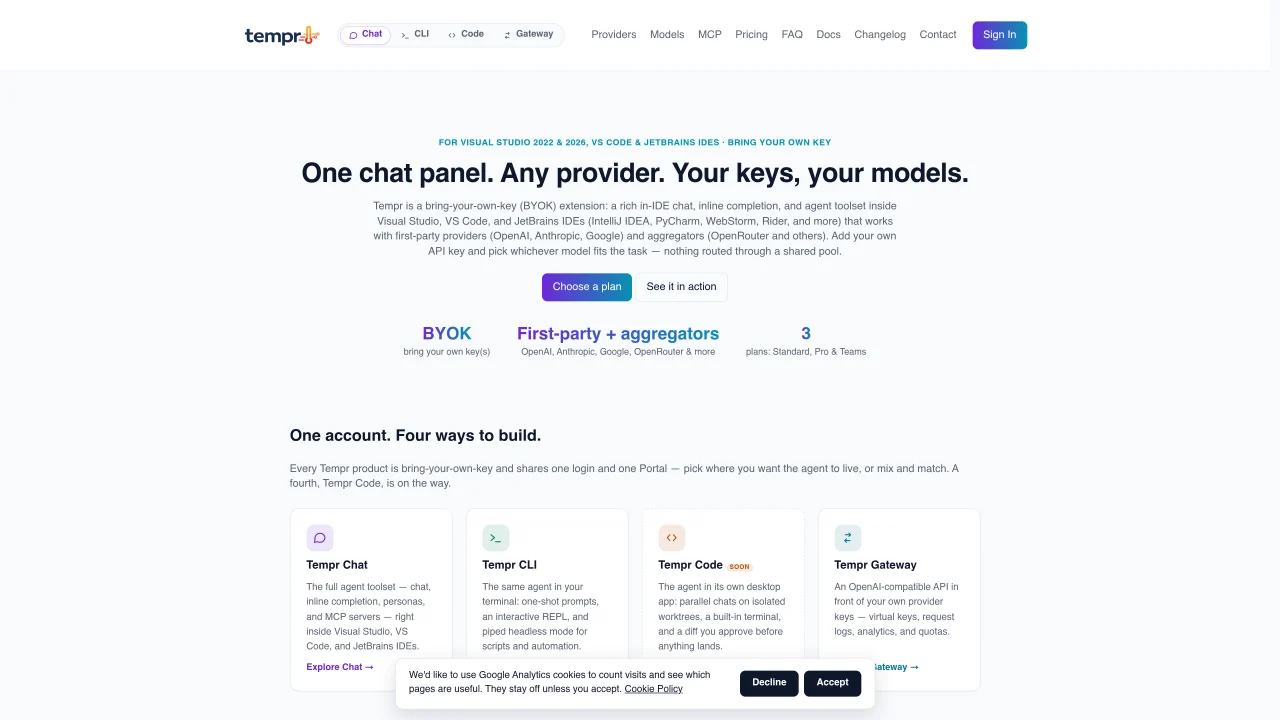
Tempr is a bring-your-own-key (BYOK) AI coding assistant that integrates into Visual Studio, VS Code, and JetBrains IDEs. It provides an in-IDE chat panel, inline code completion, and agent toolsets without routing through a shared pool. Users supply their own API keys to connect directly to first-party providers like OpenAI, Anthropic, Google, and xAI, as well as aggregators such as OpenRouter. The tool supports multiple agent modes, including Interactive, Bypass, and Autopilot, and offers named personas for specialized tasks like debugging, testing, and refactoring. Tempr also includes features like semantic code search, debugger-aware assistance, and multi-agent delegation. The agent loop runs server-side for resilience, while tool execution remains local within the IDE. Chat sessions, tool preferences, and custom personas sync across machines for consistent workflows.
Tempr is a bring-your-own-key (BYOK) AI coding assistant that integrates directly into Visual Studio, VS Code, and JetBrains IDEs. It provides an in-IDE chat panel, inline code completion, and agent toolsets while allowing users to connect their own API keys to first-party providers like OpenAI, Anthropic, Google, and xAI, as well as aggregators such as OpenRouter.
Tempr is designed for developers who want an AI coding assistant that operates entirely within their preferred IDE without routing through a shared pool. It suits individuals, teams, and organizations that prioritize control over their API keys and model choices.
Tempr offers a tiered licensing model with Standard, Pro, and Teams plans. All plans require users to bring their own API keys, and higher tiers unlock additional features such as custom personas, multiple saved sessions, and higher agent-turn limits.
Yes, Tempr supports integration with external Model Context Protocol (MCP) servers, allowing users to extend the agent with their own tools and data sources. It also offers an OpenAI-compatible API via Tempr Gateway for broader compatibility.
Tempr requires users to supply their own API keys, which may involve additional costs depending on the provider. The agent loop runs server-side for resilience, but tool execution remains local within the IDE, which may limit performance in some scenarios.
To get started, install the Tempr extension into your preferred IDE (Visual Studio, VS Code, or JetBrains IDEs), subscribe to a plan, and activate your license. Then, add your API key(s) to connect to your chosen models and begin using the in-IDE chat and agent features.
We use essential cookies to run aitoolnavio™, and optional cookies to analyze traffic and measure our marketing. You choose what we use — optional cookies stay off unless you turn them on. See our Privacy Policy.
One short email a week: fresh tools worth trying, honest takes and the updates that actually matter. No spam, unsubscribe any time.
AI-powered website builder that generates a professional site in under a minute and includes tools for content, SEO, and analytics.
AI-powered coding platform that uses agents to plan, write, and test software with real-time feedback and verifiable artifacts.
Automate code, research, and documents using agents.
AI-powered code assistant that generates, reviews, optimizes, and debugs code with natural language prompts and editor integrations.
AI assistant for safe, reliable productivity with code, collaboration, and integrations.
AI-powered IDE for autonomous coding tasks and agentic development workflows
Privacy-focused AI chatbot that generates uncensored text, code, images, and translations without storing conversations or requiring an account.
A free web-based AI chatbot and agent for writing, coding, research, and content creation with multilingual support.
Write & run code in 50+ languages, auto-complete with AI, and code faster with an intuitive interface.
An IDE that automates legacy-to-modern code migration using autonomous coding agents.
AI models that return typed decisions with calibrated confidence for software automation
Practice coding challenges, improve technical skills, get detailed explanations, compare performance with peers.
Matched on what this tool does — grouped by the job you would be replacing.
matches In-IDE chat with Markdown and code block rendering · Inline code completion with ghost-text suggestions · Named agent personas for specialized tasks
AI-powered IDE for autonomous coding tasks and agentic development workflows
AI coding assistant that adds autocomplete, chat, debugging, and file-editing agents in VS Code and JetBrains with BYOK model control.
An AI coding assistant that integrates with IDEs to provide code completion, generation, editing, debugging, and explanations.
VS Code extension that turns the editor into an AI-powered programming assistant for coding, debugging, and project management.
matches Semantic code search using embeddings · Contextual code explanations across large repositories · AI-powered code navigation and search
matches Model Context Protocol (MCP) server integration
Explains and navigates large enterprise codebases with AI-powered assistance.
Spatial IDE for orchestrating multiple AI coding agents on a shared canvas
No-code platform to build, orchestrate, and deploy AI agents for business workflow automation without coding.
Fetch live web pages and search results directly into your AI assistant's context with this open-source MCP server.