
Cloud platform for web scraping, browser automation, and AI data extraction with 20,000+ pre-built tools and scalable cloud runs.
4M visits/mo-5%#13 Automation & Agents

AI Chrome extension that lets users extract structured data from webpages using natural language and export to CSV or Excel.
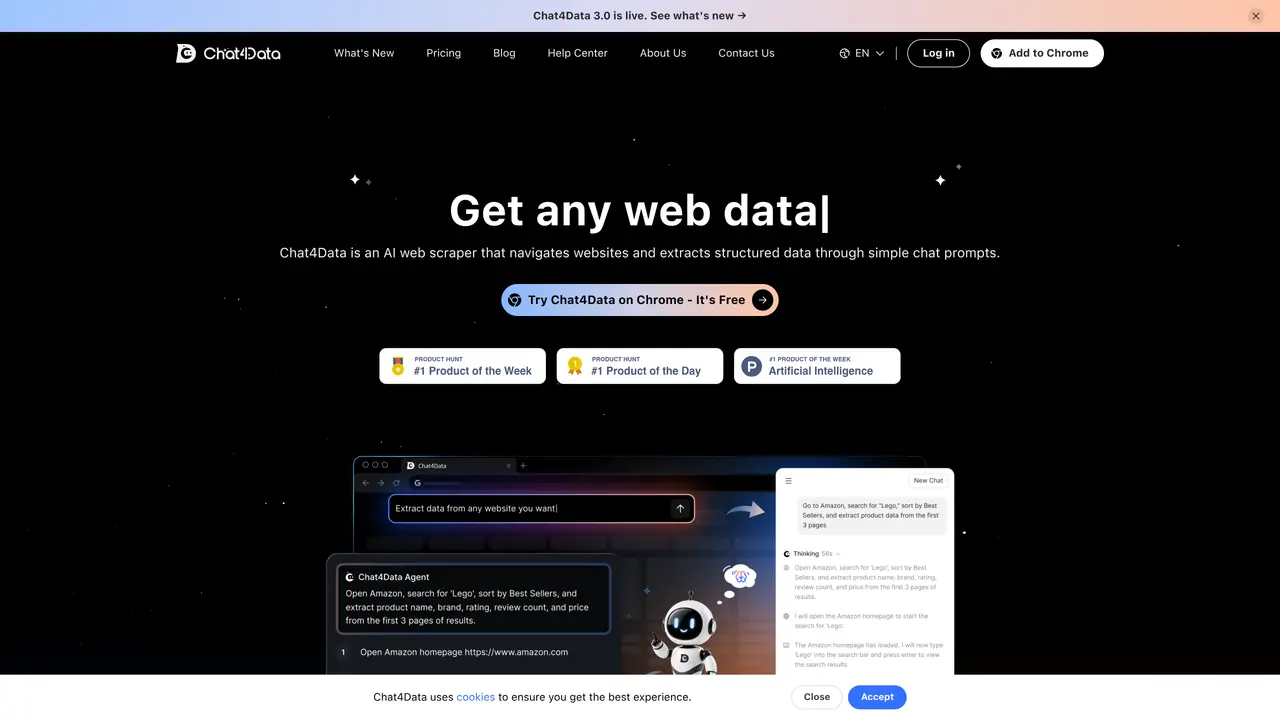
Chat4Data is a chat-based Chrome browser extension designed for marketers, data analysts, researchers, and e-commerce teams. It enables users to extract structured data from webpages using natural language commands without requiring any coding knowledge. The tool handles multi-page scraping by managing pagination, scrolling, and navigation to collect datasets across listing pages and linked detail pages. Users can refine extraction results conversationally and download data instantly as CSV or Excel files for spreadsheets, analysis, and reporting. Chat4Data works with AI models such as Gemini and ChatGPT to detect fields, including some hidden page elements, making the process more accurate and efficient. The extension turns web scraping into a guided chat workflow with confirmation steps, making it practical for tasks like lead generation, competitor price tracking, and market research directly from the browser. It is developed by Lumoris Technologies Inc. and is available as a freemium product with a free plan and paid subscription tiers.
Chat4Data is an AI-powered Chrome extension that allows users to extract structured data from websites using natural language prompts without requiring coding skills. It functions as a conversational assistant for web scraping, handling tasks like pagination, scrolling, and navigating through pages to collect datasets.
Chat4Data works with most HTML-based websites, including e-commerce platforms, news sites, real estate listings, job boards, directories, and educational portals. It can extract data from listing pages and linked detail pages while adapting to site layout changes.
No coding skills are required. Users describe the data they want in plain English, and Chat4Data's AI handles the extraction process, including refining results and managing complex tasks like logins or CAPTCHAs with user confirmation steps.
Chat4Data operates on a freemium model with a free plan offering a limited number of credits for scraping. Users can earn or purchase additional credits, which are consumed based on webpage complexity and interaction type. Credits can be obtained through sign-up bonuses, monthly subscriptions, or top-ups.
There is no predefined limit to the amount of data that can be scraped in a single run. Chat4Data continues extracting data until the job is complete, whether it involves dozens or thousands of listings, as long as the browser tab remains open.
Most errors can be resolved by retrying the extraction, refreshing the page, checking the internet connection, or restarting the extension. If issues persist, support is available within a working day to assist users in resolving the problem.
chat4data.ai · third-party estimates from Similarweb
Last 4 months · grows by one month every month
Share of visits · estimated visits
Other countries: 65.4%
How people reach this site from other AI tools
27 a month · 0.1% of all visits
Coding & Development · Sep 2026
Traffic figures are third-party estimates, good for scale and trends; they can differ from a company's own numbers. Updated monthly.
We use essential cookies to run aitoolnavio™, and optional cookies to analyze traffic and measure our marketing. You choose what we use — optional cookies stay off unless you turn them on. See our Privacy Policy.
One short email a week: fresh tools worth trying, honest takes and the updates that actually matter. No spam, unsubscribe any time.
Cloud platform for web scraping, browser automation, and AI data extraction with 20,000+ pre-built tools and scalable cloud runs.
AI web crawler that extracts clean web data into JSON or markdown for developers and marketers.
Labelbox is an enterprise-grade data labeling platform designed to help organizations create, manage, and deploy AI applications.
Real-time AI search and crawling API for developers and AI teams to extract and summarize web data for agents and research workflows.
Enterprise-grade proxy networks, web scrapers, and ready-to-use datasets for reliable web data collection.
Map, analyze, and visualize geospatial data effortlessly while securely tracking real-time locations.
Open-source analytics platform to build interactive dashboards, automate data prep, and enforce enterprise-grade security.
Converts scanned documents and images into editable, searchable formats with AI-powered OCR and data extraction.
Open-source AI document parser that converts PDFs, images, and documents into structured Markdown or JSON for AI workflows.
Streamlines AI data retrieval for efficient processing.
Automate data extraction, capture data from images and text, streamline data entry processes with easy-to-use tools and APIs.
Web scraping and data extraction API that simplifies gathering data from websites with features like JavaScript rendering and geotargeting.
Matched on what this tool does — grouped by the job you would be replacing.
matches Natural-language extraction of fields like product names, prices, ratings, emails, phone numbers, images, and links · Structured exports to CSV or Excel (.xlsx) for spreadsheets and analysis · Browser-based workflow with no coding required
No-code web scraping tool to extract structured data from websites, automate runs, and export to sheets or databases without coding.
AI-powered web scraping API that extracts structured data from any website with rendering, proxies, and multiple output formats.
Turns plain-English prompts into reusable web scrapers that extract structured data and automate site interactions without coding.
Browser-extension web scraper that extracts structured data from any website without coding.
matches Multi-page scraping with automatic handling of pagination, scrolling, and navigation · Model-assisted scraping using AI models such as Gemini and ChatGPT · Conversation-based refinement of extraction results
No-code web scraping platform delivering structured data from any site
Extracts structured data from websites without coding using AI-powered workflows and adaptive selectors.
BrowserAct is an AI-powered cloud browser automation tool that extracts data and completes tasks from websites using natural language.
Extracts and updates structured data from websites without coding