
Turn spreadsheets into custom business apps without writing code using this no-code platform.
21M visits/mo+0.1%#15 Coding & Development
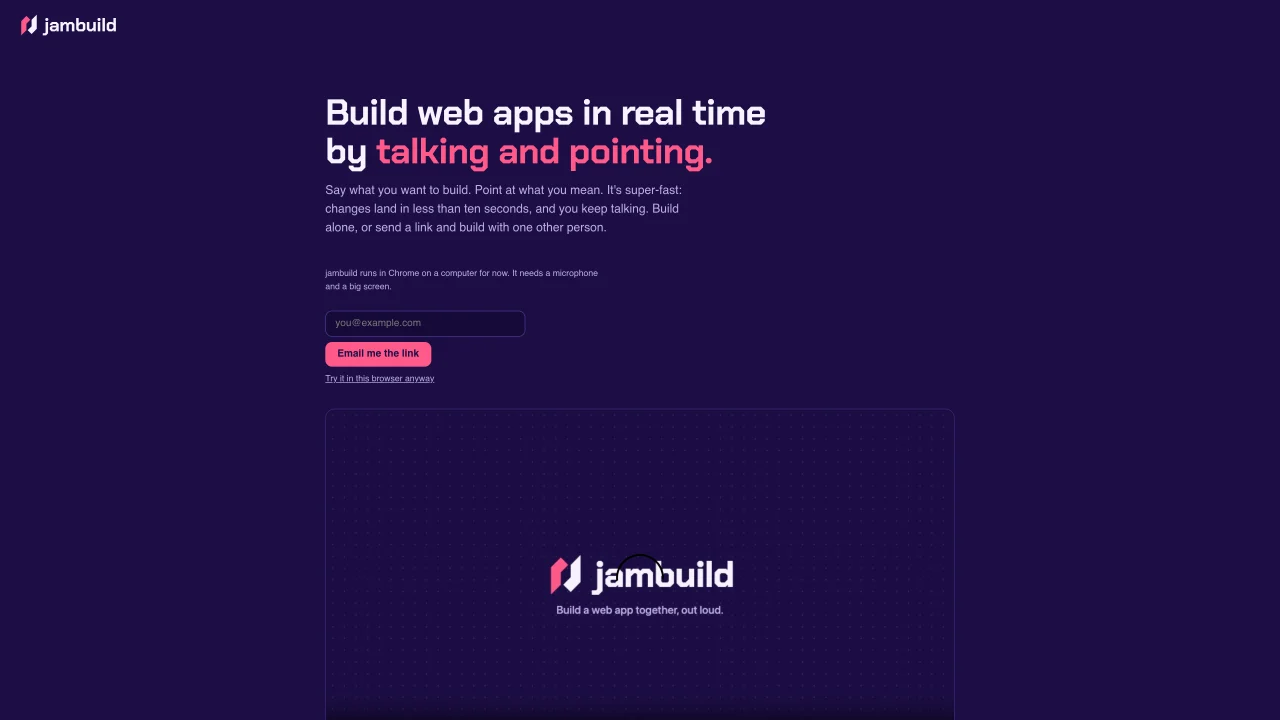
jambuild enables users to construct web application prototypes by speaking commands and pointing at elements on the screen. The tool transcribes spoken instructions and applies them to a live interface within seconds. Users can describe page layouts, specify interactions, or request modifications, and the system generates corresponding changes in real time. The interface highlights elements as the cursor moves over them, allowing precise reference during voice commands. Collaboration is supported through shareable links, enabling two users to work together simultaneously on the same prototype. All spoken instructions and resulting changes are recorded and stored with the prototype for review. The platform includes a daily usage limit for free builds, which can be increased by adding a custom API key.
jambuild is a tool that lets users build web application prototypes by speaking commands and pointing at elements on the screen. It transcribes spoken instructions and applies them to a live interface in real time, typically within seconds.
jambuild is designed for individuals or teams who want to quickly prototype web applications without coding. It suits designers, developers, product managers, or anyone looking to iterate on interfaces through voice and visual interaction.
Yes, jambuild allows two users to collaborate simultaneously on the same prototype by sharing a link. Both users can speak commands and point at elements, with changes appearing in real time for both participants.
To get started, visit jambuild.dev and allow microphone access in your browser. Begin by describing the web app you want to build or pointing at elements and speaking your desired changes. No coding is required.
Yes, all spoken instructions and resulting changes are recorded and stored with the prototype. This allows users to review the history of modifications and understand how the prototype evolved over time.
jambuild offers free builds with a daily usage limit. Users can increase this limit by adding their own API key, which provides additional capacity for building prototypes.
We use essential cookies to run aitoolnavio™, and optional cookies to analyze traffic and measure our marketing. You choose what we use — optional cookies stay off unless you turn them on. See our Privacy Policy.
One short email a week: fresh tools worth trying, honest takes and the updates that actually matter. No spam, unsubscribe any time.
Turn spreadsheets into custom business apps without writing code using this no-code platform.
Transform ideas into fully functional applications with Lovable, a groundbreaking AI tool.
Build full applications swiftly without coding expertise.
Build scalable apps with AI-driven tools.
AI-powered platform streamlining workflows with no-code automation.
AI-native builder that turns prompts into full-stack web apps, syncs to GitHub, and deploys to Vercel in seconds with visual editing.
Create AI-powered applications, customize features, build & test rapidly with intuitive UI.
AI-powered visual platform that turns prompts or images into mobile and web apps with drag-and-drop simplicity.
Unlock AI's potential: analytics, creativity, efficiency, in an intuitive, customizable platform.
Revolutionize business automation and CRM with low-code solutions.
Build custom internal apps effortlessly with robust integration tools.
Turn hand-drawn sketches into working web code, apps, and user interfaces instantly.
Matched on what this tool does — grouped by the job you would be replacing.
matches Voice transcription for interface commands · Live interface updates within seconds · Element highlighting for precise pointing
Transform ideas into fully functional applications with Lovable, a groundbreaking AI tool.
Collaborative AI agent that turns prompts into deployed web apps, presentations, reports, images, videos, documents, and automated workflows.
A no-code, prompt-driven tool that generates web applications from text instructions and provides live previews.
matches Shareable collaboration links · Multi-user real-time editing
matches API key integration for extended usage
A Figma plugin that turns natural language prompts into editable UI designs, streamlining rapid prototyping and collaboration.
Rapidly prototype, test, and iterate design ideas.
AI-powered platform that turns plain-language descriptions or screenshots into interactive app and website prototypes with multi-page workflows and UI components.
Transform sketches to interactive app prototypes.
Collaboration and version control platform for software development and AI model hosting.
Open-source backend platform providing Postgres, authentication, APIs, and real-time features to build scalable apps quickly.
Drag-and-drop website builder that generates content and design automatically without coding, enabling fast, professional site creation.