Create detailed 3D models instantly from text.
15M visits/mo+9.6%#8 Image & Design

Turns 3D models, sketches, or photos into photorealistic architectural renders in seconds using AI.
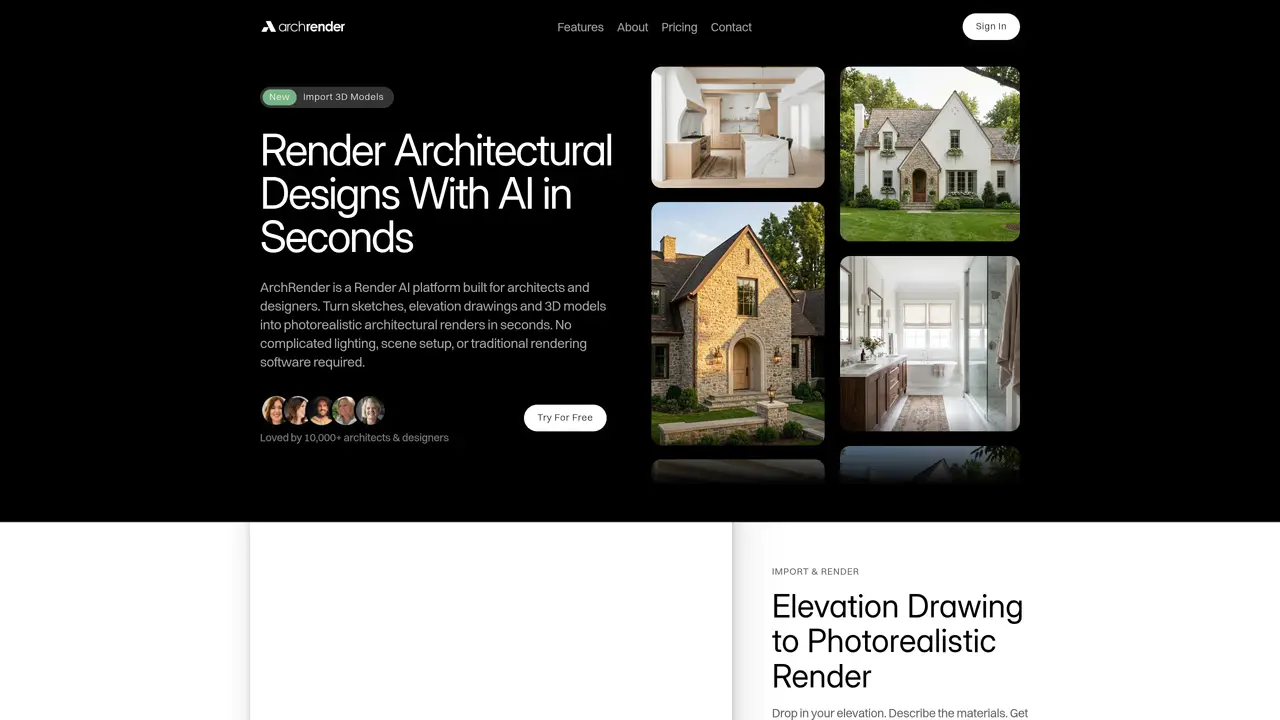
ArchRender is an AI-powered rendering platform designed specifically for architects and designers to transform 3D models, sketches, or elevation drawings into photorealistic interior and exterior visuals within seconds. The tool automates the rendering process by interpreting geometry, scale, and perspective without requiring manual lighting setups or traditional rendering software expertise. Users can control elements such as season, time of day, and surrounding environments to visualize designs in different contexts. Natural-language prompts or uploaded moodboards allow for stylization and material selection, while an edit mode enables iterative refinements and multiple variant generation. Projects are organized within a centralized workspace, preserving all renders and source files for ongoing collaboration and client presentations. ArchRender accelerates workflows by reducing the need for complex setups and long render times, making it ideal for quick concept visualization, client proposals, and design iteration.
Render AI refers to artificial intelligence systems that automate the creation of photorealistic visuals from 3D models, sketches, or photographs without requiring manual lighting setups or traditional rendering software.
ArchRender is designed for architects, interior designers, and design studios who need to quickly generate photorealistic visuals for client presentations, concept visualization, or iterative design refinement.
No prior rendering experience is required. ArchRender automates complex setups, allowing users to generate high-quality visuals using simple prompts or uploaded moodboards.
ArchRender produces photorealistic renders in seconds, significantly faster than traditional rendering methods that may require hours or specialized expertise.
ArchRender supports common 3D file formats such as OBJ and FBX, enabling compatibility with popular architectural software.
ArchRender generates photorealistic visuals by interpreting materials, lighting, and context, though the quality depends on input clarity and prompt specificity.
archrender.ai · third-party estimates from Similarweb
Last 4 months · grows by one month every month
Share of visits by channel
No measurable traffic from Paid Referrals.
Share of visits · estimated visits
Other countries: 13.9%
Image & Design · Sep 2026
Traffic figures are third-party estimates, good for scale and trends; they can differ from a company's own numbers. Updated monthly.
We use essential cookies to run aitoolnavio™, and optional cookies to analyze traffic and measure our marketing. You choose what we use — optional cookies stay off unless you turn them on. See our Privacy Policy.
One short email a week: fresh tools worth trying, honest takes and the updates that actually matter. No spam, unsubscribe any time.
Create detailed 3D models instantly from text.
Meshy turns text prompts or images into fully textured 3D models in minutes.
Effortlessly generate realistic 3D models with AI.
Create precise 3D models, collaborate on designs, and analyze simulations in real-time.
Create realistic 3D environments, customize 3D creations, and generate high-resolution visuals using AI-driven technology.
Generate lifelike 3D visuals, transform 2D media, and capture intricate details for video production, games, and animations.
API-first platform for integrating image, video, and 3D generative AI models into applications with fast inference and pay-as-you-go pricing.
An AI design agent that turns natural language prompts into logos, social graphics, videos, 3D assets, and web pages in a single web canvas.
Turn hand-drawn sketches into editable 3D models and photorealistic images with AI.
AI-powered 3D editor that lets users create, edit, and animate 3D models using simple text prompts.
A web-based AI toolkit that converts text prompts or images into textured 3D models with exports to FBX, OBJ, GLB, and STL formats.
Build 3D models, optimize for real-time use, and generate within game engines using the Sloyd SDK.
Matched on what this tool does — grouped by the job you would be replacing.
matches Converts 3D models, sketches, or photos into photorealistic renders · Interprets geometry, scale, and perspective automatically · Applies realistic materials and lighting via AI
Turn hand-drawn sketches into editable 3D models and photorealistic images with AI.
AI-powered tool that converts 3D models into photorealistic renders using text-based editing for instant design changes.
AI rendering platform that converts CAD files and sketches into photorealistic architectural visuals in minutes.
Converts sketches, CAD, or 3D screenshots into photorealistic architectural renderings in seconds using AI.
matches AI interior design platform for virtual staging, image upscaling, and natural language editing to create professional visual assets · Virtual staging for interior spaces · Sketch-to-photorealistic rendering
AI interior design platform for virtual staging, image upscaling, and natural language editing to create professional visual assets.
AI-powered interior and exterior design tool for virtual staging and redesigns
AI-powered interior design visualization for rooms and sketches
AI-powered virtual staging that turns empty property photos into furnished, photorealistic images in minutes for real estate listings.