

Create accurate 3D floor plans and interior visualizations with drag-and-drop tools, no design expertise required.
554K visits/mo+13.9%#112 Image & Design
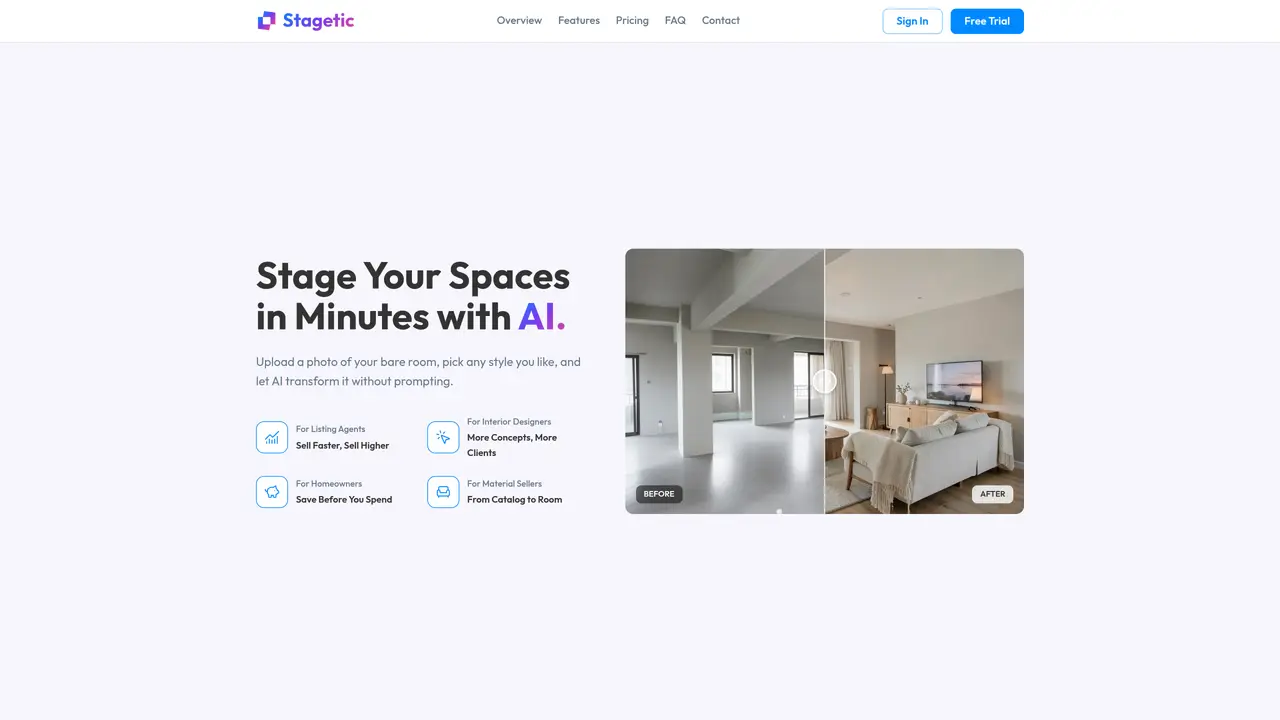
Stagetic transforms bare rooms or rough sketches into photorealistic interior designs using AI. Users upload a photo of a space or sketch and select a design style such as modern, minimalist, rustic, industrial, or Scandinavian. The AI generates a photorealistic preview in about a minute, which can then be refined through natural-language prompt edits like repainting furniture or changing flooring. The tool supports multiple styles and allows for instant previews and HD exports suitable for client presentations or portfolios. Uploads are secured and used only for rendering, with pricing based on a monthly credit system that resets each month. The platform targets listing agents, interior designers, homeowners, and material sellers by enabling faster sales, more design concepts, cost savings, and catalog-to-room visualization.
Upload a photo of your room, sketch, or bare space, select a design style, and the AI generates a photorealistic preview in about a minute. The system uses state-of-the-art AI to transform the input without requiring detailed prompts.
Yes. In the editor, describe changes in plain language—such as repainting furniture, swapping flooring, or replacing objects—and the AI applies those edits instantly to the design.
AI-generated results depend on factors like photo composition, lighting, and clarity. Minor variations in details, proportions, or textures are normal. For best results, upload well-lit, high-resolution photos with clear room structures.
Stagetic supports JPG, PNG, and WEBP formats, with a maximum file size of 10MB. For optimal results, use well-lit photos with minimal clutter and clear room structures.
Each AI generation or edit consumes 1 credit. Credits reset monthly and do not roll over. Free trial users receive a limited number of credits for testing, while paid plans offer monthly credit allotments based on the subscription tier.
Yes. You can cancel a paid subscription anytime from your account settings. Paid access continues until the end of the current billing period, and no additional charges apply after cancellation.
We use essential cookies to run aitoolnavio™, and optional cookies to analyze traffic and measure our marketing. You choose what we use — optional cookies stay off unless you turn them on. See our Privacy Policy.
One short email a week: fresh tools worth trying, honest takes and the updates that actually matter. No spam, unsubscribe any time.
Create accurate 3D floor plans and interior visualizations with drag-and-drop tools, no design expertise required.
A powerful AI tool for generating realistic and coherent text-based descriptions of rooms and spaces.
Generate architectural plans, customize floor plans, and create 3D walkthroughs in minutes.
AI-driven reality capture and analytics for construction sites.
Create a moodboard, get a shopping list, and connect with an interior designer for design ideas and expert advice.
Generate personalized furniture recommendations, create detailed visualizations, and streamline room design process.
Generate custom designs, choose colors/textures/furniture/accessories, access pre-designed room plans.
Generates exterior home designs and visualizes paint colors from photos
Floor Plan Maker helps you design and visualize spaces with AI.
A browser-based AI 3D home design tool for architects, interior designers, and DIY planners to create floor plans, visualize rooms, and share designs via URL.
Collaborative browser-based BIM for architects and interior designers.
A platform for architects and designers to create, customize, and share 3D architectural models and materials efficiently.
Matched on what this tool does — grouped by the job you would be replacing.
matches AI-powered interior staging · Natural-language prompt editing · Multiple design styles
AI interior design platform for virtual staging, image upscaling, and natural language editing to create professional visual assets.
Transform empty room photos into fully furnished interior designs using AI in seconds.
Browser-based AI tool for generating interior and exterior home design concepts from photos, sketches, or
AI-powered interior design generator that redesigns rooms from photos