





Create detailed 3D models instantly from text.
15M visits/mo+9.6%#8 Image & Design
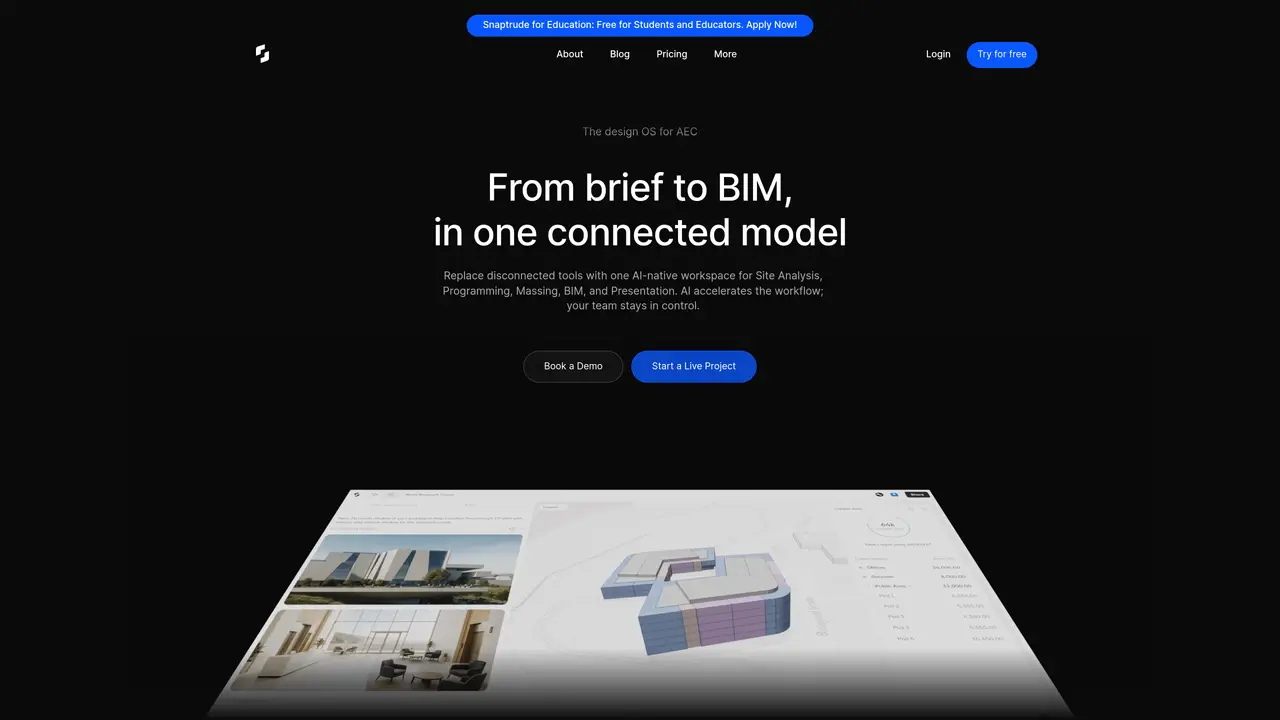
Snaptrude is a groundbreaking platform designed to revolutionize the way architects and interior designers approach building design. By combining smart, parametric modeling with easy in-browser collaboration and strong interoperability with Revit, Snaptrude offers a seamless experience for professionals looking to sketch and model better buildings faster. Tailored for architects, interior designers, and other design professionals, Snaptrude simplifies complex tasks and enhances design workflows through intelligent automation and real-time collaboration. Key Features: Parametric Modeling and Multi Split: Automate BIM properties with features like Smart Storeys and Sketch to BIM, reducing repetitive setup tasks. Real-Time Collaboration: Collaborate with stakeholders in real-time from any browser or device. Share models and document communication seamlessly. 3D Rendering: Engage clients with high-definition 3D renders of your models directly within the browser, simply by sharing a link. Smart Labels and Spaces: Automatically assign properties such as height, appearance, and furniture placements to spaces, streamlining the design process. Snaptrude is designed for architects, interior designers, and other design professionals who want to simplify complex tasks and enhance their design workflows through intelligent automation and real-time collaboration. It offers a range of features that make it an essential tool for building design, including parametric modeling, multi-split capabilities, real-time collaboration, 3D rendering, and smart labels and spaces. With Snaptrude, users can automate BIM properties, collaborate with stakeholders in real-time, and engage clients with high-definition 3D renders of their models.
Snaptrude is an AI-powered BIM software for architects that integrates site analysis, programming, massing, BIM, and presentation into a single connected model. It accelerates workflows with AI while allowing manual refinement.
Snaptrude is designed for architects, interior designers, and AEC professionals who need to streamline early-stage design workflows, from brief to BIM, with real-time collaboration and AI assistance.
Snaptrude uses AI to generate initial designs or programs from prompts or uploaded documents, which can then be manually refined in its editor. Users maintain full control over the output.
Yes, Snaptrude supports seamless export to Revit and Rhino, preserving materials, parameters, and objects. It also allows importing firm-standard Revit objects for use in its BIM mode.
Yes, Snaptrude enables real-time collaboration with teammates, consultants, or clients in a centralized workspace, allowing shared access to models and communication.
Snaptrude complies with SOC 2 Type 2 standards, uses end-to-end encryption for data in transit and at rest, and isolates AI queries within private IP environments to prevent cross-tenant exposure.
snaptrude.com · third-party estimates from Similarweb
Last 4 months · grows by one month every month
Share of visits · estimated visits
Other countries: 49.9%
How people reach this site from other AI tools
236 a month · 0.2% of all visits
Image & Design · Sep 2026
Traffic figures are third-party estimates, good for scale and trends; they can differ from a company's own numbers. Updated monthly.
We use essential cookies to run aitoolnavio™, and optional cookies to analyze traffic and measure our marketing. You choose what we use — optional cookies stay off unless you turn them on. See our Privacy Policy.
One short email a week: fresh tools worth trying, honest takes and the updates that actually matter. No spam, unsubscribe any time.
Create detailed 3D models instantly from text.
Meshy turns text prompts or images into fully textured 3D models in minutes.
Effortlessly generate realistic 3D models with AI.
Create precise 3D models, collaborate on designs, and analyze simulations in real-time.
Create realistic 3D environments, customize 3D creations, and generate high-resolution visuals using AI-driven technology.
Generate lifelike 3D visuals, transform 2D media, and capture intricate details for video production, games, and animations.
API-first platform for integrating image, video, and 3D generative AI models into applications with fast inference and pay-as-you-go pricing.
An AI design agent that turns natural language prompts into logos, social graphics, videos, 3D assets, and web pages in a single web canvas.
Turn hand-drawn sketches into editable 3D models and photorealistic images with AI.
AI-powered 3D editor that lets users create, edit, and animate 3D models using simple text prompts.
A web-based AI toolkit that converts text prompts or images into textured 3D models with exports to FBX, OBJ, GLB, and STL formats.
Build 3D models, optimize for real-time use, and generate within game engines using the Sloyd SDK.
A browser-based AI 3D home design tool for architects, interior designers, and DIY planners to create floor plans, visualize rooms, and share designs via URL.
A platform for architects and designers to create, customize, and share 3D architectural models and materials efficiently.
Turn smartphone scans into accurate 2D and 3D CAD floor plans and BIM models with AI-powered reconstruction software.
AI platform for architects and interior designers to generate photorealistic renders, renovations, and floor plans with real-time collaboration tools.
matches 3D Rendering · Real-Time Collaboration
AI-powered tool that converts 3D models into photorealistic renders using text-based editing for instant design changes.
AI interior design platform for virtual staging, image upscaling, and natural language editing to create professional visual assets.
Real-time rendering and VR plugin that turns 3D models into photorealistic visualizations with intuitive controls for architects and designers.
AI platform that converts 2D interior and architecture plans into photorealistic 3D renderings for faster workflows and client presentations.