
Create accurate 3D floor plans and interior visualizations with drag-and-drop tools, no design expertise required.
554K visits/mo+13.9%#112 Image & Design

Generate custom designs, choose colors/textures/furniture/accessories, access pre-designed room plans.
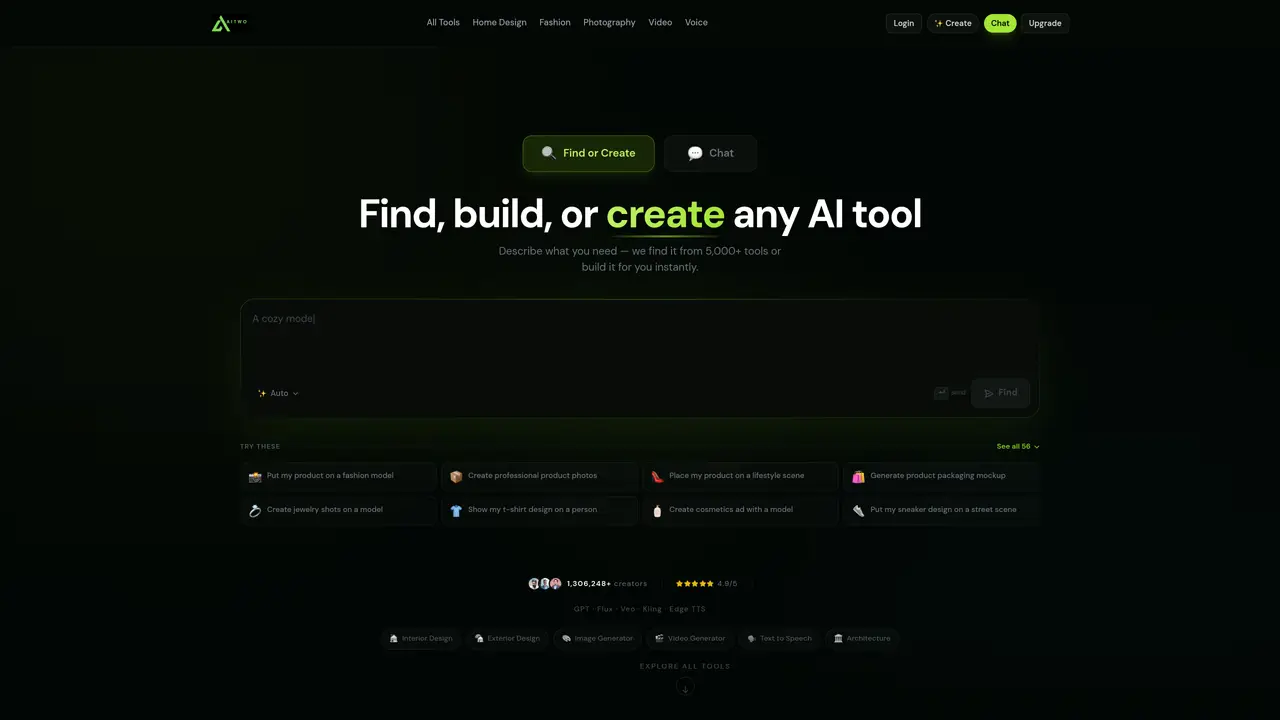
AI Two is a design tool that uses advanced AI technology to help users create interior and exterior designs with ease. The user-friendly software allows users to select colors, textures, furniture, and accessories that best suit their needs. Additionally, users can access a library of pre-designed room plans to get started. With no prior design experience required, users can bring their vision to life for any space. AI Two is suitable for anyone looking to transform their space without leaving the comfort of their own home. The tool provides a comprehensive suite of tools that make it easy to create beautiful and unique designs. Users can generate custom designs using AI technology, choose from a range of colors, textures, furniture, and accessories, and access pre-designed room plans. This makes it an ideal solution for homeowners, interior designers, and anyone looking to improve their space without the need for extensive design experience.
AI Two is an AI-powered platform offering a suite of design, image, video, and voice tools. It enables users to generate interior and exterior designs, modify product photos, create fashion model imagery, and apply color changes to objects like cars or motorcycles using AI technology.
AI Two is designed for homeowners, interior designers, fashion brands, jewelry designers, and anyone looking to visualize or enhance their designs without professional experience. It also serves businesses needing product photography or marketing visuals.
Users can describe their needs or upload reference images, and AI Two generates or modifies designs, photos, or models instantly. The platform offers specialized tools for tasks like changing object colors, creating fashion model imagery, or generating architectural designs.
AI Two primarily operates as a standalone platform with its own suite of tools. It does not explicitly mention integrations with third-party software but allows users to export generated designs or images for use elsewhere.
AI Two relies on AI-generated outputs, which may not always match precise user expectations or real-world accuracy. Some tools may require high-quality reference images for optimal results, and advanced customization options are limited compared to professional design software.
Visit the AI Two website, select a tool from the library, and follow the on-screen instructions to input your requirements or upload images. The platform guides users through the process with prompts and examples to generate results.
aitwo.co · third-party estimates from Similarweb
Last 4 months · grows by one month every month
Share of visits · estimated visits
Other countries: 59.4%
How people reach this site from other AI tools
50 a month
Image & Design · Sep 2026
Traffic figures are third-party estimates, good for scale and trends; they can differ from a company's own numbers. Updated monthly.
We use essential cookies to run aitoolnavio™, and optional cookies to analyze traffic and measure our marketing. You choose what we use — optional cookies stay off unless you turn them on. See our Privacy Policy.
One short email a week: fresh tools worth trying, honest takes and the updates that actually matter. No spam, unsubscribe any time.
Create accurate 3D floor plans and interior visualizations with drag-and-drop tools, no design expertise required.
A powerful AI tool for generating realistic and coherent text-based descriptions of rooms and spaces.
Generate architectural plans, customize floor plans, and create 3D walkthroughs in minutes.
AI-driven reality capture and analytics for construction sites.
Create a moodboard, get a shopping list, and connect with an interior designer for design ideas and expert advice.
Generate personalized furniture recommendations, create detailed visualizations, and streamline room design process.
Generates exterior home designs and visualizes paint colors from photos
Floor Plan Maker helps you design and visualize spaces with AI.
A browser-based AI 3D home design tool for architects, interior designers, and DIY planners to create floor plans, visualize rooms, and share designs via URL.
Collaborative browser-based BIM for architects and interior designers.
A platform for architects and designers to create, customize, and share 3D architectural models and materials efficiently.
Turns yard photos into editable landscape designs with AI-generated concepts and plant suggestions tailored to your location.
Matched on what this tool does — grouped by the job you would be replacing.
matches Generate custom designs with AI technology · Choose from a range of colors, textures, furniture, and accessories · Access a library of pre-designed room plans
Generate architectural plans, customize floor plans, and create 3D walkthroughs in minutes.
Renovate AI is your personal AI-powered interior designer that helps you visualize, strategize, and execute home design projects effortlessly.
Turns photos of homes into photorealistic interior and exterior redesigns with AI, offering style variations, 3D renderings, and virtual staging.
Turns room photos into styled interior designs with AI, letting users visualize and shop real makeovers instantly.