Create detailed 3D models instantly from text.
15M visits/mo+9.6%#8 Image & Design

AI rendering platform that converts CAD files and sketches into photorealistic architectural visuals in minutes.
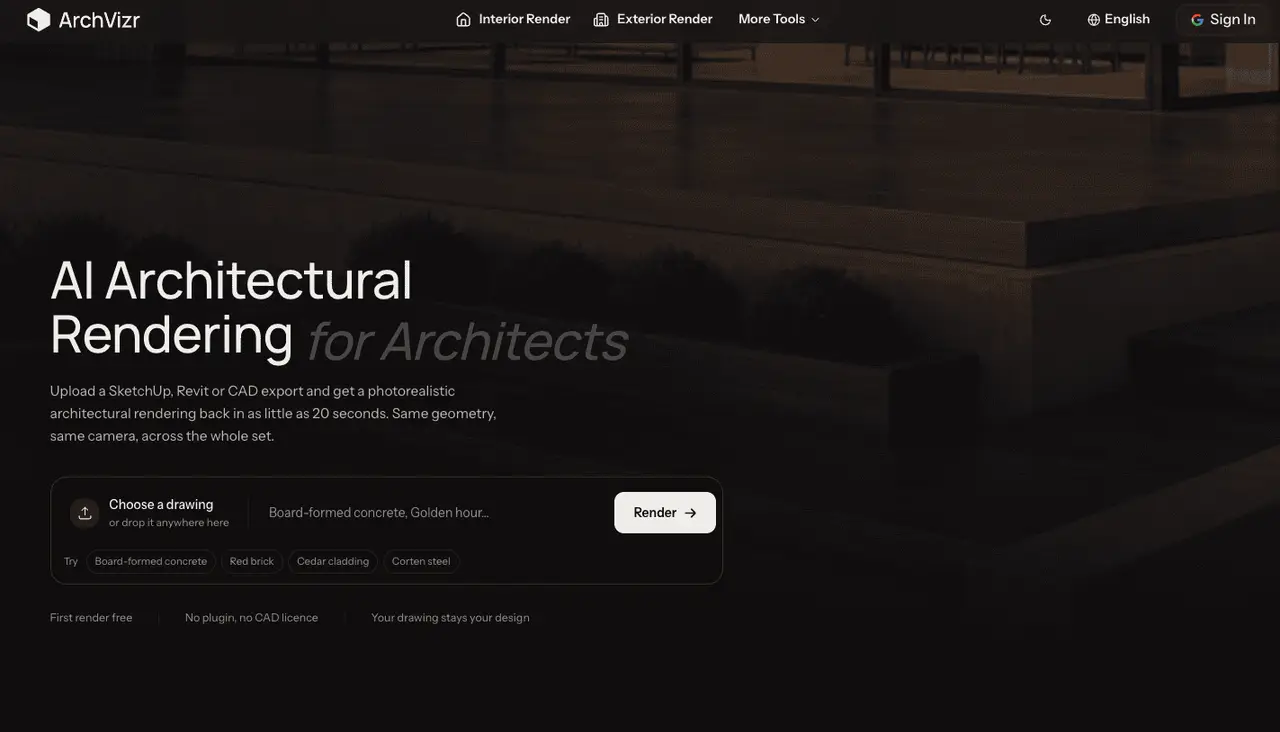
ArchVizr is an AI-powered rendering platform designed specifically for architecture professionals. It converts CAD drawings, SketchUp models, and rough sketches into photorealistic architectural renders in minutes. The tool is tuned for accurate perspective, realistic materials, and correct lighting, avoiding the generic output of standard AI image generators. Users upload a floor plan or 3D model, select a design style, and receive high-resolution, client-ready renders the same day. This eliminates the days-long wait and high costs associated with traditional render studios. By automating the rendering process, ArchVizr enables faster iteration, more design options, and immediate client feedback without relying on external studios or specialized software skills.
ArchVizr supports SketchUp, Revit, CAD exports, and hand-drawn sketches as input formats.
No, ArchVizr is specifically designed for architectural visualization and may not produce accurate results for non-architectural content.
No, ArchVizr operates entirely in the browser and does not require any plugins or CAD licenses.
The first render can be generated in as little as 20 seconds, while higher-quality renders may take closer to two minutes.
Yes, you can modify lighting conditions and material references to generate multiple variations from the same drawing.
Yes, ArchVizr offers a free first render without requiring a credit card.
archvizr.com · third-party estimates from Similarweb
Share of visits · estimated visits
Image & Design · Sep 2026
Traffic figures are third-party estimates, good for scale and trends; they can differ from a company's own numbers. Updated monthly.
We use essential cookies to run aitoolnavio™, and optional cookies to analyze traffic and measure our marketing. You choose what we use — optional cookies stay off unless you turn them on. See our Privacy Policy.
One short email a week: fresh tools worth trying, honest takes and the updates that actually matter. No spam, unsubscribe any time.
Create detailed 3D models instantly from text.
Meshy turns text prompts or images into fully textured 3D models in minutes.
Effortlessly generate realistic 3D models with AI.
Create precise 3D models, collaborate on designs, and analyze simulations in real-time.
Create realistic 3D environments, customize 3D creations, and generate high-resolution visuals using AI-driven technology.
Generate lifelike 3D visuals, transform 2D media, and capture intricate details for video production, games, and animations.
API-first platform for integrating image, video, and 3D generative AI models into applications with fast inference and pay-as-you-go pricing.
An AI design agent that turns natural language prompts into logos, social graphics, videos, 3D assets, and web pages in a single web canvas.
Turn hand-drawn sketches into editable 3D models and photorealistic images with AI.
AI-powered 3D editor that lets users create, edit, and animate 3D models using simple text prompts.
A web-based AI toolkit that converts text prompts or images into textured 3D models with exports to FBX, OBJ, GLB, and STL formats.
Build 3D models, optimize for real-time use, and generate within game engines using the Sloyd SDK.
Matched on what this tool does — grouped by the job you would be replacing.
matches Converts CAD files, SketchUp models, and sketches into photorealistic renders · Optimized for accurate perspective, realistic materials, and correct lighting · Generates high-resolution, client-ready visuals in minutes
AI rendering platform for architects and designers that converts sketches, CAD, and 3D models into photorealistic visuals in the browser.
Turns 3D models, sketches, or photos into photorealistic architectural renders in seconds using AI.
MNKI is an AI ecosystem for architects that transforms sketches into photorealistic renders with strict geometric fidelity.
Converts sketches, CAD, or 3D screenshots into photorealistic architectural renderings in seconds using AI.
matches Converts 3D models into photorealistic renders · Text-based editing for instant design changes · Context-aware smart prompts for accurate adjustments
matches Generates photorealistic interior, exterior, landscape, and garden visuals · Preserves design intent with AI models · Applies materials, styles, and lighting automatically
AI-powered tool that converts 3D models into photorealistic renders using text-based editing for instant design changes.
AI rendering tool that converts 3D models into photorealistic images instantly for architects and designers.
AI rendering platform that converts 3D model screenshots into photorealistic architectural images in seconds.
SketchUp plugin that generates photoreal renders and 360° panoramas directly in the viewport
Create stunning visual designs for homes, customize rooms with drag-and-drop, and choose from 10-65+ design themes.
Restyle rooms, test layouts, and shop photoreal designs with Paintit's AI interior design tool.
AI interior design tool that restyles rooms from a single photo or sketch
AI-powered home redesign from a single photo