
Create detailed 3D models instantly from text.
15M visits/mo+9.6%#8 Image & Design
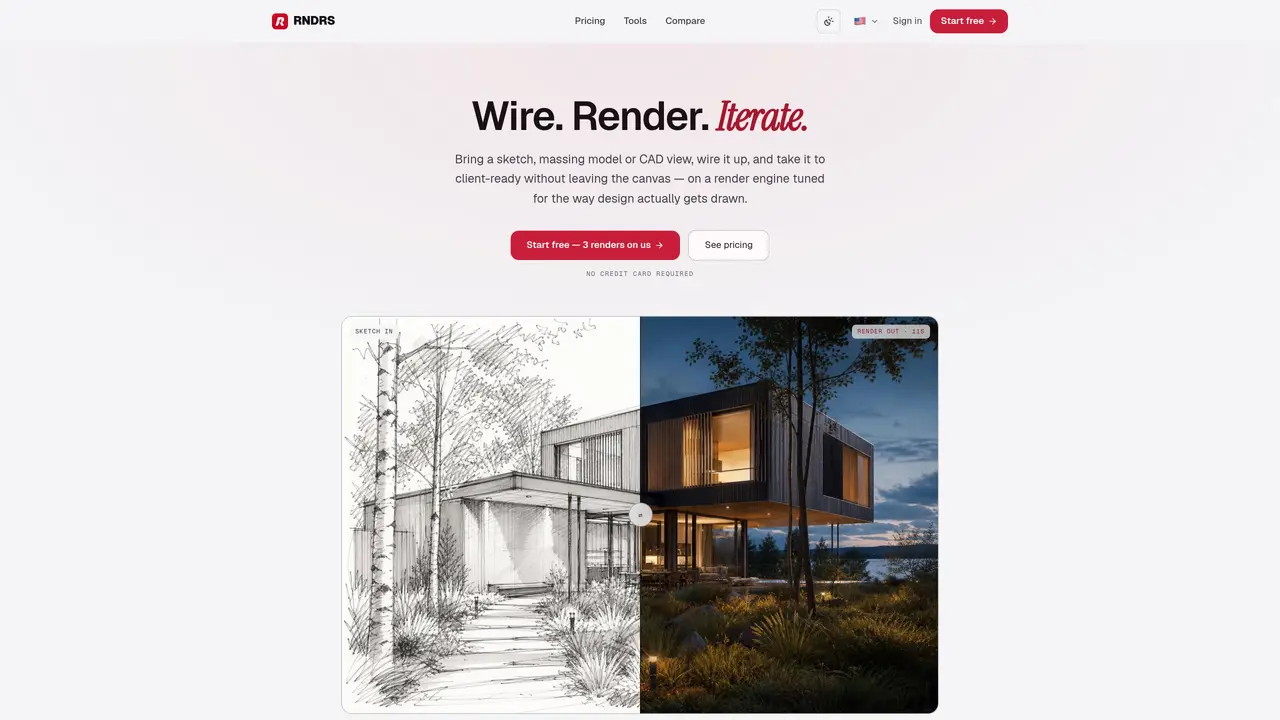
RNDRS is a node-based AI render studio for architects, interior designers, landscape architects, and masterplanners. It turns sketches, massing models, CAD exports, or site photos into client-ready images on a single visual canvas. Instead of bouncing between image tools, upscalers, and video apps, design teams wire prompts and operations as nodes, then iterate from first sketch to 4K visualization and short camera-move videos in one place. Key Features: Node-Based Canvas Workflows: Every project is a canvas where users connect Upload, Prompt, Render, and post-processing nodes, then save graphs as reusable workflows. Architecture-Tuned Render Engine: RNDRS uses its own engine focused on geometry preservation, material realism, and believable light so openings, massing, and proportions survive the render. Eraser and Cleanup Tools: An Eraser node removes cars, cranes, scaffolding, and clutter from scenes while rebuilding plausible backgrounds. Image Extender and 4K Upscaler: Designers can extend tight crops into full hero shots and upgrade outputs to print-grade 4K with recovered texture and crisp edges. Image to Video: A still render can become a short cinematic camera move, enabling golden-hour flythroughs and simple motion paths without traditional animation setups. Integrations with Design Software: Integrations listed for SketchUp, Revit, Rhino, Archicad, and Blender help connect existing 3D workflows to the RNDRS canvas.
RNDRS accepts visual inputs such as hand sketches, SketchUp or Rhino screenshots, clay renders, CAD elevations, site photos, or photos of physical models. Users upload an image, wire it to a Render node, describe the desired mood, and generate a visualization.
No plugin or installation is required. RNDRS operates entirely in the browser and works with any design software that can export an image, including SketchUp, Rhino, Revit, Archicad, AutoCAD, and Blender.
RNDRS is built specifically for architects, interior designers, landscape architects, and masterplanners. Its engine is tuned to preserve massing, openings, and proportions, aligning with real design workflows rather than generic image generation.
RNDRS uses its own AI render engine, developed exclusively for design work, rather than relying on a general-purpose image model. The node-based editor organizes iterations per project, results are chainable, and workflows are reusable across projects.
RNDRS uses an in-house AI-powered render engine focused on geometry preservation, material realism, and believable lighting. This ensures massing, openings, and proportions remain accurate in the final output.
Yes. RNDRS supports renders up to 4K resolution, and the 4K upscaler enhances outputs for print-grade quality. Studio and Firm plans include 4K resolution and image-to-video capabilities for polished deliverables.
We use essential cookies to run aitoolnavio™, and optional cookies to analyze traffic and measure our marketing. You choose what we use — optional cookies stay off unless you turn them on. See our Privacy Policy.
One short email a week: fresh tools worth trying, honest takes and the updates that actually matter. No spam, unsubscribe any time.
Create detailed 3D models instantly from text.
Meshy turns text prompts or images into fully textured 3D models in minutes.
Effortlessly generate realistic 3D models with AI.
Create precise 3D models, collaborate on designs, and analyze simulations in real-time.
Create realistic 3D environments, customize 3D creations, and generate high-resolution visuals using AI-driven technology.
Generate lifelike 3D visuals, transform 2D media, and capture intricate details for video production, games, and animations.
API-first platform for integrating image, video, and 3D generative AI models into applications with fast inference and pay-as-you-go pricing.
An AI design agent that turns natural language prompts into logos, social graphics, videos, 3D assets, and web pages in a single web canvas.
Turn hand-drawn sketches into editable 3D models and photorealistic images with AI.
AI-powered 3D editor that lets users create, edit, and animate 3D models using simple text prompts.
A web-based AI toolkit that converts text prompts or images into textured 3D models with exports to FBX, OBJ, GLB, and STL formats.
Build 3D models, optimize for real-time use, and generate within game engines using the Sloyd SDK.
Matched on what this tool does — grouped by the job you would be replacing.
matches Node-Based Canvas Workflows · Architecture-Tuned Render Engine · Eraser and Cleanup Tools
Transform sketches to detailed renders instantly with AI-powered design magic.
AI plugins and apps for architects and designers to generate photorealistic renders, concept images, animations, and 3D models from sketches, photos, and prompts.
Turns 3D models, sketches, or photos into photorealistic architectural renders in seconds using AI.
AI web app that turns photos or sketches into photorealistic 3D architectural renders with style and revision control.
matches Architecture-Tuned Render Engine · Image Extender and 4K Upscaler
matches Node-Based Canvas Workflows · Eraser and Cleanup Tools · Image Extender and 4K Upscaler
AI-powered tool that converts 3D models into photorealistic renders using text-based editing for instant design changes.
Real-time rendering and VR plugin that turns 3D models into photorealistic visualizations with intuitive controls for architects and designers.
AI rendering platform that converts 3D model screenshots into photorealistic architectural images in seconds.
AI rendering platform that converts CAD files and sketches into photorealistic architectural visuals in minutes.
MNKI is an AI ecosystem for architects that transforms sketches into photorealistic renders with strict geometric fidelity.
AI-powered photorealistic architectural elevations from raw SketchUp exports