

Unleash creativity: edit photos, videos, and designs with AI-enhanced tools.
16M visits/mo-11.4%#6 Image & Design
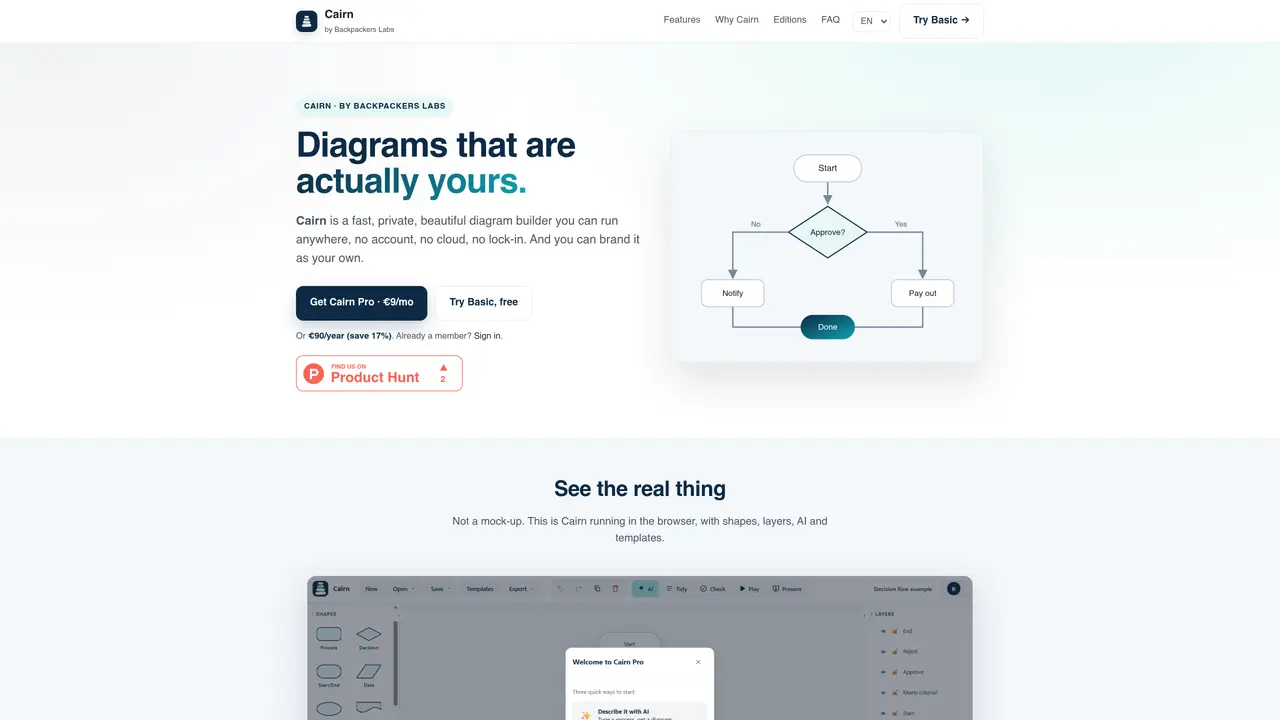
Cairn is a browser-based diagram builder designed for speed, privacy, and ease of use. It operates entirely in the browser without requiring an account or cloud storage by default, ensuring diagrams remain local and private. The tool supports smart connectors, whiteboard-style elements, and AI-powered text-to-diagram conversion, allowing users to describe processes in plain language and generate diagrams automatically. It offers 106 templates across 15 categories, including flowcharts, business diagrams, and software designs, with full UI support in five languages. Diagrams can be exported in multiple formats such as PNG, SVG, PDF, JSON, and Mermaid, or shared via HTML viewers. The interface is designed to be intuitive, with features like layers, presentation mode, and a command palette for efficient workflows.
Cairn is a browser-based diagram builder that prioritizes speed, privacy, and ease of use. It operates entirely in the browser without requiring an account or cloud storage by default, ensuring diagrams remain local and private.
Cairn is designed for users who need a fast, intuitive, and private way to create diagrams, including non-technical users, teams, and businesses looking for an alternative to tools like Visio or Lucidchart.
No, Cairn does not require an account for its Basic edition. Users can start creating diagrams immediately without signing up. An account is only needed for Pro features like AI, cloud save, and sharing.
The AI feature allows users to describe a process in plain language, and Cairn automatically generates a diagram based on the description. No API key is required, and the feature is integrated directly into the tool.
Yes, Cairn supports the full interface in five languages: English, Português, Español, Français, and Deutsch.
Diagrams can be exported in multiple formats, including PNG, SVG, PDF, JSON, and Mermaid. They can also be shared via HTML viewers or embedded in platforms like Notion, websites, and documents.
We use essential cookies to run aitoolnavio™, and optional cookies to analyze traffic and measure our marketing. You choose what we use — optional cookies stay off unless you turn them on. See our Privacy Policy.
One short email a week: fresh tools worth trying, honest takes and the updates that actually matter. No spam, unsubscribe any time.
Unleash creativity: edit photos, videos, and designs with AI-enhanced tools.
A drag-and-drop design platform for presentations and social graphics with AI photo tools and a large template library.
Create captivating, customizable presentations and easily share them across devices with a cloud-based platform.
Generate custom visuals for blogs, create unique social media images, and design eye-catching visuals for marketing campaigns.
Create stunning designs, edit photos, remove objects, make collages, and transform images with powerful AI tools and effects.
Create auto-resized campaign images and videos with DaVinci AI's generative media suite.
Create precise 3D models, collaborate on designs, and analyze simulations in real-time.
Cloudinary provides APIs and tools to integrate, manage, and optimize images and videos for AI-driven visual experiences.
Generate custom color palettes instantly with AI or from images for design projects.
Turn simple prompts into flyers, social posts, emails, event pages, and tickets using AI-powered design and marketing tools.
Generate high-quality images with flawless embedded text from text prompts, plus batch output and style control in a creative canvas.
Edit, transform, and enhance photos with text prompts using our free AI photo editor online.
Matched on what this tool does — grouped by the job you would be replacing.
matches Smart connectors with auto-routing arrows · Whiteboard-style elements like sticky notes and frames · AI-powered text-to-diagram conversion
Online editor for Mermaid diagrams with live previews, AI-assisted code generation, and export to SVG, PNG, or Markdown.
Free online AI tool that converts plain English prompts into architecture diagrams
AI-powered BPMN 2.0 diagram generator from plain English descriptions
Generate and edit diagrams rapidly from text.
matches AI-powered text-to-diagram conversion · Multi-format exports: PNG, SVG, PDF, JSON, Mermaid
Turns ideas into vector art using text prompts or image uploads.
Generates images, videos, music, 3D models and text using AI