

Unleash creativity: edit photos, videos, and designs with AI-enhanced tools.
16M visits/mo-11.4%#6 Image & Design
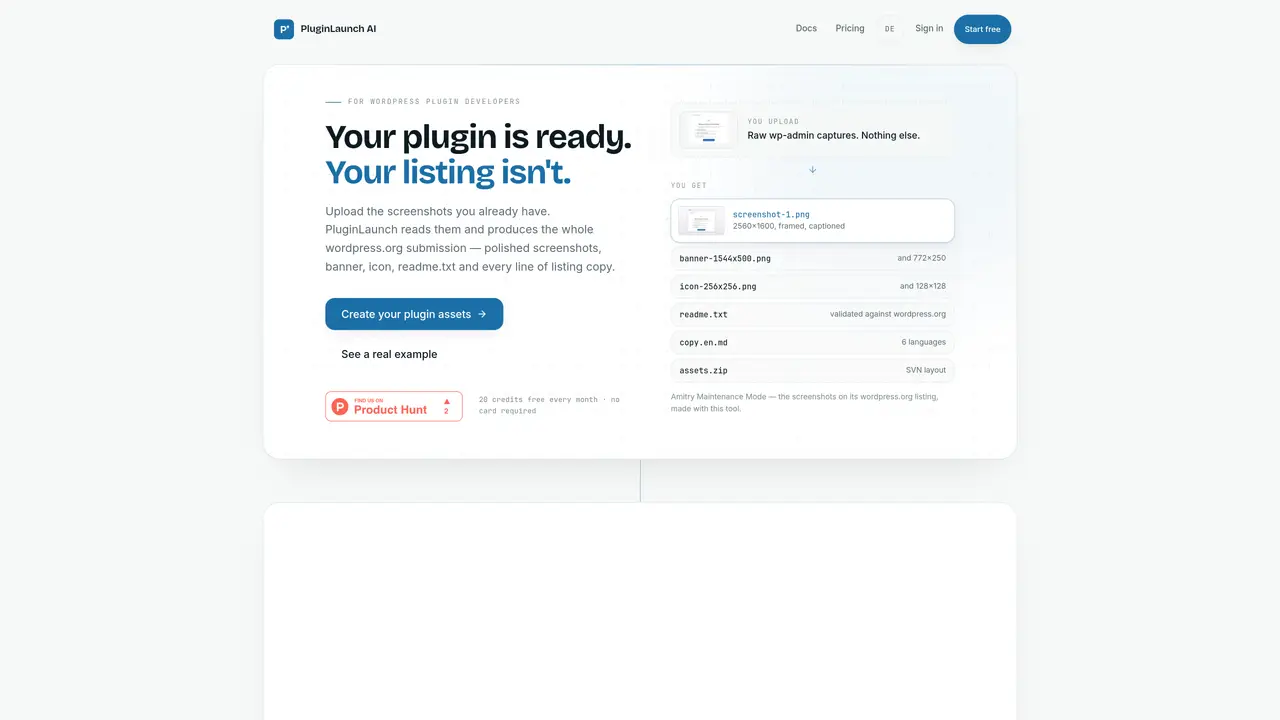
A tool for WordPress plugin developers that transforms raw admin screenshots into polished marketing assets for WordPress.org listings. It automates the creation of screenshots, banners, icons, readme.txt files, and listing copy from a single upload of unedited screenshots. The output includes framed screenshots with captions, multiple banner sizes, plugin icons, and validated readme.txt files formatted for WordPress.org submission. Marketing copy is generated in six languages, and all assets are packaged in a ZIP file matching the SVN structure required by WordPress.org. The process requires no design skills, image editing, or manual rewriting, and every generated element remains editable before final export. The tool is designed specifically for WordPress plugin launches and supports multiple export presets for other platforms like Product Hunt, GitHub, and documentation sites.
No. The image pipeline is deterministic — your UI pixels are never repainted or invented. Only background, spacing, frame, shadow, and an annotation layer are added on top.
Screenshots are stored privately and sent to Anthropic's Claude API for analysis. Details are available in the privacy policy, and projects can be deleted at any time.
Yes — a limited number of screenshots per month are available for free without requiring a credit card. This allows testing the tool with a full plugin launch.
The tool supports WordPress.org, your own website, Product Hunt, GitHub, and documentation sites, each with the appropriate dimensions and readme screenshot sections.
Yes. Subscriptions are managed through Stripe and can be canceled in one click from the billing page.
The AI analyzes your plugin's UI and features to produce taglines, descriptions, and promotional content in six languages, tailored for WordPress.org, Product Hunt, and social media.
We use essential cookies to run aitoolnavio™, and optional cookies to analyze traffic and measure our marketing. You choose what we use — optional cookies stay off unless you turn them on. See our Privacy Policy.
One short email a week: fresh tools worth trying, honest takes and the updates that actually matter. No spam, unsubscribe any time.
Unleash creativity: edit photos, videos, and designs with AI-enhanced tools.
A drag-and-drop design platform for presentations and social graphics with AI photo tools and a large template library.
Create captivating, customizable presentations and easily share them across devices with a cloud-based platform.
Generate custom visuals for blogs, create unique social media images, and design eye-catching visuals for marketing campaigns.
Create stunning designs, edit photos, remove objects, make collages, and transform images with powerful AI tools and effects.
Create auto-resized campaign images and videos with DaVinci AI's generative media suite.
Create precise 3D models, collaborate on designs, and analyze simulations in real-time.
Cloudinary provides APIs and tools to integrate, manage, and optimize images and videos for AI-driven visual experiences.
Generate custom color palettes instantly with AI or from images for design projects.
Turn simple prompts into flyers, social posts, emails, event pages, and tickets using AI-powered design and marketing tools.
Generate high-quality images with flawless embedded text from text prompts, plus batch output and style control in a creative canvas.
Edit, transform, and enhance photos with text prompts using our free AI photo editor online.
Matched on what this tool does — grouped by the job you would be replacing.
matches Screenshot beautification with framing and captions · Automatic icon and banner generation in multiple sizes · AI feature detection and smart annotations
Turns text into polished infographics instantly with AI-powered summarization, icons, and images.
AI banner generator that turns URLs, prompts, or concepts into on-brand ad and social banners with editing and multi-size exports.
AI-powered logo and brand identity generator