Remove image backgrounds instantly, save time with advanced AI, and create stunning images effortlessly.
54M visits/mo-8.6%#2 Image & Design

AI-powered photo editor for Windows with depth-aware, non-destructive adjustments
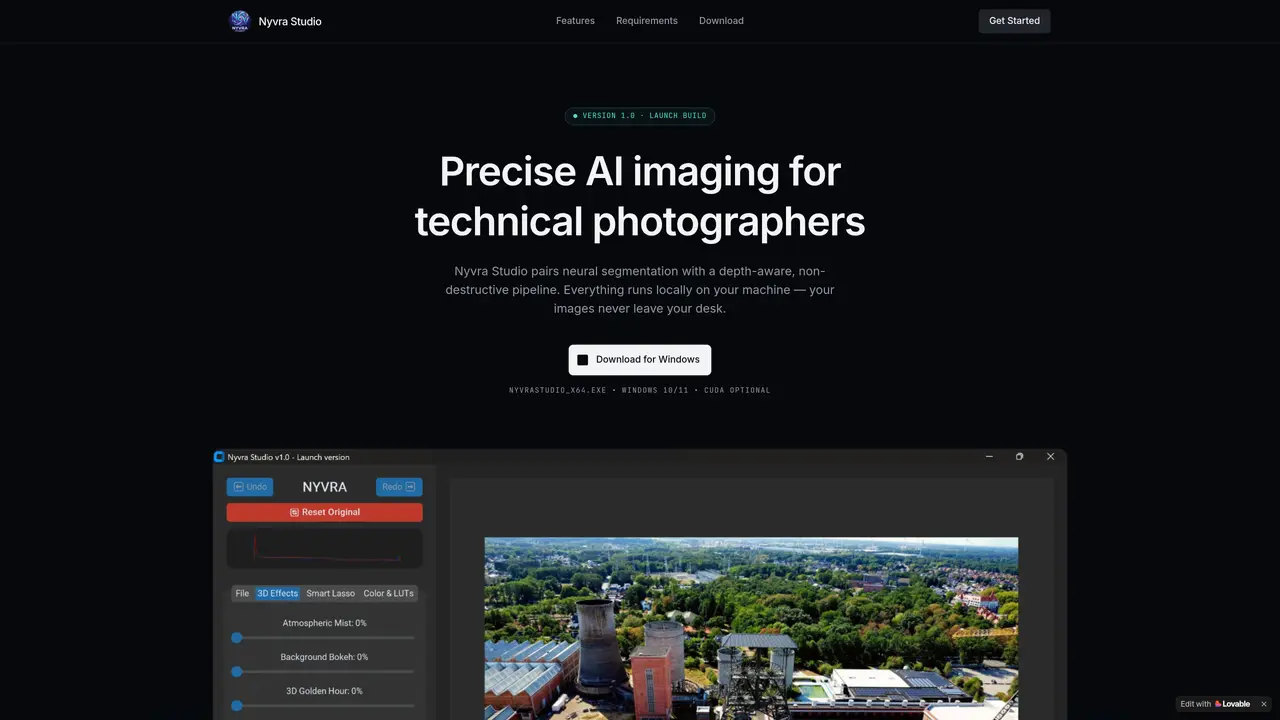
Nyvra Studio is a desktop application designed for technical photographers who require precise AI-driven image editing. It combines neural segmentation with a depth-aware, non-destructive workflow, ensuring edits remain reversible and adjustments are applied with spatial awareness rather than flat filters. All processing occurs locally on the user’s machine, with images never leaving the device, which supports privacy and speed. The tool targets photographers who need fine control over selections, color grading, and monochrome backgrounds without altering the entire image. It supports high-resolution exports while maintaining the integrity of the original source file through non-destructive editing. The software is built for Windows 10 or 11 and includes optional GPU acceleration via NVIDIA CUDA, though a CPU fallback is available for compatibility.
Nyvra Studio is a desktop AI photo editor for Windows that uses neural segmentation and depth-aware, non-destructive editing to apply precise adjustments locally on the user’s machine.
It is designed for technical photographers who need fine control over selections, color grading, and background adjustments without altering the entire image.
No, all processing occurs locally, and images never leave the device, ensuring privacy and speed.
It requires Windows 10 or 11 (64-bit), an Intel Core i5 or AMD Ryzen 5 processor, 8GB RAM (16GB recommended), and an NVIDIA CUDA GPU is optional with a CPU fallback included.
Download the installer, run it, and activate the AI engines to download the models on first launch. No account is required.
Yes, Nyvra Studio supports high-resolution exports while maintaining the integrity of the original source file through non-destructive editing.
We use essential cookies to run aitoolnavio™, and optional cookies to analyze traffic and measure our marketing. You choose what we use — optional cookies stay off unless you turn them on. See our Privacy Policy.
One short email a week: fresh tools worth trying, honest takes and the updates that actually matter. No spam, unsubscribe any time.
Remove image backgrounds instantly, save time with advanced AI, and create stunning images effortlessly.
AI platform for upscaling images, enhancing photos, and generating high-quality creative assets with contextual detail.
Remove backgrounds, adjust colors, add text, filters, and shapes with ease.
Unleash creativity: edit photos, videos, and designs with AI-enhanced tools.
Transform photos effortlessly with AI: edit, enhance, and remove backgrounds.
Web and mobile AI platform for generating, editing, and training custom visuals from prompts with community models and face-swap tools.
Convert raster images into scalable vector graphics within seconds.
Create stunning designs, edit photos, remove objects, make collages, and transform images with powerful AI tools and effects.
Create stunning visuals, access image recognition and processing, and express creatively with natural language processing.
Cloudinary provides APIs and tools to integrate, manage, and optimize images and videos for AI-driven visual experiences.
All-in-one AI suite for creators to automate workflows, edit media, and generate content across video, design, and productivity tools.
Identify stolen identities, uncover copyright infringements, and find unauthorized use of images with precision.
Matched on what this tool does — grouped by the job you would be replacing.
matches Neural segmentation for precise object isolation · Depth-map driven enhancement with spatial awareness · Selective HSL color adjustments per hue band
AI-powered photo editor with upscaling, restoration, relighting and film filters
AI-powered Photoshop plugin for one-click color grading, shadow/highlight control, and creative effects like bokeh and flares.
Enhance colors, adjust exposure, create stunning images, add new sky or depth with AI-powered tools.