Remove image backgrounds instantly, save time with advanced AI, and create stunning images effortlessly.
54M visits/mo-8.6%#2 Image & Design
On-device AI photo restoration and editing for Mac, iPhone and iPad
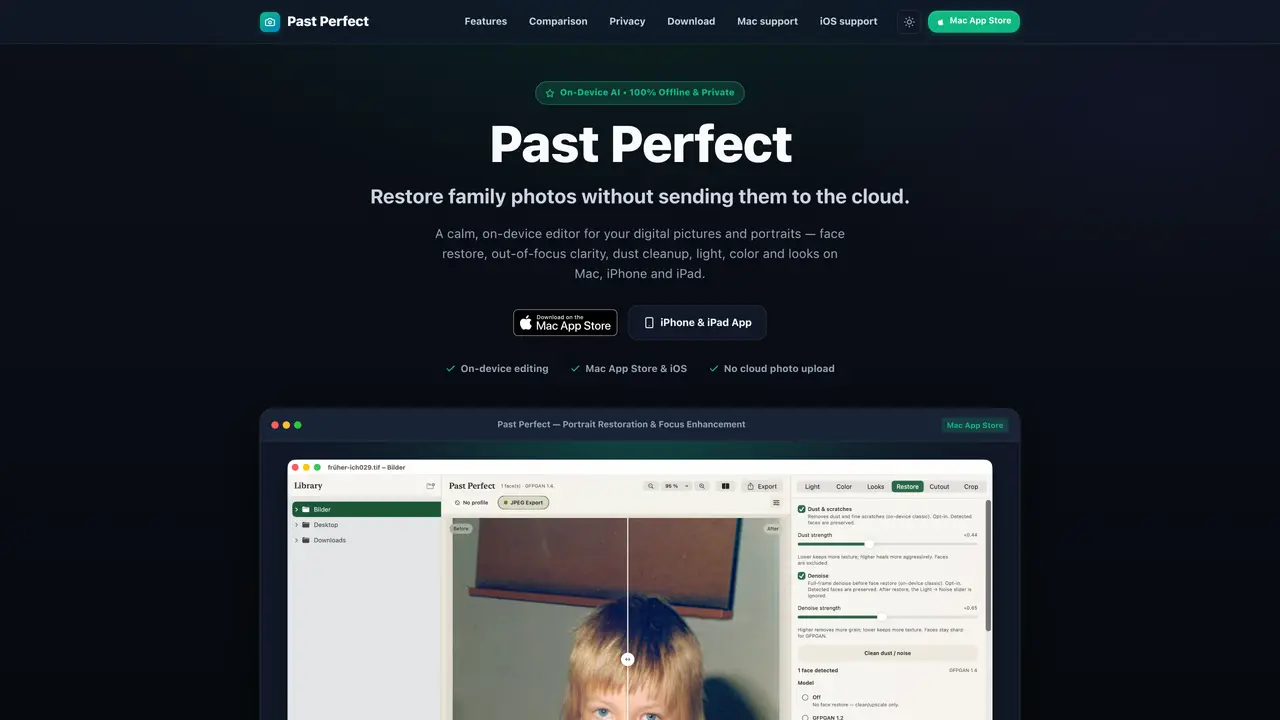
Past Perfect is an on-device photo restoration and editing application designed for Mac, iPhone and iPad. It enables users to restore family photos, portraits and older digital images without uploading them to the cloud. The tool focuses on gentle, non-destructive enhancements such as face restoration, focus clarity, dust cleanup, and adjustments to light, color and overall appearance. Face restoration reconstructs facial features and eye clarity in soft-focus shots while preserving authentic character rather than applying artificial beauty filters. The application supports interactive preview features, allowing users to compare original and restored versions using a slider. It also includes tools for removing unwanted objects, retouching scratches, adjusting exposure and tone, applying color mixer and LUT looks, and cutting out subjects with background removal. Batch processing and saved workflow profiles are available on Mac, enabling non-destructive edits across multiple images. All processing occurs locally on the device using Apple Silicon Neural Engine, ensuring privacy and offline operation.
Past Perfect is an on-device photo restoration and editing application for Mac, iPhone, and iPad. It restores family photos, portraits, and older digital images locally without uploading to the cloud, using tools like face restoration, focus clarity, dust cleanup, and adjustments to light, color, and overall appearance.
Past Perfect is designed for users who want to restore and enhance personal photos while maintaining privacy. It suits photographers, archivists, and anyone preserving family memories or correcting old digital images without cloud dependency.
No, Past Perfect operates entirely offline. All processing, including AI restoration and editing, runs locally on the device using the Apple Silicon Neural Engine, ensuring photos never leave the user's device.
Past Perfect is available on macOS 14 or later (including macOS Tahoe), iOS 17+, and iPadOS. It runs natively on Apple Silicon and Intel Macs, and is accessible via the Mac App Store and iOS App Store.
Yes, Past Perfect includes an inpainting tool that allows users to remove unwanted objects, fix scratches, or cover distractions like date stamps. The filling process runs entirely on-device, ensuring privacy.
Users can download Past Perfect from the Mac App Store for macOS or the App Store for iPhone and iPad. The app supports direct installation with automatic updates and includes support documentation for guidance.
We use essential cookies to run aitoolnavio™, and optional cookies to analyze traffic and measure our marketing. You choose what we use — optional cookies stay off unless you turn them on. See our Privacy Policy.
One short email a week: fresh tools worth trying, honest takes and the updates that actually matter. No spam, unsubscribe any time.
Remove image backgrounds instantly, save time with advanced AI, and create stunning images effortlessly.
AI platform for upscaling images, enhancing photos, and generating high-quality creative assets with contextual detail.
Remove backgrounds, adjust colors, add text, filters, and shapes with ease.
Unleash creativity: edit photos, videos, and designs with AI-enhanced tools.
Transform photos effortlessly with AI: edit, enhance, and remove backgrounds.
Web and mobile AI platform for generating, editing, and training custom visuals from prompts with community models and face-swap tools.
Convert raster images into scalable vector graphics within seconds.
Create stunning designs, edit photos, remove objects, make collages, and transform images with powerful AI tools and effects.
Create stunning visuals, access image recognition and processing, and express creatively with natural language processing.
Cloudinary provides APIs and tools to integrate, manage, and optimize images and videos for AI-driven visual experiences.
All-in-one AI suite for creators to automate workflows, edit media, and generate content across video, design, and productivity tools.
Identify stolen identities, uncover copyright infringements, and find unauthorized use of images with precision.
Matched on what this tool does — grouped by the job you would be replacing.
matches Face restoration with subtle precision · Focus enhancement for soft portraits · Inpaint and retouch for removing scratches or objects
Online AI image enhancer for unblurring, restoring and upscaling photos
AI-powered photo editor with upscaling, restoration, relighting and film filters
Online AI tool that restores, colorizes and upscales faded or damaged photos automatically
AI-powered tool to repair damaged photos, colorize black-and-white images, and remove noise and blur
matches Background removal with transparent PNG export · Inpaint and retouch for removing scratches or objects · Apple Vision-based cutout for subject removal
Free online background removal tool with no signup or watermark
Browser-based AI tool that removes watermarks, objects, text, and backgrounds from images using AI inpainting.
Online AI-powered background remover for JPG, PNG and WebP images