

Remove image backgrounds instantly, save time with advanced AI, and create stunning images effortlessly.
54M visits/mo-8.6%#2 Image & Design
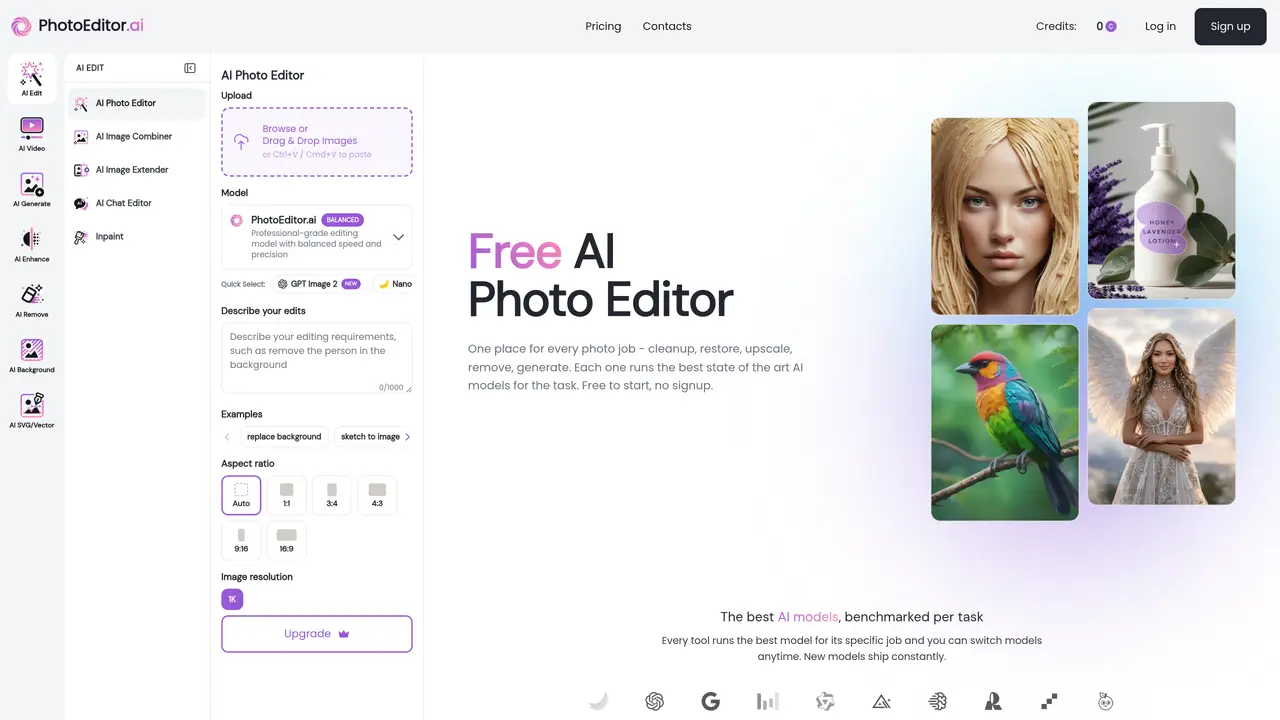
Photo Editor AI, available at photoeditor.ai, is a groundbreaking visual AI platform designed to transform the way we edit photos. This tool leverages advanced artificial intelligence to automate and enhance photo editing processes, making it accessible to both individuals and professionals. Whether you’re looking to remove unwanted objects, enhance image quality, or create stunning visuals, Photo Editor AI offers a comprehensive suite of tools to simplify these tasks. Key Features: AI Image Generator: Quickly transform text into captivating images with just a few words, utilizing state-of-the-art AI models. Generative Expand: Seamlessly expand your photos to any size using a generative expand feature, perfect for uncropping. AI Detailer: Add natural details, texture, and depth to your photos with creative upscaling techniques. Background Removal: Instantly remove backgrounds from images, ideal for product photos or portraits. Photo Editor AI distinguishes itself with its AI-driven toolset, offering features like generative expand and AI detailer that are not commonly found in other photo editing platforms. Its ability to automate complex editing tasks and produce high-quality results with minimal effort truly sets it apart from traditional photo editing methods.
Photo Editor AI is a browser-based platform offering over 30 specialized AI tools for photo editing, enhancement, generation, and cleanup. It automates tasks such as background removal, object erasure, image upscaling, and text-to-image generation using state-of-the-art AI models.
The tool suits photographers, designers, marketers, e-commerce sellers, real estate professionals, and creative agencies. It is designed for both beginners and experts who need fast, high-quality AI-driven photo editing without complex software.
Photo Editor AI operates on a subscription model with a free tier for basic use. Paid plans provide access to advanced features, higher-quality outputs, and commercial usage rights. Pricing details are available on the website.
Photo Editor AI is a browser-based tool that works across devices, including iPhone, Android, and desktop browsers. It supports standard image formats like JPG, PNG, HEIC, AVIF, and WEBP, and does not require app installations or third-party integrations.
The tool does not support batch processing or queuing for edits. Some advanced features like 4K upscaling or premium model generations may take up to a minute to complete. Users are responsible for ensuring they have the rights to edit and use source images commercially.
To start, upload an image directly on the website or paste it using Ctrl+V/Cmd+V. Select the appropriate AI tool for your task, apply edits via prompts or brush controls, and download the result. No signup is required for basic use.
photoeditor.ai · third-party estimates from Similarweb
Last 4 months · grows by one month every month
Share of visits · estimated visits
Other countries: 50%
Image & Design · Sep 2026
Traffic figures are third-party estimates, good for scale and trends; they can differ from a company's own numbers. Updated monthly.
We use essential cookies to run aitoolnavio™, and optional cookies to analyze traffic and measure our marketing. You choose what we use — optional cookies stay off unless you turn them on. See our Privacy Policy.
One short email a week: fresh tools worth trying, honest takes and the updates that actually matter. No spam, unsubscribe any time.
Remove image backgrounds instantly, save time with advanced AI, and create stunning images effortlessly.
AI platform for upscaling images, enhancing photos, and generating high-quality creative assets with contextual detail.
Remove backgrounds, adjust colors, add text, filters, and shapes with ease.
Unleash creativity: edit photos, videos, and designs with AI-enhanced tools.
Transform photos effortlessly with AI: edit, enhance, and remove backgrounds.
Web and mobile AI platform for generating, editing, and training custom visuals from prompts with community models and face-swap tools.
Convert raster images into scalable vector graphics within seconds.
Create stunning designs, edit photos, remove objects, make collages, and transform images with powerful AI tools and effects.
Create stunning visuals, access image recognition and processing, and express creatively with natural language processing.
Cloudinary provides APIs and tools to integrate, manage, and optimize images and videos for AI-driven visual experiences.
All-in-one AI suite for creators to automate workflows, edit media, and generate content across video, design, and productivity tools.
Identify stolen identities, uncover copyright infringements, and find unauthorized use of images with precision.
Matched on what this tool does — grouped by the job you would be replacing.
matches AI Image Generator · Generative Expand · AI Detailer
Online AI tool for generating, editing, and optimizing images and videos
A free online AI picture editor that lets you remove backgrounds, erase objects, restore old photos, and apply artistic styles — just describe what you want, no signup or download needed.
Online AI photo editor for background removal, upscaling and image generation
AI-native creative toolkit for image and video generation and editing
matches AI Detailer · User-Friendly Interface · Privacy-Focused
Kaze.ai is an AI-powered photo editing platform that provides powerful tools for image editing with a few clicks.
Enhance images, correct colors, and retouch faces effortlessly with AI-powered technology.
One-click AI tool to upscale, unblur, denoise, colorize, and restore photos while preserving quality.
Online tool to reduce pixelation and compression artifacts in photos