AI chatbot for conversation, work, research, coding, and content creation.
5.9B visits/mo+5%#1 Chatbots & Assistants
AI image studio that renders the same prompt across multiple models side by side
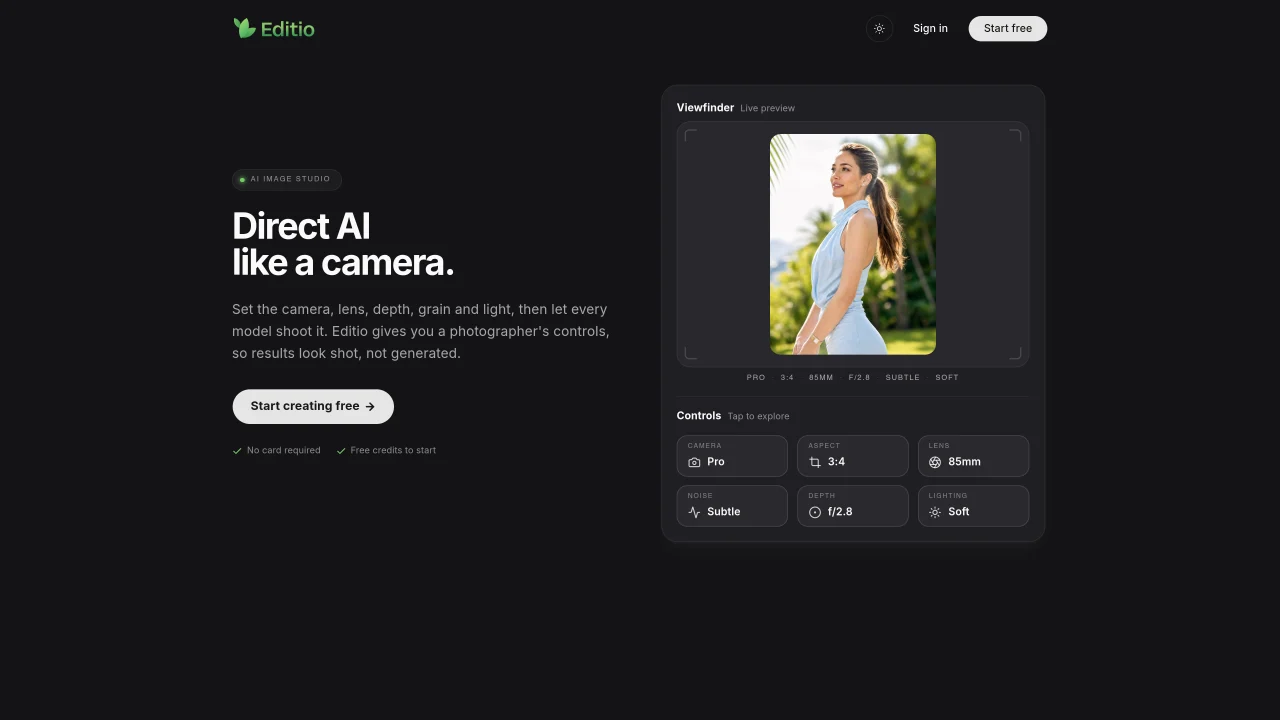
Editio provides a camera-like interface for generating images with AI models. Users set photographic parameters such as aspect ratio, lens type, depth of field, noise level, and lighting before submitting a prompt. The tool fans the prompt out to multiple models including GPT Image 2.5, Nano Banana Pro, Seedream 5.0 Pro, and Flux.2 Pro, displaying results in parallel for direct comparison. Users can select the best output, expand variations, or create new images from references. The platform includes modes for generating from text, expanding existing images, inserting a user’s photo into scenes, and upscaling images to 4K resolution. A live preview allows real-time adjustments before final generation. Editio emphasizes transparency by showing costs per model and refunding failed runs. No payment card is required to start, and free credits are provided for initial use.
Editio provides a camera-like interface for generating images with AI models. Users set photographic parameters such as aspect ratio, lens type, depth of field, noise level, and lighting before submitting a prompt. The tool fans the prompt out to multiple models for parallel comparison.
Editio is designed for users who need precise control over AI-generated images, such as photographers, designers, and content creators who want to compare outputs from different models before selecting the best result.
Yes, Editio supports multiple AI models, including GPT Image 2.5, Nano Banana Pro, Seedream 5.0 Pro, and Flux.2 Pro, allowing users to compare results side by side.
Yes, Editio includes modes for inserting a user’s photo into scenes, expanding existing images, and generating new images from references.
Editio provides free credits for initial use and does not require a payment card to start. Users can explore the platform before committing to paid usage.
Editio shows costs per model before generation and refunds failed runs, ensuring transparency and reliability in the process.
We use essential cookies to run aitoolnavio™, and optional cookies to analyze traffic and measure our marketing. You choose what we use — optional cookies stay off unless you turn them on. See our Privacy Policy.
One short email a week: fresh tools worth trying, honest takes and the updates that actually matter. No spam, unsubscribe any time.
AI chatbot for conversation, work, research, coding, and content creation.
Generate captions, optimize content, and enhance with custom images for maximum engagement.
xAI builds Grok frontier AI models for reasoning, coding, voice, images, video, enterprise workflows, and developer APIs.
Explore and test Google’s experimental AI tools and prototypes before they become products.
Creates licensed videos, images, music.
Privacy-focused AI chatbot that generates uncensored text, code, images, and translations without storing conversations or requiring an account.
Web and mobile AI platform for generating, editing, and training custom visuals from prompts with community models and face-swap tools.
A drag-and-drop design platform for presentations and social graphics with AI photo tools and a large template library.
Generate unique artwork, customize with an intuitive interface, and push creative boundaries with AI-generated art.
Generate unique AI art, share your creations, and explore a vast selection of AI artwork.
Generate custom visuals for blogs, create unique social media images, and design eye-catching visuals for marketing campaigns.
Easily find and explore diverse AI art and prompts with a vast library of 10 million+ creations.
Matched on what this tool does — grouped by the job you would be replacing.
matches Camera controls: aspect ratio, lens, depth, noise, lighting · Multi-model rendering in parallel · Live preview before generation
AI platform for upscaling images, enhancing photos, and generating high-quality creative assets with contextual detail.
Unified AI studio for generating images with Nano Banana 2 and videos with Seedance 2 or Veo 3.1, with transparent credit costs.
Online AI image generator creating visuals from text prompts or reference images
AI image generator and editor for text-rich layouts and detailed prompts
matches Multi-model rendering in parallel · Live preview before generation · Image variation from existing shots
Turn any photo into an AI video using 20+ top models like Seedance 2.5 or Kling 3.0, up to 4K with native audio, no subscription required.
Converts still images into short AI-generated videos with adjustable motion and aspect ratio
Converts still images into short videos using AI motion prompts
AI video generator that converts still images into short reels with configurable motion and camera paths