Enhance learning with AI-driven flashcards, tests, and games.
72M visits/mo+70.8%#1 Lifestyle & Education

Checks assignments against rubrics to catch grading oversights before submission
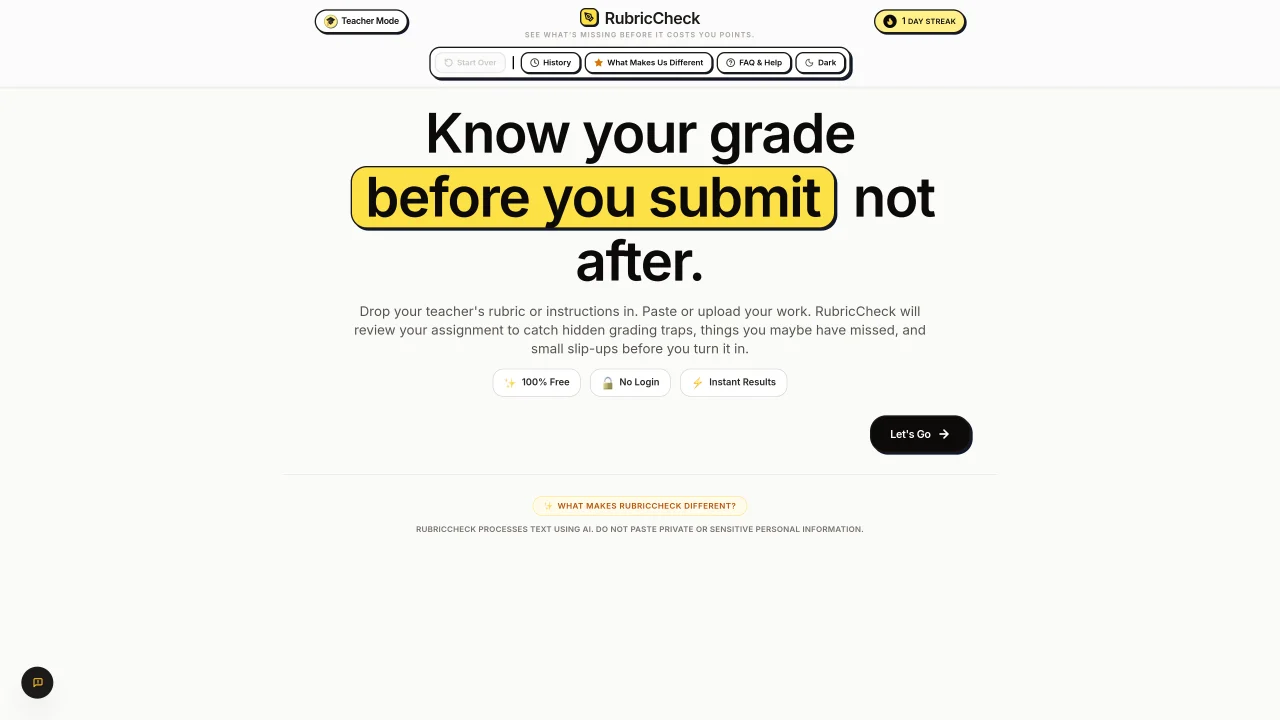
RubricCheck is a web-based tool for educators and students that analyzes written work against provided rubrics or assignment instructions. Users paste or upload their assignment text and the rubric criteria, and the tool uses AI to compare the content against the rubric to identify potential grading oversights, missing elements, or small errors. It highlights discrepancies between the submitted work and the rubric requirements, helping users understand where they may lose points before final submission. The platform offers a simple interface with options to reset fields, view grading history, and switch between light and dark themes. It operates without requiring user login or payment, providing instant results for uploaded or pasted text.
RubricCheck analyzes written work against provided rubrics or assignment instructions using AI. It compares the content to identify potential grading oversights, missing elements, or small errors, highlighting discrepancies before final submission.
The tool is designed for both educators and students. Teachers can use it to ensure consistent grading, while students can check their work for completeness and accuracy before submitting assignments.
Users paste or upload their assignment text and the rubric criteria into the tool. The AI then compares the content against the rubric and provides instant feedback on discrepancies or missing elements.
No, RubricCheck operates without requiring user login or payment. It provides instant results for uploaded or pasted text, making it accessible for quick and free use.
RubricCheck can analyze essays, homework assignments, presentations, and worksheets. It supports a variety of written work typically used in educational settings.
Yes, RubricCheck offers a teacher mode that allows educators to run complete rubric checks on student work, ensuring consistent and thorough grading.
rubriccheck.org · third-party estimates from Similarweb
Share of visits by channel
No measurable traffic from Social, Paid Referrals or Search.
Share of visits · estimated visits
Lifestyle & Education · Sep 2026
Traffic figures are third-party estimates, good for scale and trends; they can differ from a company's own numbers. Updated monthly.
We use essential cookies to run Aitoolnavio, and optional cookies to analyze traffic and measure our marketing. You choose what we use — optional cookies stay off unless you turn them on. See our Privacy Policy.
One short email a week: fresh tools worth trying, honest takes and the updates that actually matter. No spam, unsubscribe any time.
Enhance learning with AI-driven flashcards, tests, and games.
Automatically check student papers for plagiarism, generate originality reports, and offer powerful grading tools.
Automate scoring, provide feedback, create assignments, track student progress with powerful analytics.
Create interactive lessons, track student progress, deliver assessments for personalized learning.
Practice coding challenges, improve technical skills, get detailed explanations, compare performance with peers.
AI-powered learning app that helps students and pupils organize study materials, stay motivated, and improve grades with smart tools and features.
AI-powered homework help with step-by-step textbook solutions, expert Q&A, writing tools, and exam prep.
Easily create and track training courses, design learning environments, and access from any device with an intuitive interface.
AI-generated text detector with 99.98% verified accuracy, supporting 20+ languages and integrations with LMS platforms.
Solve math problems, learn topics from basic to advanced, and get hints and insights for difficult problems.
Solve equations, explore interactive math learning, and access comprehensive math solutions with step-by-step explanations.
Handwritten note-taking app with searchable ink, PDF annotation, synced audio, and AI-powered study tools.
Matched on what this tool does — grouped by the job you would be replacing.
matches AI-powered text comparison with rubrics · Instant grading feedback
AI-powered quiz creation and grading assistant for educators
AI-powered LMS that automates course creation, grading, and tutoring to streamline education delivery.
AI-powered student workspace combining assignments, AI tutoring, focus tools and notes