Summarizes, extracts, and rewrites content from files.
89M visits/mo+8.7%#2 Productivity & Office

AI-assisted creation and editing of PDF documents from text prompts or file attachments
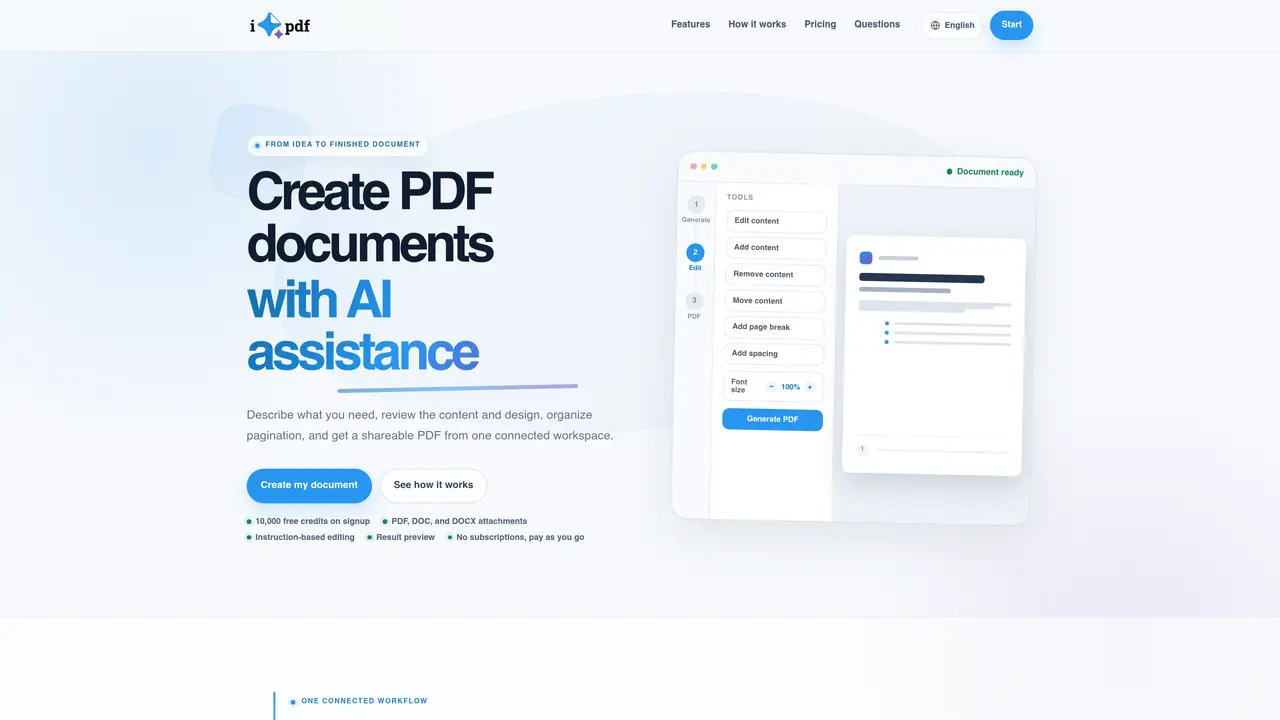
iGenPDF is a web-based tool that uses AI to help users create, edit, and finalize PDF documents. It operates through a single workspace where users can start from a text prompt describing the desired document or upload existing PDF, DOC, or DOCX files as reference material. The workflow consists of four stages: describing the goal, reviewing and refining content, adjusting design and pagination, and generating the final PDF. Users can iteratively edit content by adding, removing, or rewriting sections, or modify visual elements such as font size, spacing, and page breaks. The tool provides real-time previews to review changes before finalizing the document. Once generated, PDFs can be downloaded or shared via a link. The platform targets professionals who need to produce polished documents like reports, proposals, or updated versions of existing files without switching between multiple tools.
The application accepts PDF, DOC, and DOCX files as source material for starting the generation process.
Yes. The workflow lets you send follow-up instructions to add, remove, or rewrite sections and text, or to adjust the design, before preparing the final version.
Yes. The pagination stage provides a preview where you can drag sections into a new order, add page breaks, and adjust the spacing between blocks before generating the final PDF.
Yes. You sign in to create documents, which keeps your session history and credit balance secure.
iGenPDF has no subscriptions. You get credits when you sign up, and you can top up your balance whenever you need to; credits are only spent when you generate a document.
The tool supports creating reports, summaries, proposals, sales documents, and refreshing the design of existing files with a polished presentation.
We use essential cookies to run aitoolnavio™, and optional cookies to analyze traffic and measure our marketing. You choose what we use — optional cookies stay off unless you turn them on. See our Privacy Policy.
Summarizes, extracts, and rewrites content from files.
Automate citation and reference management, aid research with text and data mining, and securely store and share documents.
Capture, organize, and share ideas, notes, and documents effortlessly.
Headless CMS that lets developers manage structured content and deliver it anywhere via flexible APIs and real-time collaboration tools.
Efficiently create and manage cases, streamline workflows, securely store and share documents, and collaborate with colleagues.
Access files, collaborate, and secure your data with unbeatable customizable system.
An AI-powered PDF editor and converter for editing, OCR, signing, annotating, merging, and chatting with documents across devices.
Browser-based PDF editor that edits, signs, converts, merges, compresses, and shares files, with AI for form filling, document chat, and PDF creation.
Securely store, access, and search documents from any device with ease.
Create and customize legal documents, consult lawyers, and access legal guides all in one platform.
Centralize brand assets, automate approvals, and collaborate with external partners in a single digital asset management platform.
AI diagramming and documentation tool for engineering teams to create and update cloud architecture, ERDs, and flowcharts from prompts, code, and CI/CD workflows.
Matched on what this tool does — grouped by the job you would be replacing.
matches AI-generated PDF creation from prompts · Instruction-based editing and refinements · Document attachment support (PDF, DOC, DOCX)
AI tool that converts a one-sentence idea into a publishable ebook
Generates and refines brand logos from text prompts in minutes
AI-powered logo and brand identity generator
matches Advanced Document Querying · Instant Summarization · AI-Powered Data Extraction
Summarizes, extracts, and rewrites content from files.
Automate customer inquiries, simplify document search, and answer complex questions using existing files.
One short email a week: fresh tools worth trying, honest takes and the updates that actually matter. No spam, unsubscribe any time.