Summarizes, extracts, and rewrites content from files.
89M visits/mo+8.7%#2 Productivity & Office

AI-powered tool that converts Word manuscripts into KDP-ready PDF and EPUB files
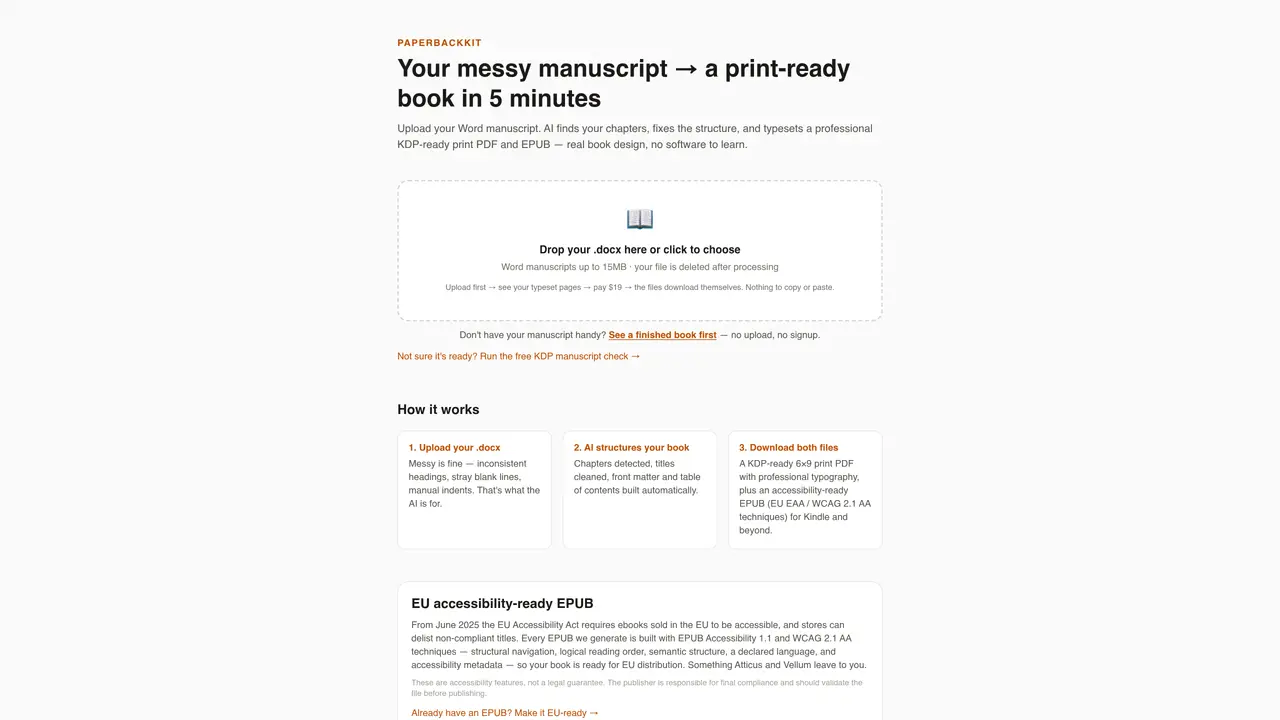
PaperbackKit automates the conversion of Word manuscripts into print-ready PDFs and accessible EPUBs for KDP publishing. The process begins with uploading a .docx file, which the AI analyzes to detect chapters, clean titles, and build front matter and table of contents automatically. The tool then generates a 6×9 print PDF with professional typography and an EPUB file compliant with EU Accessibility Act standards (WCAG 2.1 AA). The service handles manuscripts up to 15MB and deletes files after processing. Users receive both files immediately after payment, with no manual copying or pasting required. The tool is designed for self-publishing authors and publishers seeking efficient, automated formatting without learning curve or software installation. It also includes a free KDP manuscript check for validation before upload.
PaperbackKit accepts Word documents in .docx format for manuscript uploads.
The tool is designed for self-publishing authors and publishers seeking efficient, automated formatting without a learning curve or software installation.
Yes, PaperbackKit generates EPUB files compliant with EU Accessibility Act standards (WCAG 2.1 AA), including structural navigation and semantic structure.
Yes, PaperbackKit offers a free KDP manuscript check for validation before upload.
The formatting process typically takes around 5 minutes from upload to download.
The uploaded file is deleted after processing to ensure privacy and security.
paperbackkit.com · third-party estimates from Similarweb
Share of visits · estimated visits
Traffic figures are third-party estimates, good for scale and trends; they can differ from a company's own numbers. Updated monthly.
We use essential cookies to run aitoolnavio™, and optional cookies to analyze traffic and measure our marketing. You choose what we use — optional cookies stay off unless you turn them on. See our Privacy Policy.
One short email a week: fresh tools worth trying, honest takes and the updates that actually matter. No spam, unsubscribe any time.
Summarizes, extracts, and rewrites content from files.
Automate citation and reference management, aid research with text and data mining, and securely store and share documents.
Capture, organize, and share ideas, notes, and documents effortlessly.
Headless CMS that lets developers manage structured content and deliver it anywhere via flexible APIs and real-time collaboration tools.
Efficiently create and manage cases, streamline workflows, securely store and share documents, and collaborate with colleagues.
Access files, collaborate, and secure your data with unbeatable customizable system.
An AI-powered PDF editor and converter for editing, OCR, signing, annotating, merging, and chatting with documents across devices.
Browser-based PDF editor that edits, signs, converts, merges, compresses, and shares files, with AI for form filling, document chat, and PDF creation.
Securely store, access, and search documents from any device with ease.
Create and customize legal documents, consult lawyers, and access legal guides all in one platform.
Centralize brand assets, automate approvals, and collaborate with external partners in a single digital asset management platform.
AI diagramming and documentation tool for engineering teams to create and update cloud architecture, ERDs, and flowcharts from prompts, code, and CI/CD workflows.
Matched on what this tool does — grouped by the job you would be replacing.
matches Automatic chapter detection and title cleaning · Front matter and table of contents generation · Professional typography in print PDF
Turn ideas into polished ebooks, PDFs, and audiobooks with minimal manual layout work.
Generates full-length novels with covers, audiobooks and export-ready files from a premise
AI-assisted service that drafts, fact-checks and typesets a complete non-fiction book ready for print or
AI-powered tool to generate, edit, and export books and eBooks from idea to publish-ready files