Summarizes, extracts, and rewrites content from files.
89M visits/mo+8.7%#2 Productivity & Office

Automates document and data collection from external parties with AI-driven follow-ups
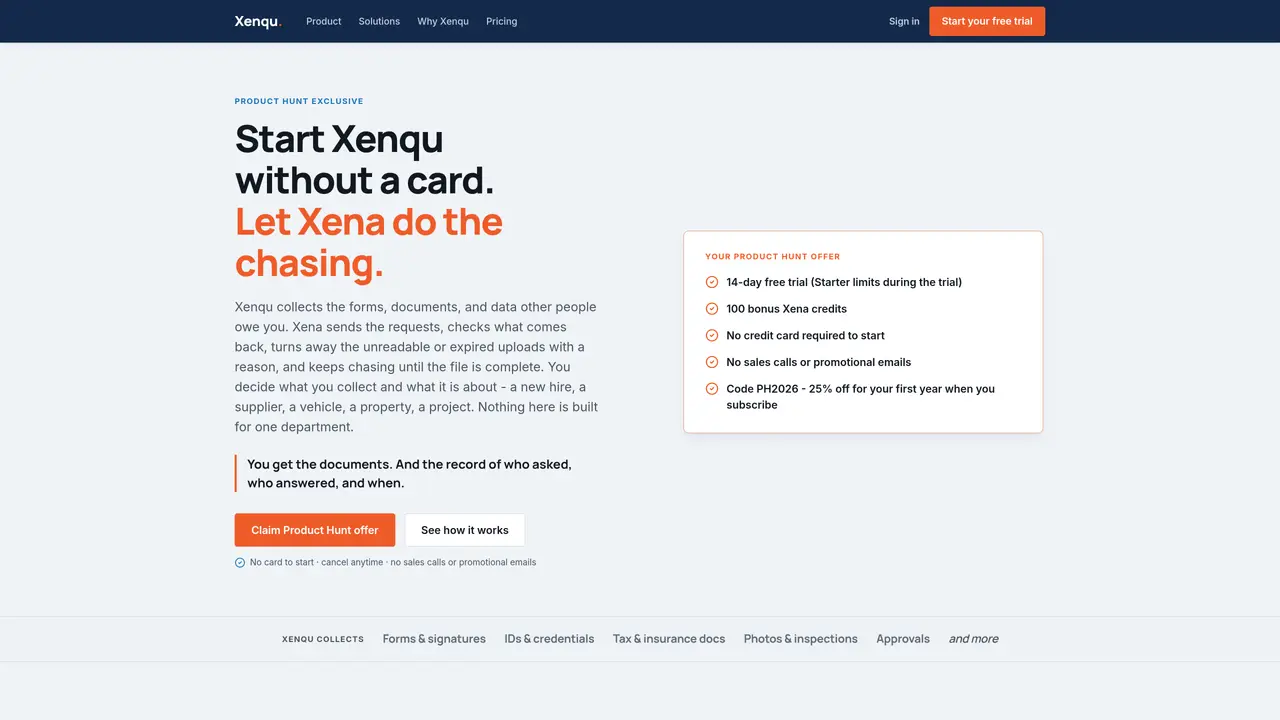
Xenqu automates the collection of forms, documents, signatures, IDs, tax records, photos, and inspections from external parties. Users describe what needs to be collected and for whom, and Xena, the AI assistant, drafts the workflow, sends requests via email or SMS, and handles all follow-ups. The system checks uploaded files against requirements, rejects incomplete or invalid submissions with reasons, and continues chasing until the case is complete. Completed cases are stored with a full audit trail of who provided what and when. Workflows are built in Workflow Studio and can be reused across different departments or use cases without rebuilding. The platform is designed for teams that regularly collect documents from applicants, suppliers, inspectors, or other external parties.
Xenqu automates the collection of documents, forms, signatures, IDs, tax records, photos, and inspections from external parties using an AI assistant named Xena. Users describe what needs to be collected and for whom, and Xena drafts the workflow, sends requests via email or SMS, and handles all follow-ups until the case is complete.
Xenqu is designed for teams that regularly collect documents from applicants, suppliers, inspectors, or other external parties. It is particularly useful for professionals who need to verify identities, gather tax or insurance documents, or conduct inspections.
Xena, the AI assistant, actively manages follow-ups by sending nudges via email or SMS, checking uploaded files against requirements, and rejecting incomplete or invalid submissions with reasons. She continues chasing until the case is complete, reducing manual reminders and inbox snoozes.
Yes, Xenqu maintains a full audit trail of who provided what and when, including every nudge, SMS, and reply logged in a clean timeline. This ensures transparency and eliminates the need for manual system notes.
Yes, workflows are built in Workflow Studio, where users can design forms, uploads, stages, and tasks. These workflows can be reviewed, published, and reused across different departments or use cases without rebuilding.
Xenqu can collect forms and signatures, IDs and credentials, tax and insurance documents, photos and inspections, approvals, and more. It supports ongoing renewals and other document collection needs.
We use essential cookies to run aitoolnavio™, and optional cookies to analyze traffic and measure our marketing. You choose what we use — optional cookies stay off unless you turn them on. See our Privacy Policy.
One short email a week: fresh tools worth trying, honest takes and the updates that actually matter. No spam, unsubscribe any time.
Summarizes, extracts, and rewrites content from files.
Automate citation and reference management, aid research with text and data mining, and securely store and share documents.
Capture, organize, and share ideas, notes, and documents effortlessly.
Headless CMS that lets developers manage structured content and deliver it anywhere via flexible APIs and real-time collaboration tools.
Efficiently create and manage cases, streamline workflows, securely store and share documents, and collaborate with colleagues.
Access files, collaborate, and secure your data with unbeatable customizable system.
An AI-powered PDF editor and converter for editing, OCR, signing, annotating, merging, and chatting with documents across devices.
Browser-based PDF editor that edits, signs, converts, merges, compresses, and shares files, with AI for form filling, document chat, and PDF creation.
Securely store, access, and search documents from any device with ease.
Create and customize legal documents, consult lawyers, and access legal guides all in one platform.
Centralize brand assets, automate approvals, and collaborate with external partners in a single digital asset management platform.
AI diagramming and documentation tool for engineering teams to create and update cloud architecture, ERDs, and flowcharts from prompts, code, and CI/CD workflows.
Matched on what this tool does — grouped by the job you would be replacing.
matches AI-powered document validation and rejection · Multi-format document ingestion · Secure external portal for submissions
Automates workflows, analyzes data, and generates content to streamline grant and subsidy applications.
AI agents autonomously verify employment, education, and other background details via calls, emails, and faxes
Web-based Document AI that automates PDF and image data extraction, turning unstructured files into structured data via API, CSV, or JSON exports.
matches Automated email and SMS reminders · Workflow Studio for custom process design
Create personalized emails, follow up automatically, and analyze for optimization and insights.
AI agents that automate calls, emails and texts for sales, recruiting and operations
AI-powered tool for automating sales, bookings and support on WhatsApp and Instagram
AI-powered workflow automation for customer operations across WhatsApp and web chat