
Design, distribute, and analyze surveys online or via email with real-time insights using Survey Monkey.
38M visits/mo-3.9%#2 Business & Marketing
Plain-text forms for collecting structured answers from people or agents
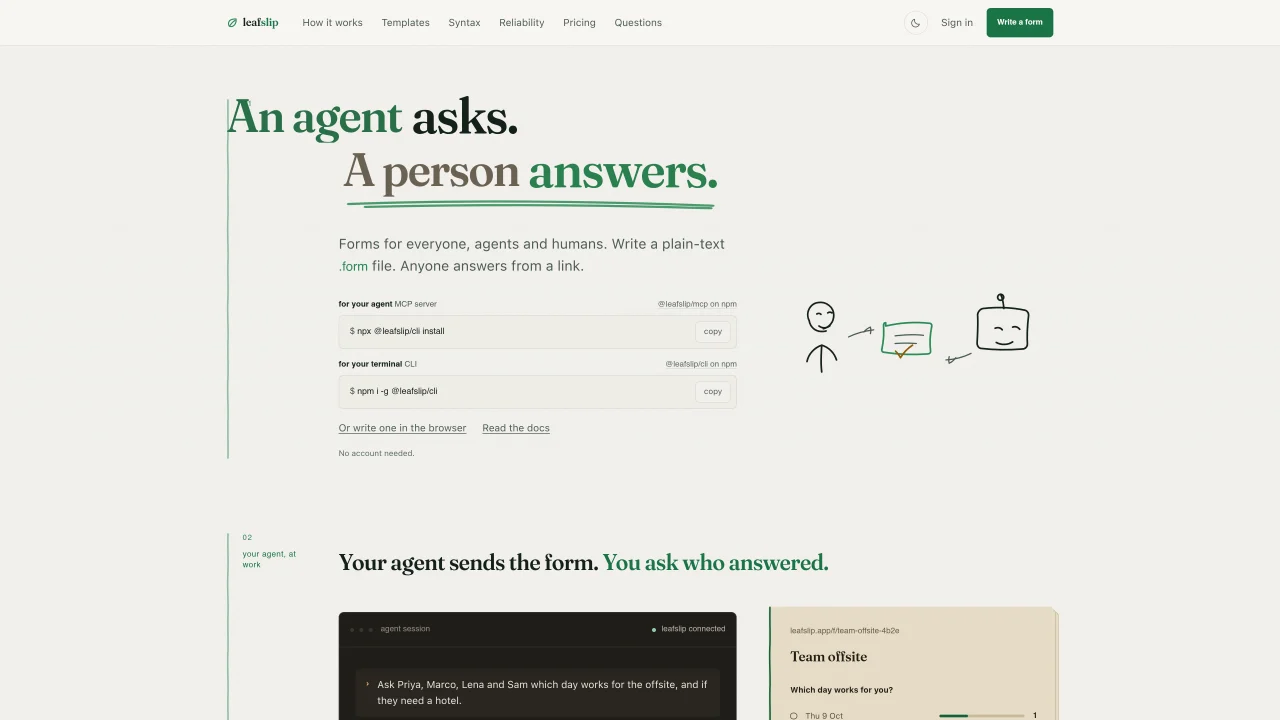
leafslip lets users create forms as plain-text files that can be stored in a repository, edited by hand, or generated programmatically. Forms can be published instantly without an account and accessed via unique links that restrict access to invited recipients. Responses are collected and displayed in a table or delivered via email, Slack, webhook, or API, with no tracking or third-party requests on published pages. The tool supports both human and agent interactions, where an agent can send a form and wait for a response before proceeding. Forms can be authored in the browser, via a CLI, or through an MCP server, and changes to delivery settings do not require republishing. The platform emphasizes simplicity, with no storage of data until a form is published and no monthly approval caps during the beta period.
leafslip lets users create forms as plain-text files that can be stored in a repository, edited by hand, or generated programmatically. Forms are published instantly without requiring an account and accessed via unique links that restrict access to invited recipients.
The tool is designed for both humans and agents, making it suitable for teams, developers, and individuals who need to collect structured responses from specific people or automate interactions with external systems.
Forms can be authored in the browser, via a CLI, or through an MCP server. Once written, they can be published instantly without an account, and changes to delivery settings do not require republishing.
Responses can be delivered via email, Slack, webhook, API, or displayed in a table. Delivery settings can be adjusted without republishing the form.
No, leafslip does not store data until a form is published, and published pages carry no tracking or third-party requests.
An agent can send a form and wait for a response before proceeding. The agent can specify recipients, and the system will wait for their answers before continuing execution.
We use essential cookies to run aitoolnavio™, and optional cookies to analyze traffic and measure our marketing. You choose what we use — optional cookies stay off unless you turn them on. See our Privacy Policy.
One short email a week: fresh tools worth trying, honest takes and the updates that actually matter. No spam, unsubscribe any time.
Design, distribute, and analyze surveys online or via email with real-time insights using Survey Monkey.
Build conversational forms, capture rich responses, and automate follow-ups with AI-powered surveys and workflows.
AI-powered customer feedback platform for mid-market businesses to run conversational surveys and extract insights.
Engage audience with interactive polls, quizzes, and surveys, and monitor responses with powerful analytics.
Generate unique online forms with customizable answer options.
Track customer service, analyze feedback, create surveys, segment customers, and monitor & act on feedback easily.
AI-powered market research platform that gathers customer feedback through surveys and delivers fast insights for product and marketing decisions.
Create secure surveys and polls with AI-driven forms, control data with encryption, and protect user information.
Generate survey questions, analyze results, and customize the survey's appearance to align with your brand.
AI-powered platform that automates user interviews, recruitment, and reporting for faster, cost-effective qualitative research.
Drag-and-drop online form builder with payments, automation and analytics
A no-code platform for marketers and SMBs to build interactive quizzes, surveys, polls, and forms with AI content generation and analytics.
Matched on what this tool does — grouped by the job you would be replacing.
matches Plain-text form authoring · Customizable delivery via email, Slack, or webhook · Invite-only form access
Build conversational forms, capture rich responses, and automate follow-ups with AI-powered surveys and workflows.
AI-powered form builder that creates forms from plain English descriptions
AI-powered form builder with payments, bookings and spreadsheet sync