Generate content, correct spelling, suggest synonyms to enhance writing.
173M visits/mo+0.1%#1 Productivity & Office

An AI note-taking app that records, transcribes, summarizes, and organizes content from meetings, audio, PDFs, images, web pages, and YouTube.
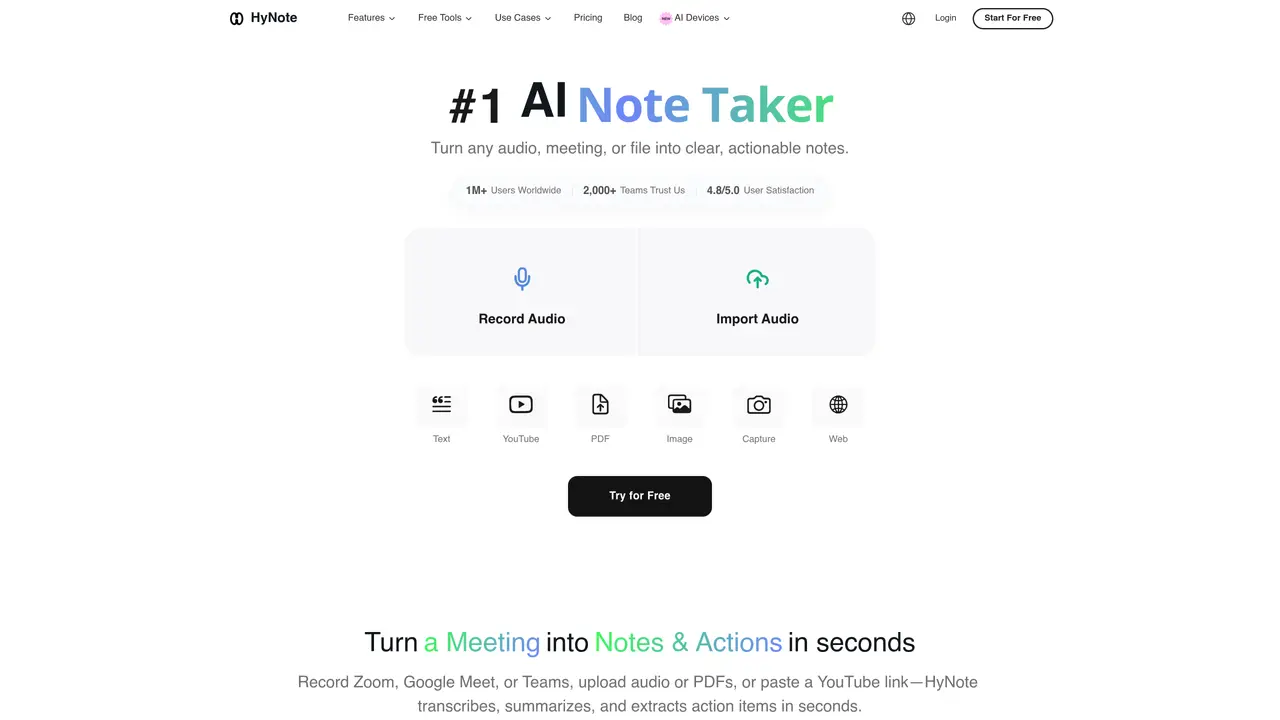
HyNote is an AI-powered note-taking application designed for professionals and students who need to capture, organize, and analyze information from diverse sources. The tool records live meetings and voice notes while providing real-time transcription, then generates summaries, identifies action items, and highlights key speakers. It supports multi-format capture, allowing users to import PDFs, images (via OCR), text documents, web pages, and YouTube videos, with additional functionality through a Chrome extension for web clipping. Users can interact with their notes through a chat interface to ask questions and retrieve specific information across devices, including web, mobile, and tablet platforms. The app includes templates and higher-tier features such as team templates, admin controls, and priority support for collaborative or organizational use. HyNote operates on a freemium model, offering a free plan alongside paid subscriptions and in-app purchases for advanced features and storage options.
HyNote is an AI-powered note-taking application that transcribes, summarizes, and organizes information from diverse sources such as meetings, audio recordings, PDFs, images, YouTube videos, and web pages. It supports real-time transcription, speaker identification, and generates actionable summaries, key points, and follow-up items across multiple languages.
HyNote is designed for professionals, students, academics, content creators, and teams who need to capture, organize, and analyze information efficiently. It caters to roles such as technical advisors, business professionals, media content creators, and accessibility-focused users.
HyNote uses AES-256 encryption for data at rest and TLS 1.3 for data in transit. It complies with GDPR, CCPA, and HIPAA standards and offers private storage options, making it suitable for use in healthcare, legal, and enterprise environments.
Yes, HyNote allows users to export notes to Google Docs, Notion, PDF, or TXT formats. It also supports syncing with Google Calendar and Apple Calendar, and offers a Chrome extension for web clipping.
HyNote supports eight input types: live audio, uploaded audio files (MP3, WAV, M4A, AAC), video, PDFs, image OCR, YouTube links, web page capture, and phone calls. It can transcribe or summarize content from each of these sources.
Users can start with HyNote by downloading the app for iOS, Android, or using the web version. A Chrome extension is also available for web clipping. The platform offers a free plan, with additional features available through paid subscriptions.
ainotebook.app · third-party estimates from Similarweb
Traffic figures are third-party estimates, good for scale and trends; they can differ from a company's own numbers. Updated monthly.
We use essential cookies to run aitoolnavio™, and optional cookies to analyze traffic and measure our marketing. You choose what we use — optional cookies stay off unless you turn them on. See our Privacy Policy.
One short email a week: fresh tools worth trying, honest takes and the updates that actually matter. No spam, unsubscribe any time.
Generate content, correct spelling, suggest synonyms to enhance writing.
Markdown-based note-taking and personal knowledge management app that turns notes into a connected system of ideas.
Capture, organize, and share ideas, notes, and documents effortlessly.
Easily create and track training courses, design learning environments, and access from any device with an intuitive interface.
An AI-powered note-taking app for students and professionals to write, sketch, annotate PDFs, record audio, and generate summaries, quizzes, and flashcards.
Handwritten note-taking app with searchable ink, PDF annotation, synced audio, and AI-powered study tools.
AI-powered process documentation tool that captures workflows into visual step-by-step guides with screenshots, editing, and exports.
AI web app that transcribes audio, video, and YouTube links into text in 98 languages with summaries, mind maps, and export formats for students and teams.
A note-taking and spaced-repetition flashcard app for students and learners, with PDF annotation plus AI tools for generating cards, quizzes, and study summaries.
AI-powered research assistant for organizing, analyzing, and synthesizing information from notes and documents.
Capture thoughts, create documents, and access on any device for convenient organization and productivity.
AI-powered PDF editor with built-in agents for summarization, translation, and document analysis.
Matched on what this tool does — grouped by the job you would be replacing.
matches Audio recording and live transcription for meetings and voice notes · AI-generated summaries and analysis with action items and speaker identification · Records and transcribes meetings, lectures, and sales calls
AI note-taking and meeting transcription app that records audio, generates transcripts, summaries, and action items.
AI meeting recorder that transcribes, summarizes, and extracts actionable items from calls and lectures in real time.
AI note taker for online calls.
AI meeting assistant that transcribes, translates, and summarizes conversations in real time across 74+ languages with structured outputs like slides and spreadsheets.
matches Multi-format capture and import (PDFs, images via OCR, text, web pages, YouTube videos) · OCR/text extraction from images and documents · AI-powered workspace to import, search, and chat with PDFs, web pages, voice notes, and videos for learning and writing workflows
matches Audio recording and live transcription for meetings and voice notes · AI voice note-taker that records, transcribes, and organizes spoken thoughts, ideas, and conversations in over 50 languages · An AI voice note-taker that records, transcribes, and summarizes audio or video into searchable notes and action items
An AI-powered note-taking app for students and professionals to write, sketch, annotate PDFs, record audio, and generate summaries, quizzes, and flashcards.
Handwritten note-taking app with searchable ink, PDF annotation, synced audio, and AI-powered study tools.
iOS app that records, transcribes, and summarizes spoken conversations into organized notes with action items.
An AI-powered note-taking app that organizes, summarizes, and transcribes notes offline with local privacy.
Browser extension that transcribes and summarizes audio or video locally in Chrome, Brave, or Edge
An AI note-taking app for Apple devices that records, transcribes, and summarizes audio or video into searchable notes and action items.