Generate content, correct spelling, suggest synonyms to enhance writing.
173M visits/mo+0.1%#1 Productivity & Office

Streamline digital clutter with AI-powered organization, instant recall, and privacy.
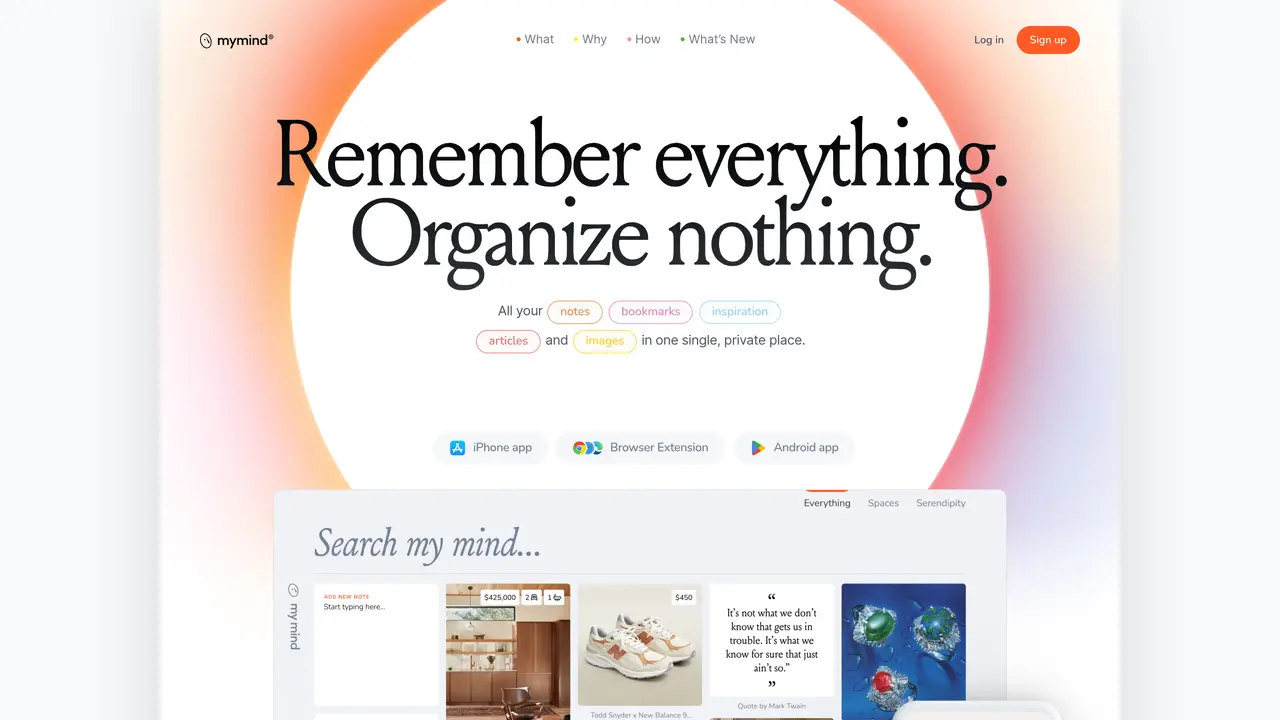
Mymind is a revolutionary AI-powered tool designed to enhance personal and professional productivity. It acts as a digital extension of your mind, allowing you to store, organize, and retrieve information effortlessly. Aimed at individuals and professionals who seek to streamline their workflow and declutter their digital space, mymind simplifies the process of managing notes, images, articles, and all forms of digital content with unparalleled efficiency. Key Features: Instant Recall: mymind uses AI to categorize and tag your saved items, making them instantly retrievable with a simple search. Visual Memory: It recognizes images and text within photos, allowing you to search for notes or ideas based on visuals. Privacy First: Your data is encrypted and kept private, ensuring that your mind’s contents are for your eyes only. Cross-Platform Syncing: Seamlessly syncs across devices, ensuring your digital memory is always accessible, whether you’re on your phone, tablet, or computer. Pros Enhanced Productivity: Significantly reduces the time spent searching for files or notes. Intuitive Organization: AI-driven categorization eliminates the need for manual sorting. Secure and Private: Strong encryption and a privacy-centric approach provide peace of mind. User-Friendly Interface: A clean and minimalist design makes it easy for anyone to use. Cons Initial Setup Time: Getting all your existing data into mymind can take some time. Learning Curve: Maximizing the AI features requires some initial learning and adjustment. Subscription-Based: While offering powerful features, it is a paid service, which might be a drawback for some users. Who is Using mymind? Writers and Researchers: For organizing notes and sources. Students: Managing study materials and notes. Designers: Keeping track of inspiration and project assets. Project Managers: Organizing project documents and communications. Uncommon Use Cases: Chefs use it to organize recipes and food presentation ideas; Psychologists use it for note-taking during sessions without breaking client confidentiality. Pricing: Free Tier: Explore mymind with a limited storage option. Personal Tier: Starts at $12 per month for comprehensive features and storage capabilities. Disclaimer: For the most accurate and current pricing details, refer to the official mymind website. What Makes mymind Unique? mymind stands out for its ability to serve as an external brain, intuitively organizing and retrieving any piece of information or data you feed it. Its unique selling point lies in the visual memory and instant recall features, which significantly reduce the time and effort typically spent on searching for information. Compatibilities and Integrations: Browser Extensions: Offers extensions for Chrome and Firefox for easy saving of web content. Mobile Apps: Available on iOS and Android for capturing thoughts and images on the go. Cloud Integration: Syncs with popular cloud storage services for backup and extra storage. API Access: Developers can integrate mymind’s capabilities into custom applications. mymind Tutorials: Explore a range of tutorials on the mymind website, covering everything from basic setup to advanced features, ensuring users can fully leverage the tool’s capabilities.
mymind is an AI-powered tool designed to act as an extension of your mind, allowing you to save, organize, and retrieve notes, bookmarks, articles, images, and other digital content effortlessly in one private place.
mymind is suitable for individuals, professionals, writers, researchers, students, designers, project managers, and anyone looking to streamline their digital information management without manual organization.
mymind uses AI to automatically categorize and tag saved items, enabling instant retrieval through associative search, visual cues, keywords, or other attributes without requiring manual filing or labeling.
mymind provides a free tier with limited storage options, allowing users to explore its basic features before committing to a paid plan.
Yes, mymind allows you to save entire articles and web content, stripping out ads and distractions so you can read them later in a clean, focused format.
You can get started by downloading the mymind app for iOS, Android, or installing the browser extension for Chrome, Edge, or Safari, then begin saving content with a single click.
mymind.com · third-party estimates from Similarweb
Last 4 months · grows by one month every month
Share of visits · estimated visits
Other countries: 51%
How people reach this site from other AI tools
1.2K a month · 0.5% of all visits
Productivity & Office · Sep 2026
Traffic figures are third-party estimates, good for scale and trends; they can differ from a company's own numbers. Updated monthly.
We use essential cookies to run aitoolnavio™, and optional cookies to analyze traffic and measure our marketing. You choose what we use — optional cookies stay off unless you turn them on. See our Privacy Policy.
One short email a week: fresh tools worth trying, honest takes and the updates that actually matter. No spam, unsubscribe any time.
Generate content, correct spelling, suggest synonyms to enhance writing.
Markdown-based note-taking and personal knowledge management app that turns notes into a connected system of ideas.
Capture, organize, and share ideas, notes, and documents effortlessly.
Easily create and track training courses, design learning environments, and access from any device with an intuitive interface.
An AI-powered note-taking app for students and professionals to write, sketch, annotate PDFs, record audio, and generate summaries, quizzes, and flashcards.
Handwritten note-taking app with searchable ink, PDF annotation, synced audio, and AI-powered study tools.
AI-powered process documentation tool that captures workflows into visual step-by-step guides with screenshots, editing, and exports.
AI web app that transcribes audio, video, and YouTube links into text in 98 languages with summaries, mind maps, and export formats for students and teams.
A note-taking and spaced-repetition flashcard app for students and learners, with PDF annotation plus AI tools for generating cards, quizzes, and study summaries.
AI-powered research assistant for organizing, analyzing, and synthesizing information from notes and documents.
Capture thoughts, create documents, and access on any device for convenient organization and productivity.
AI-powered PDF editor with built-in agents for summarization, translation, and document analysis.
Matched on what this tool does — grouped by the job you would be replacing.
matches AI-powered organization · Instant recall with simple search · Visual memory for searching notes and ideas based on visuals
Capture notes, sync emails & calendars, create summaries & drafts effortlessly with powerful writing tools.
Capture ideas, link notes, create backlinks for seamless information organization and reference.
Revolutionize note-taking with AI-powered transcription, organization, and seamless collaboration.
matches Cross-platform syncing across devices · Privacy-first approach with strong encryption · Browser extensions for easy saving of web content
Centralized bookmark manager that captures, tags and retrieves web saves with AI assistance
Private bookmark manager for mobile with AI summaries and offline storage
A dedicated tool to organize, search, and manage Twitter/X bookmarks into neat categories for quick access and reduced clutter.
A secure bookmark manager with multi-device sync and private browsing via built-in VPN.