
Summarizes, extracts, and rewrites content from files.
89M visits/mo+8.7%#2 Productivity & Office

A dedicated tool to organize, search, and manage Twitter/X bookmarks into neat categories for quick access and reduced clutter.
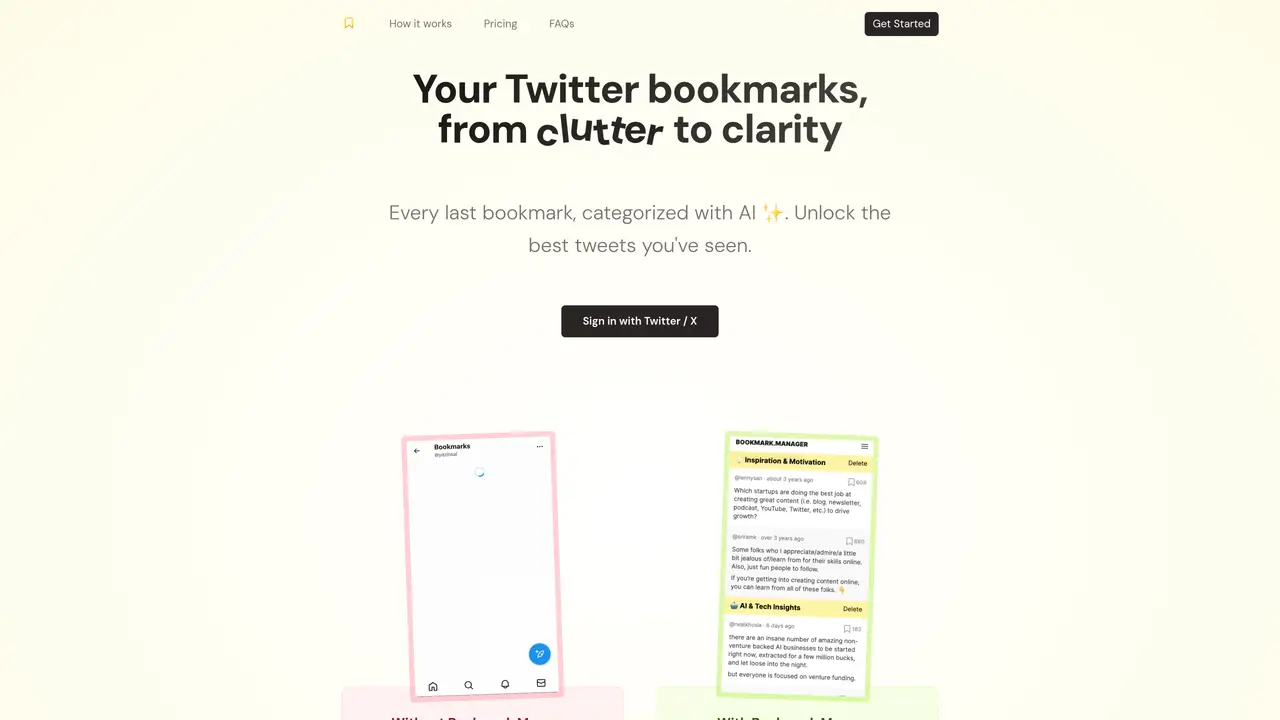
Bookmarks Manager is a digital solution built to help Twitter and X users regain control over their saved tweets. The native bookmarking feature on these platforms often becomes disorganized as the collection grows, making it difficult to find specific content later. This tool addresses that problem by allowing users to categorize their bookmarks, add descriptive tags, and search through their saved tweets efficiently. It also provides options to delete outdated or unnecessary bookmarks, ensuring the collection remains streamlined and relevant. By transforming a cluttered bookmark library into a structured and searchable resource, users can quickly reference saved content for research, inspiration, or personal curation without getting lost in the noise. The tool is particularly useful for researchers, content creators, and anyone who relies on Twitter/X as a knowledge base or inspiration source.
Bookmarks Manager helps Twitter and X users organize, categorize, and search their saved tweets to replace the native bookmarking system, which often becomes cluttered and difficult to navigate.
It is designed for researchers, content creators, and anyone who relies on Twitter/X as a knowledge base or source of inspiration and needs a more structured way to manage their bookmarks.
Users typically export their Twitter/X bookmarks and import them into Bookmarks Manager, where they can then organize, tag, and search their saved content.
Bookmarks Manager works by importing existing Twitter/X bookmarks, though it does not directly integrate with the platform’s API for real-time updates.
Yes, the tool allows users to bulk delete outdated or unnecessary bookmarks to keep their collection streamlined and relevant.
twitterbookmarks.com · third-party estimates from Similarweb
Last 4 months · grows by one month every month
Share of visits by channel
Share of visits · estimated visits
Productivity & Office · Sep 2026
Traffic figures are third-party estimates, good for scale and trends; they can differ from a company's own numbers. Updated monthly.
We use essential cookies to run aitoolnavio™, and optional cookies to analyze traffic and measure our marketing. You choose what we use — optional cookies stay off unless you turn them on. See our Privacy Policy.
One short email a week: fresh tools worth trying, honest takes and the updates that actually matter. No spam, unsubscribe any time.
Summarizes, extracts, and rewrites content from files.
Automate citation and reference management, aid research with text and data mining, and securely store and share documents.
Capture, organize, and share ideas, notes, and documents effortlessly.
Headless CMS that lets developers manage structured content and deliver it anywhere via flexible APIs and real-time collaboration tools.
Efficiently create and manage cases, streamline workflows, securely store and share documents, and collaborate with colleagues.
Access files, collaborate, and secure your data with unbeatable customizable system.
An AI-powered PDF editor and converter for editing, OCR, signing, annotating, merging, and chatting with documents across devices.
Browser-based PDF editor that edits, signs, converts, merges, compresses, and shares files, with AI for form filling, document chat, and PDF creation.
Securely store, access, and search documents from any device with ease.
Create and customize legal documents, consult lawyers, and access legal guides all in one platform.
Centralize brand assets, automate approvals, and collaborate with external partners in a single digital asset management platform.
AI diagramming and documentation tool for engineering teams to create and update cloud architecture, ERDs, and flowcharts from prompts, code, and CI/CD workflows.
Matched on what this tool does — grouped by the job you would be replacing.
matches Categorize bookmarks into custom groups · Add descriptive tags to saved tweets · Search through bookmarks by keywords or tags
Browser extension that organizes bookmarks with AI summaries and keyword tags
AI-powered bookmark manager that automatically organizes links into folders
AI-powered bookmark manager that captures and indexes links automatically
AI-powered bookmark manager that organizes links with auto-generated titles, tags, and translations