Generate content, correct spelling, suggest synonyms to enhance writing.
173M visits/mo+0.1%#1 Productivity & Office

iOS app that turns utility photos into a searchable visual second brain using AI image search and OCR.
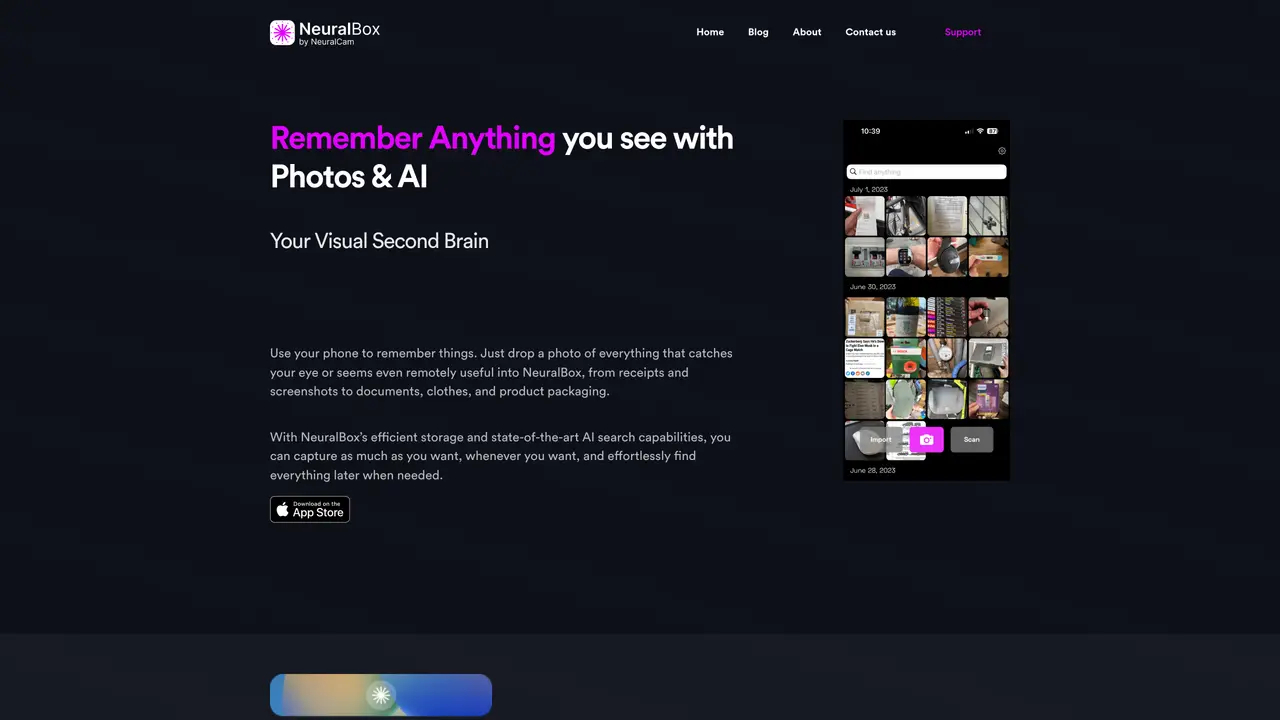
NeuralBox is an iOS mobile app designed as a visual second brain for individuals who need to capture and retrieve utility photos such as receipts, screenshots, documents, clothing tags, and product packaging without cluttering the main photo gallery. The app leverages AI image search powered by OpenAI CLIP-based semantic search technology, allowing users to find images using natural-language queries or by visual concepts like objects and scenes. It also includes OCR text search to locate photos by the words inside them, and image similarity browsing to explore related photos by color, texture, and shape. NeuralBox offers fast capture and import tools, including a lock screen widget, Share extension import, and automatic screenshot importing when the app is opened. The app is optimized for organizing and retrieving utility photos efficiently, making it ideal for note-taking, organizing files, and scanning documents on the go. It is available exclusively on iOS and operates on a freemium model, with a free plan offering core features and a paid Plus plan adding advanced storage, sync, and scanning capabilities.
NeuralBox is an iOS app that serves as a visual second brain for capturing and retrieving utility photos such as receipts, screenshots, documents, and product packaging. It is designed for individuals who want to organize and access these images efficiently without cluttering their main photo gallery.
NeuralBox uses AI-powered image search, including semantic search based on OpenAI CLIP and OCR text search, to locate photos using natural-language queries or visual concepts. It also offers image similarity browsing to find related photos by color, texture, and shape.
Yes, NeuralBox allows importing existing photos from your gallery, screenshots via a Share extension, and automatically imports screenshots when you open the app. It also includes a lock screen widget for quick capture.
NeuralBox Plus includes cloud storage and sync across devices, providing secure access and backup for your photos. The free plan offers local storage only.
NeuralBox operates on a freemium model with a free plan offering core features and a paid Plus plan that adds advanced storage, sync, and scanning capabilities.
Download NeuralBox from the App Store, open the app, and start capturing photos using the lock screen widget, Share extension, or by importing existing images. Use natural-language queries or visual concepts to search for photos later.
We use essential cookies to run aitoolnavio™, and optional cookies to analyze traffic and measure our marketing. You choose what we use — optional cookies stay off unless you turn them on. See our Privacy Policy.
One short email a week: fresh tools worth trying, honest takes and the updates that actually matter. No spam, unsubscribe any time.
Generate content, correct spelling, suggest synonyms to enhance writing.
Markdown-based note-taking and personal knowledge management app that turns notes into a connected system of ideas.
Capture, organize, and share ideas, notes, and documents effortlessly.
Easily create and track training courses, design learning environments, and access from any device with an intuitive interface.
An AI-powered note-taking app for students and professionals to write, sketch, annotate PDFs, record audio, and generate summaries, quizzes, and flashcards.
Handwritten note-taking app with searchable ink, PDF annotation, synced audio, and AI-powered study tools.
AI-powered process documentation tool that captures workflows into visual step-by-step guides with screenshots, editing, and exports.
AI web app that transcribes audio, video, and YouTube links into text in 98 languages with summaries, mind maps, and export formats for students and teams.
A note-taking and spaced-repetition flashcard app for students and learners, with PDF annotation plus AI tools for generating cards, quizzes, and study summaries.
AI-powered research assistant for organizing, analyzing, and synthesizing information from notes and documents.
Capture thoughts, create documents, and access on any device for convenient organization and productivity.
AI-powered PDF editor with built-in agents for summarization, translation, and document analysis.
Matched on what this tool does — grouped by the job you would be replacing.
matches AI image search with natural-language queries · OCR text search for locating images by embedded text · Image similarity browsing by color, texture, and shape
macOS app that renames screenshots and files by content and provides private, offline search for Mac users.
Organizes and searches screenshots locally on Apple devices
AI-powered personal memory system that indexes screenshots, emails and documents for natural-language search
A private Mac app that continuously records, searches, and queries your screen history with optional on-device AI processing.