
Create stunning visuals, develop ideas with AI-powered tools, and instantly share content without coding or formatting.
21M visits/mo+6.5%#6 Writing & Content

AI-powered platform that builds and delivers self-running presentations instantly via chat, eliminating design work and physical presence.
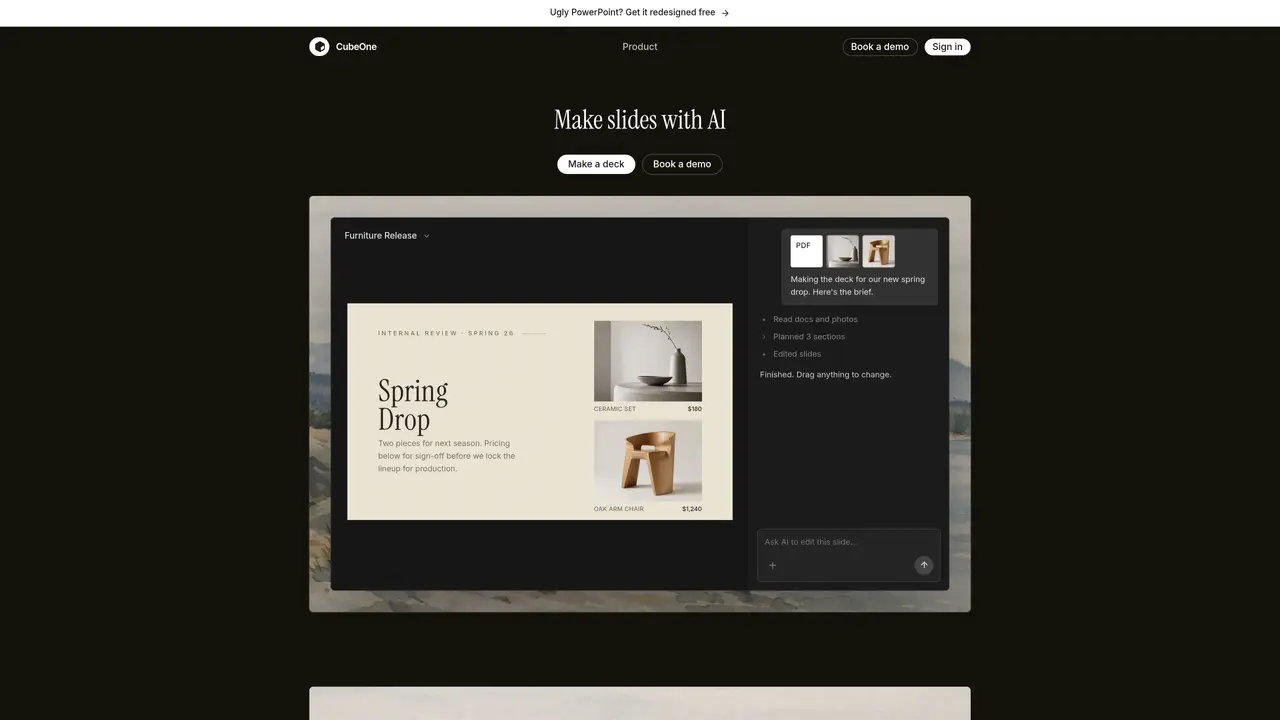
CubeOne AI is an AI-powered slide maker designed to transform ideas into polished, fully editable presentations in minutes. Users can start from a simple prompt or import an existing PowerPoint file, and CubeOne generates designed slides while preserving every element as a native, draggable object. The platform emphasizes freeform editing, allowing users to drag, restyle, or reposition any text box, image, or shape just as they would in PowerPoint or Canva. A one-click ‘Beautify’ feature instantly refines rough drafts into professional slides, streamlining the creation process without requiring design expertise. CubeOne supports a range of use cases, from sales pitches and investor updates to academic presentations, catering to professionals who need to produce high-quality slides quickly and consistently. The tool integrates seamlessly with existing workflows, enabling exports back to PowerPoint or Canva for further customization or collaboration. By combining AI generation with full editability, CubeOne eliminates the trade-off between automation and control, making it ideal for users who prioritize both speed and flexibility in their presentation workflows.
CubeOne AI is an AI-powered slide maker that generates fully editable PowerPoint-style slides from prompts or imported files. It combines AI generation with freeform editing, allowing users to create, refine, and customize presentations without design skills.
CubeOne is built for professionals who frequently create presentations, including sales teams, founders, finance professionals, students, and educators. It suits users who need to produce polished slides quickly and iterate on content.
Every element in a CubeOne slide—text, images, shapes—remains a native, draggable object that can be edited like PowerPoint or Canva. The 'Beautify' feature instantly polishes rough drafts, while freeform editing allows full customization.
Yes, users can import existing PowerPoint (.pptx) files into CubeOne, where the AI generates designed slides while preserving editability. The tool also supports exporting back to PowerPoint or Canva.
CubeOne supports multiple AI models for generation, including Fable 5, GPT-5.6 Sol, and Gemini 3.1 Pro, enabling users to leverage advanced AI capabilities for content creation.
Subscriptions can be canceled by opening Billing in CubeOne settings, clicking 'Manage in Stripe,' and canceling through Stripe. Access is retained until the end of the paid period, with no additional emails or calls required.
getcube.one · third-party estimates from Similarweb
Last 4 months · grows by one month every month
Share of visits by channel
Share of visits · estimated visits
Productivity & Office · Sep 2026
Traffic figures are third-party estimates, good for scale and trends; they can differ from a company's own numbers. Updated monthly.
We use essential cookies to run aitoolnavio™, and optional cookies to analyze traffic and measure our marketing. You choose what we use — optional cookies stay off unless you turn them on. See our Privacy Policy.
One short email a week: fresh tools worth trying, honest takes and the updates that actually matter. No spam, unsubscribe any time.
Create stunning visuals, develop ideas with AI-powered tools, and instantly share content without coding or formatting.
Create captivating, customizable presentations and easily share them across devices with a cloud-based platform.
Engage audience with interactive polls, quizzes, and surveys, and monitor responses with powerful analytics.
All-in-one AI workspace for creating presentations, essays, images, videos, podcasts, and AI-powered chat responses from a single platform.
Visual collaboration platform for creating diagrams, mind maps, wireframes, and workflows with real-time teamwork.
Skywork Super Agents: Workspace productivity suite with specialized AI for research-grade documents, slides & spreadsheets + multimedia tools.
AI-powered design tool that turns templates into professional presentations, infographics, and timelines with no graphic design skills required.
AI-powered platform for creating presentations, infographics, reports, and social media graphics from text prompts with built-in brand management and collaboration tools.
Visualize processes, design network diagrams, and collaborate in real-time with templates and easy-to-use interface.
AI-powered presentation tool that generates professional slides from text with a vast library of templates, images, and customization options.
AI-powered presentation maker that generates PowerPoint and Google Slides decks from prompts, documents, or URLs for professionals, educators, and students.
Generate presentations, create interactive slideshows, and customize with themes, fonts, and colors.
Matched on what this tool does — grouped by the job you would be replacing.
matches Generates presentations automatically from chat inputs or shared links · Produces professional-grade presentations instantly · Reduces time spent on slide design and content formatting
Automate tasks, generate presentations, and work seamlessly with popular platforms like Google Slides and PowerPoint.
Generate engaging presentations, visuals for marketing campaigns, and educational content quickly.
Turns text prompts into polished PowerPoint decks in under a minute with AI-generated layouts and visuals.
Generate professional slide decks in seconds—just by entering a topic.
matches Turns rough notes, audio, or sketches into fully editable, brand-consistent PowerPoint slides inside PowerPoint with AI · Converts text drafts into editable slides · Processes audio notes into presentation content
matches Delivers self-running presentations without manual slide-by-slide control · AI-generated voiceovers for presentations · Turns slide decks into AI-narrated presentations with live voice Q&A and engagement analytics
Turn rough notes, audio, or sketches into fully editable, brand-consistent PowerPoint slides inside PowerPoint with AI.
AI presentation maker that turns notes, links, or topics into editable PowerPoint decks in seconds.
Generates editable PowerPoint presentations from topics, documents, or itineraries
AI-powered presentation maker that combines slides with audio narration for professional, shareable presentations.
Turns slide decks into AI-narrated presentations with live voice Q&A and engagement analytics.