
Create stunning visuals, develop ideas with AI-powered tools, and instantly share content without coding or formatting.
21M visits/mo+6.5%#6 Writing & Content

Turn text prompts into interactive timelines, mind maps, and quadrant visualizations to explore historical narratives and complex ideas.
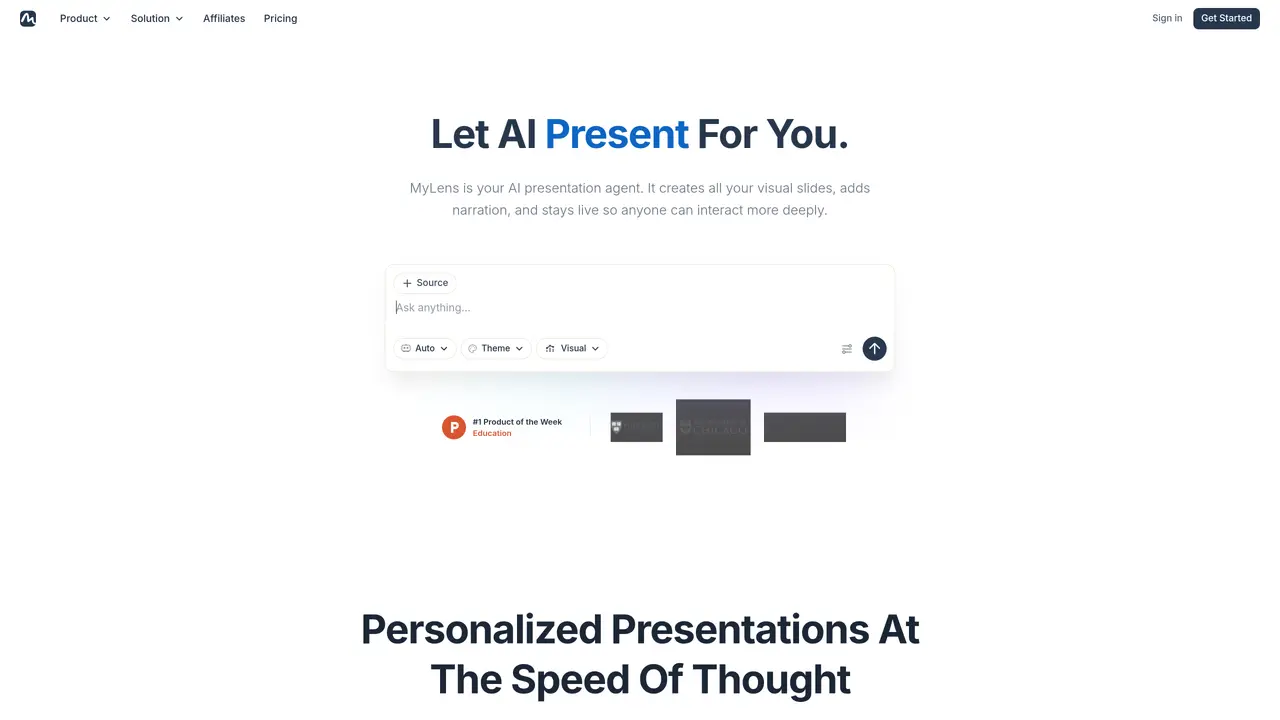
MyLens.AI is an AI-powered tool that helps users transform text prompts into visual representations such as timelines, mind maps, and quadrant visualizations. It is designed for students, researchers, content creators, and business analysts who need to explore and present complex data or historical narratives in an intuitive, visual format. Users can quickly generate a single timeline where they add details to enhance the presentation of events, making it easier to identify connections and patterns across different stories. The tool also supports creating mind maps and quadrant visualizations, which are useful for organizing information, comparing concepts, or analyzing trends. While MyLens simplifies the process of visualizing ideas, it may not capture every important event in a timeline and lacks some advanced features found in more specialized tools. It is particularly well-suited for educational purposes, market trend analysis, and creating study guides, offering a straightforward way to turn raw information into structured, shareable visuals.
MyLens AI is a platform for building interactive presentations from documents, links, data, or a simple idea. It structures your story with AI agents, personalizes the look, adds narration, and lets audiences click in to explore—not just sit through a static deck.
MyLens is designed for anyone who needs to turn dense material into something an audience can follow, including educators, consultants, analysts, marketers, founders, and teams that present research, plans, or updates.
Yes. Everything stays editable—you can rewrite content, swap visuals, change themes, or ask AI to refine a section. You’re not locked into the first draft.
Yes. You can start free to create and explore presentations; upgrade anytime when you need advanced options or higher limits.
Your files and content stay yours. MyLens does not use your data to train its AI models and does not share your data with others.
MyLens supports PDFs, long text, Word and PowerPoint files, webpages, YouTube videos, images, data spreadsheets, and Google Drive files to transform them into interactive visual summaries.
mylens.ai · third-party estimates from Similarweb
Last 4 months · grows by one month every month
Share of visits · estimated visits
Other countries: 56.5%
How people reach this site from other AI tools
4 a month
Productivity & Office · Sep 2026
Traffic figures are third-party estimates, good for scale and trends; they can differ from a company's own numbers. Updated monthly.
We use essential cookies to run aitoolnavio™, and optional cookies to analyze traffic and measure our marketing. You choose what we use — optional cookies stay off unless you turn them on. See our Privacy Policy.
One short email a week: fresh tools worth trying, honest takes and the updates that actually matter. No spam, unsubscribe any time.
Create stunning visuals, develop ideas with AI-powered tools, and instantly share content without coding or formatting.
Create captivating, customizable presentations and easily share them across devices with a cloud-based platform.
Engage audience with interactive polls, quizzes, and surveys, and monitor responses with powerful analytics.
All-in-one AI workspace for creating presentations, essays, images, videos, podcasts, and AI-powered chat responses from a single platform.
Visual collaboration platform for creating diagrams, mind maps, wireframes, and workflows with real-time teamwork.
Skywork Super Agents: Workspace productivity suite with specialized AI for research-grade documents, slides & spreadsheets + multimedia tools.
AI-powered design tool that turns templates into professional presentations, infographics, and timelines with no graphic design skills required.
AI-powered platform for creating presentations, infographics, reports, and social media graphics from text prompts with built-in brand management and collaboration tools.
Visualize processes, design network diagrams, and collaborate in real-time with templates and easy-to-use interface.
AI-powered presentation tool that generates professional slides from text with a vast library of templates, images, and customization options.
AI-powered presentation maker that generates PowerPoint and Google Slides decks from prompts, documents, or URLs for professionals, educators, and students.
Generate presentations, create interactive slideshows, and customize with themes, fonts, and colors.
Matched on what this tool does — grouped by the job you would be replacing.
matches Text-to-timeline conversion · Quick timeline building with added details · Single timeline format for focused analysis
Turns text prompts into clear flowcharts, mind maps, and sequence diagrams for concept visualization.
AI-powered research engine that analyzes sources, builds mind maps, and streamlines research workflows for deeper insights.
matches Mind map generation · Quadrant visualization creation · Interactive exploration of historical narratives
MindMap AI is an AI-powered tool that turns text, PDFs, audio, video, and more into editable mind maps.
A chat-driven mind mapping and brainstorming tool that lets users create, edit, and organize mind maps through conversational prompts.
AI-powered tool that instantly converts any content (documents, videos, web pages) into interactive mind maps with chat functionality and custom AI instructions.
AI-powered visual knowledge mapping tool that extracts concepts from images, videos, and audio to create structured notes and concept maps.