
Create stunning visuals, develop ideas with AI-powered tools, and instantly share content without coding or formatting.
21M visits/mo+6.5%#6 Writing & Content
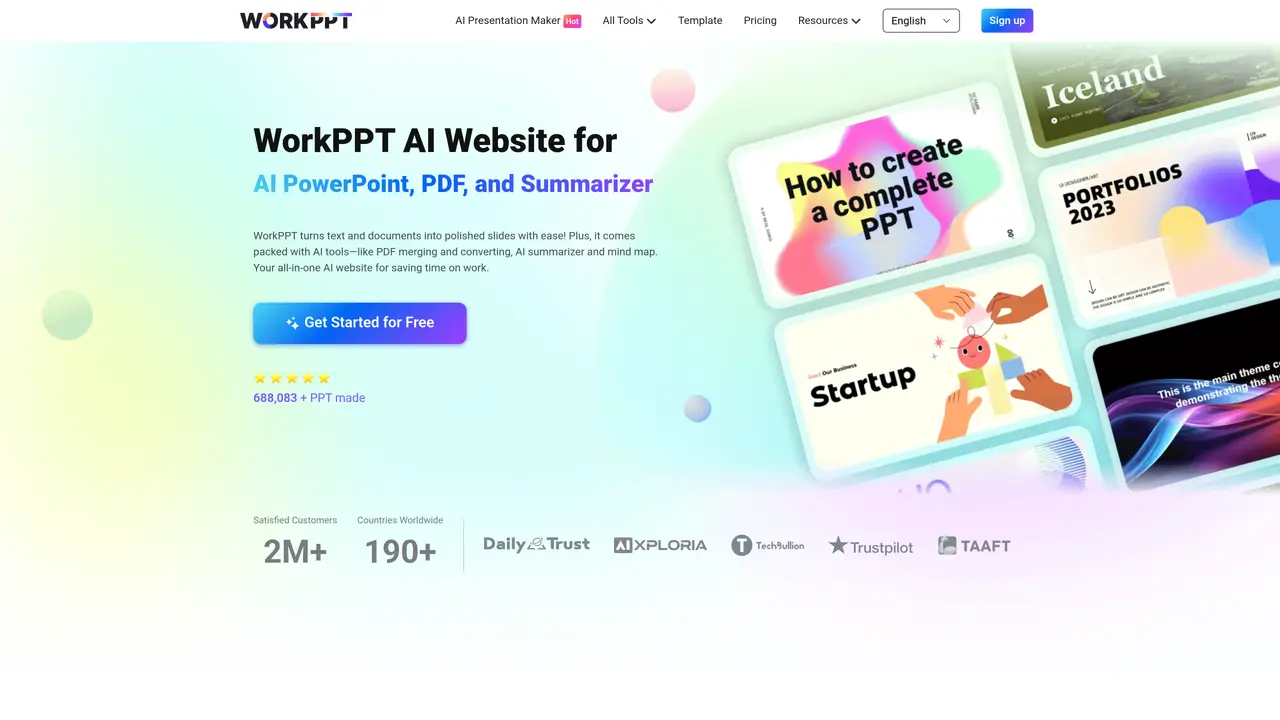
WorkPPT is designed for businesses, educators, and creatives. Our AI-driven platform transforms complex workflows into effortless tasks—from crafting presentations to securing documents. WorkPPT’s features include an AI Slide Generator that turns ideas into polished decks in seconds by inputting text or uploading files and letting the AI handle design, layout, and content structuring. The Smart PDF Toolkit allows users to merge/split PDFs, convert PDFs to images/word, add watermarks & approval stamps, and extract key points from lengthy reports, emails, or articles with 95% accuracy using the AI Summarizer. Additionally, WorkPPT offers a Mind Map Generator for visualizing strategies and brainstorming ideas using AI-organized nodes and connectors, as well as Real-Time AI Chat for getting instant answers, editing suggestions, or creative prompts via integrated chat. WorkPPT is suitable for those who need to create presentations quickly and efficiently, manage documents securely, and summarize lengthy texts accurately. The tool can be used in various settings, including business, education, and creative industries.
WorkPPT is an AI-powered productivity platform that helps users create presentations, manage PDF documents, summarize text, and engage in real-time AI chat. It automates tasks like slide generation, PDF editing, and content summarization to streamline workflows.
The tool is designed for businesses, educators, creatives, and professionals who need to quickly generate polished presentations, manage documents securely, and extract key insights from lengthy texts. It suits users across industries seeking efficiency in content creation and organization.
The AI Slide Generator transforms user-provided text or uploaded files into fully designed presentation slides. It handles layout, design, and content structuring automatically, allowing users to generate professional decks in seconds without manual effort.
Yes, WorkPPT includes a Smart PDF Toolkit that enables users to merge or split PDFs, convert PDFs to images or Word documents, add watermarks or approval stamps, and extract key points from lengthy reports or articles using its AI Summarizer.
The Mind Map Generator helps users visualize strategies, brainstorm ideas, and organize concepts using AI-generated nodes and connectors. It is useful for planning projects, outlining content, or mapping complex workflows in a structured format.
Users can start by visiting the WorkPPT website and accessing the available tools directly through the platform. No additional setup is required beyond creating an account or logging in to begin using the AI-powered features.
We use essential cookies to run aitoolnavio™, and optional cookies to analyze traffic and measure our marketing. You choose what we use — optional cookies stay off unless you turn them on. See our Privacy Policy.
One short email a week: fresh tools worth trying, honest takes and the updates that actually matter. No spam, unsubscribe any time.
Create stunning visuals, develop ideas with AI-powered tools, and instantly share content without coding or formatting.
Create captivating, customizable presentations and easily share them across devices with a cloud-based platform.
Engage audience with interactive polls, quizzes, and surveys, and monitor responses with powerful analytics.
All-in-one AI workspace for creating presentations, essays, images, videos, podcasts, and AI-powered chat responses from a single platform.
Visual collaboration platform for creating diagrams, mind maps, wireframes, and workflows with real-time teamwork.
Skywork Super Agents: Workspace productivity suite with specialized AI for research-grade documents, slides & spreadsheets + multimedia tools.
AI-powered design tool that turns templates into professional presentations, infographics, and timelines with no graphic design skills required.
AI-powered platform for creating presentations, infographics, reports, and social media graphics from text prompts with built-in brand management and collaboration tools.
Visualize processes, design network diagrams, and collaborate in real-time with templates and easy-to-use interface.
AI-powered presentation tool that generates professional slides from text with a vast library of templates, images, and customization options.
AI-powered presentation maker that generates PowerPoint and Google Slides decks from prompts, documents, or URLs for professionals, educators, and students.
Generate presentations, create interactive slideshows, and customize with themes, fonts, and colors.
Matched on what this tool does — grouped by the job you would be replacing.
matches AI Slide Generator · Automatically generate presentations from title and tips in seconds using AI
AI-powered presentation maker that generates PowerPoint and Google Slides decks from prompts, documents, or URLs for professionals, educators, and students.
Turn text prompts into polished presentations and videos with AI-powered slide and avatar generation.
AI-powered PowerPoint generator for professional presentations.
AI tool that converts documents into polished presentations automatically
matches Smart PDF Toolkit · Merge, split, convert to image, add watermark and stamp to PDF · Summarize, chat with, or extract data from PDFs using AI
matches Mind Map Generator
AI-powered PDF editor with built-in agents for summarization, translation, and document analysis.
Privacy-first online PDF toolkit with 90+ browser-based tools and 4 AI features
Lightweight AI-powered PDF editor for macOS with on-device processing
All-in-one PDF toolkit with AI-powered features and client-side processing
Turn text prompts into interactive timelines, mind maps, and quadrant visualizations to explore historical narratives and complex ideas.
AI-powered mind mapping and brainstorming tool for visualizing ideas with collaboration, cloud sync, and multiple view modes.
A chat-driven mind mapping and brainstorming tool that lets users create, edit, and organize mind maps through conversational prompts.