AI assistant for safe, reliable productivity with code, collaboration, and integrations.

blupdf
$39/moStarting price
0Popularity
About blupdf
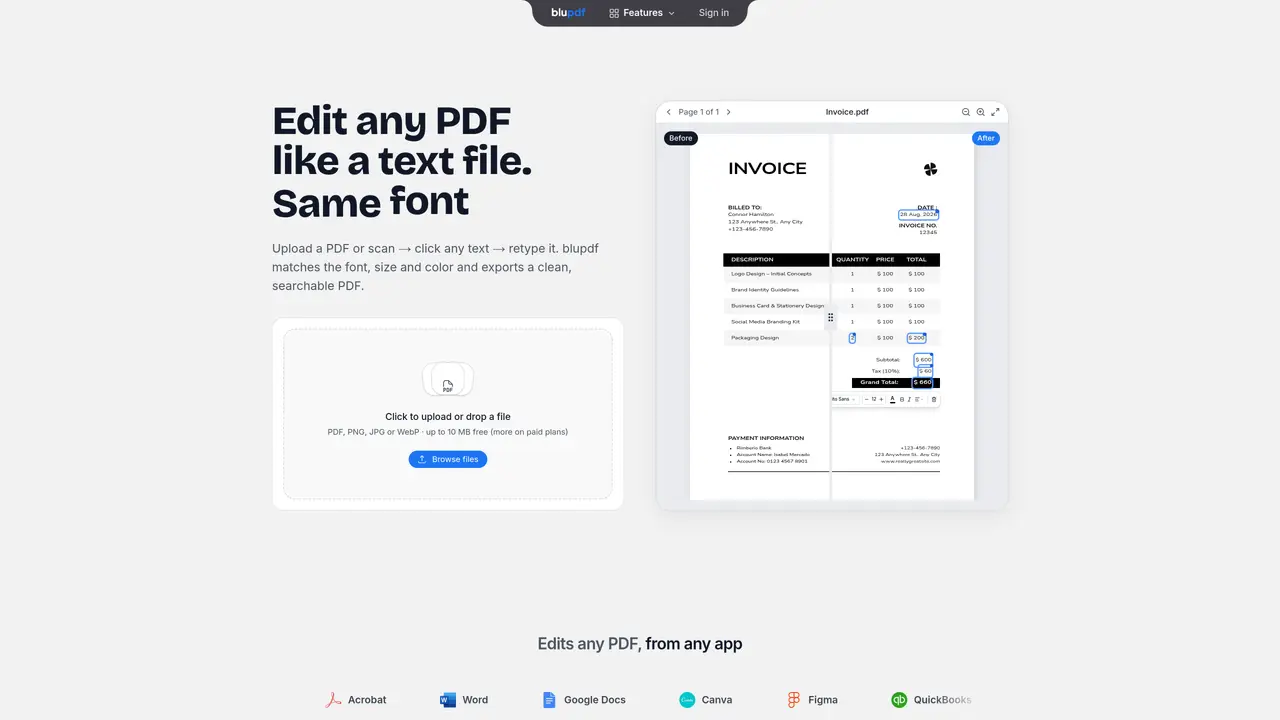
blupdf is an AI-driven PDF editor designed to modify text within PDFs while preserving the original font, size, color and alignment. It supports direct text editing in PDFs, scanned documents, and image files through AI OCR, converting them into searchable and editable formats. Users can upload files up to 10 MB for free, with paid plans offering higher limits and additional features. The tool operates entirely in the browser and on desktop or mobile devices without requiring specialized software. It includes functions for reordering, merging, splitting, and deleting pages, as well as filling and signing forms. blupdf also provides AI-assisted editing, allowing users to describe changes for automatic implementation. Typical use cases include correcting invoices, updating contracts, adjusting menus, and modifying reports without rebuilding documents from scratch.
Key features
- Edit text in original font, size, color and alignment
- Convert scanned PDFs and images to editable text with OCR
- Reorder, merge, split and delete pages
- Fill and sign PDF forms
- AI-assisted editing and automated changes
- Undo, redo and autosave functionality
- Supports multiple input formats (PDF, PNG, JPG, WebP)
- Browser-based with cross-device compatibility
Use cases
- Correcting errors in invoices or contracts without rebuilding documents
- Updating prices or details in PDF menus or reports
- Digitizing and editing handwritten or printed handouts
Pros
- Preserves original font, size, color and alignment when editing text
- Converts scanned PDFs and images into editable, searchable text via AI OCR
- Supports multiple file formats including PDF, PNG, JPG and WebP
- Offers AI-assisted editing and automated font matching
- Works in-browser across desktop and mobile devices
Cons
- Free tier limited to 10 pages and 10 MB per document
- Paid plans required for higher page limits and advanced features
- No offline functionality mentioned
Frequently asked questions about blupdf
What is blupdf and what does it do?
blupdf is an AI-powered PDF editor that allows users to edit text within PDFs while preserving the original font, size, color, and alignment. It supports direct text editing in PDFs, scanned documents, and image files through AI OCR, converting them into searchable and editable formats.
Who is blupdf designed for?
blupdf is designed for professionals and individuals who need to make quick edits to PDFs without rebuilding documents from scratch. It suits roles such as freelancers, real estate agents, videographers, restaurant owners, and bookkeepers who frequently handle contracts, invoices, menus, and reports.
How does blupdf work?
Users upload a PDF, scan, or photo, and blupdf uses AI OCR to make the text editable. Users can then click on any text block to retype it, and blupdf matches the original font, size, color, and alignment. The edited document is exported as a clean, searchable PDF.
Does blupdf require any software installation?
No, blupdf operates entirely in the browser and is accessible on desktop or mobile devices without requiring specialized software.
What file types does blupdf support?
blupdf supports PDF, PNG, JPG, and WebP file formats. Scanned pages and image-only PDFs are converted into editable text using AI OCR.
Can blupdf edit scanned PDFs or image files?
Yes, blupdf can edit scanned PDFs and image files by using AI OCR to convert them into searchable and editable text, allowing users to make changes directly.