Generate content, correct spelling, suggest synonyms to enhance writing.
173M visits/mo+0.1%#1 Productivity & Office
Browser-based tool to transcribe Instagram Reels or videos to text locally
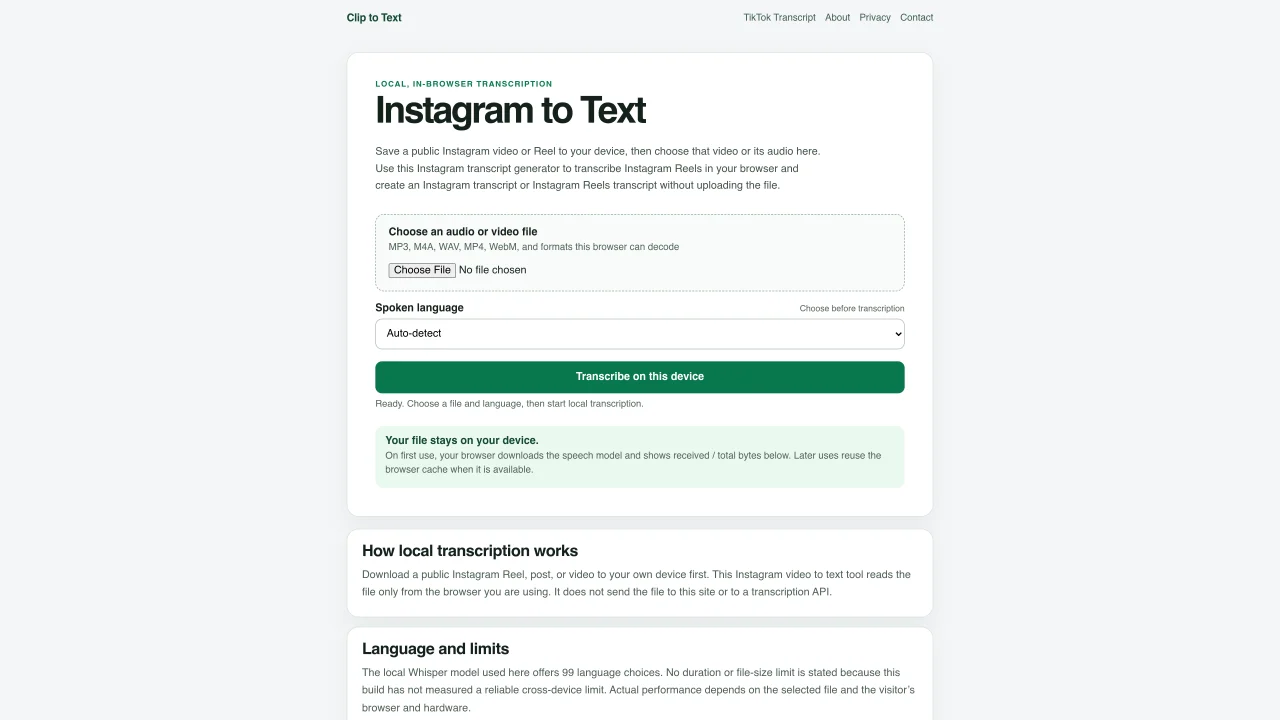
This tool converts Instagram Reels or videos into text transcripts directly in the user’s browser without uploading files to a server. Users first download a public Instagram video or Reel to their device, then select the local file on this page. The transcription process uses a local Whisper speech model that supports 99 languages, allowing automatic language detection or manual selection. The tool processes audio or video files in formats such as MP3, M4A, WAV, MP4, and WebM, provided the browser can decode them. Once transcription completes, users can copy the plain text or download it in TXT, SRT, or VTT formats, all generated locally. The page emphasizes privacy by stating that files remain on the user’s device and are not sent to external servers or APIs.
Instagram to Text converts public Instagram Reels or videos into text transcripts directly in the user’s browser. Users download a video to their device first, then upload the local file to the tool for transcription.
The tool is suitable for individuals or professionals who need to transcribe Instagram content, such as content creators, researchers, journalists, or educators, while maintaining privacy.
No, the tool processes files locally in the browser and does not send them to external servers or APIs. Files remain on the user’s device throughout the transcription process.
The tool supports audio and video formats such as MP3, M4A, WAV, MP4, and WebM, provided the browser can decode them.
Yes, the tool can automatically detect the spoken language or allows users to manually select the language before transcription begins.
After transcription, users can copy the plain text or download the transcript in TXT, SRT, or VTT formats, all generated locally in the browser.
We use essential cookies to run Aitoolnavio, and optional cookies to analyze traffic and measure our marketing. You choose what we use — optional cookies stay off unless you turn them on. See our Privacy Policy.
One short email a week: fresh tools worth trying, honest takes and the updates that actually matter. No spam, unsubscribe any time.
Generate content, correct spelling, suggest synonyms to enhance writing.
Unify customer data, automate workflows, and scale experiences with Einstein AI, Copilot, and Data Cloud in one CRM platform.
Create customizable tables, databases, and spreadsheets, share data securely with team members.
Cloud accounting software that automates bookkeeping, invoicing, and financial reporting for small and growing businesses.
Transforms thoughts into actions, enhancing productivity and efficiency.
AI assistant for safe, reliable productivity with code, collaboration, and integrations.
Automate code, research, and documents using agents.
Record lectures, create tutorials, and securely share videos with teams.
Revolutionize travel with AI-driven personalized itinerary planning.
Easy-to-use CRM platform that automates lead capturing, prioritizes tasks, and provides sales pipeline analytics for businesses of all sizes.
All-in-one team productivity platform combining chat, docs, video meetings, workflows, and AI tools in one place.
AI travel planner that builds personalized itineraries from your preferences, travel dates, and reservations for vacations, road trips, and more.
Matched on what this tool does — grouped by the job you would be replacing.
matches Transcribe Instagram Reels or videos locally · No file uploads to external servers · Privacy-focused processing
Generates transcripts from public short videos on Instagram, YouTube and TikTok
Generates searchable, speaker-aware transcripts and subtitles from public Instagram Reels
Convert public TikTok, Reels, YouTube, and Facebook videos into editable transcripts with batch processing and multiple export formats.
matches Supports MP3, M4A, WAV, MP4, WebM formats · 99 language options with auto-detection · Timestamped transcript exports
Browser-based transcription of audio and video files with local processing
Free online audio and video transcription with timestamps
Browser-based tool for local audio and video transcription and subtitle editing
Free audio transcription, YouTube captions and subtitle conversion with AI summarization