Generate cinematic video clips from text or images and refine them with AI-powered editing tools for creators and visual professionals.
6.4M visits/mo+14.2%#8 Video & Animation

AI-powered tool that generates unique animated logo reveals from static images
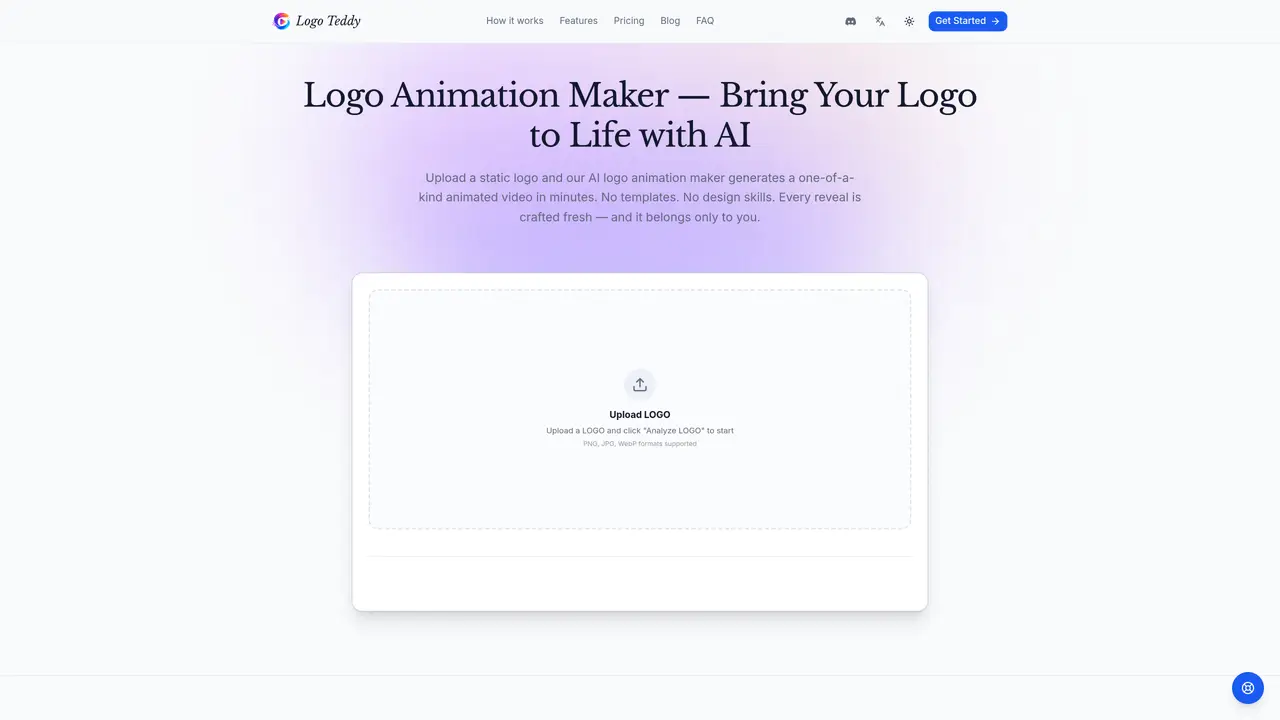
LogoTeddy converts static logo images into custom animated video reveals using artificial intelligence. Users upload a PNG, JPG, or WebP file and the system analyzes the logo’s shape, colors, and visual characteristics to generate three distinct animation directions. After selecting a preferred style, users can adjust duration, aspect ratio, pacing, and mood before rendering the final video. The tool produces high-resolution MP4 files in multiple aspect ratios and resolutions ranging from 480p to 4K. Outputs are watermark-free for paid users and include full commercial rights. The process requires no design skills or templates, and each animation is generated uniquely based on the input logo. Typical use cases include YouTube intros, social media content, brand films, and presentation openers where a cinematic logo reveal enhances brand perception. The service operates on a pay-as-you-go credit system with transparent pricing.
LogoTeddy is an AI-powered logo animation maker that converts static logo images into custom animated video reveals. Users upload a PNG, JPG, or WebP file, and the system generates three distinct animation directions based on the logo’s shape, colors, and visual characteristics.
LogoTeddy is designed for creators, marketers, and businesses looking to enhance their brand presence with cinematic logo reveals. It suits users who need high-quality animations for YouTube intros, social media content, brand films, and presentations without requiring design skills.
LogoTeddy operates on a pay-as-you-go credit system where 1 credit equals $0.01. Users start with 50 free credits for a watermarked preview animation and can purchase additional credits in tiers. Pricing is transparent with no hidden fees.
LogoTeddy supports PNG, JPG, and WebP file formats for upload. Users can download their animated videos in MP4 format at resolutions ranging from 480p to 4K, including multiple aspect ratios such as 16:9, 9:16, 4:3, and 1:1.
Yes, all paid animations include full commercial rights and watermark-free downloads, making them suitable for YouTube, client work, ads, and presentations. The free trial animation is watermarked and intended for personal, non-commercial use.
To get started, upload your logo in PNG, JPG, or WebP format, click 'Analyze LOGO,' and browse the three AI-generated animation directions. Select your preferred style, adjust settings like duration and aspect ratio, and generate your video. No sign-up is required to explore the initial animations.
logoteddy.com · third-party estimates from Similarweb
Share of visits by channel
Video & Animation · Sep 2026
Traffic figures are third-party estimates, good for scale and trends; they can differ from a company's own numbers. Updated monthly.
We use essential cookies to run aitoolnavio™, and optional cookies to analyze traffic and measure our marketing. You choose what we use — optional cookies stay off unless you turn them on. See our Privacy Policy.
One short email a week: fresh tools worth trying, honest takes and the updates that actually matter. No spam, unsubscribe any time.
Generate cinematic video clips from text or images and refine them with AI-powered editing tools for creators and visual professionals.
Create custom titles, 3D objects, adjust color and contrast, add special effects, transitions, and animations.
Animate images effortlessly with text prompts and motion control.
Professional visual AI engine for node-based image, video, 3D, audio and generative workflows with full control over models and outputs.
AI video generation tool that creates videos from text prompts, images, or reference clips with strong character consistency.
AI-powered tool for creating, customizing, and animating lightweight Lottie graphics for websites and apps from text prompts.
Generates high-quality videos and images from text or images with cinematic controls and native 4K output.
An all-in-one creative suite specializing in Image-to-Video animation.
A web-based motion design tool for creating collaborative animations with Figma import and exports like 4K video, GIF, and Lottie.
AI-powered platform to create professional animated videos and presentations with voice-overs, text animation, and asset libraries.
Create animated presentations, design videos with voiceovers and music, and access tutorials and resources for easy use.
Create immersive experiences, personalize customer interactions, and provide dynamic conversations and advice to multiple players.
Matched on what this tool does — grouped by the job you would be replacing.
matches AI-powered logo analysis and animation generation · Customizable duration, aspect ratio, and pacing controls · Multiple resolution options (480p to 4K)
AI transforms text into engaging 3D animations.
AI-powered logo animation generator that turns static logos into motion