Create marketing videos quickly, customize with templates, music, and photos, optimize for different platforms with AI.
4.4M visits/mo-5%#12 Video & Animation

Turns text prompts into polished kinetic-typography videos for social media and ads in minutes without design skills or editing.
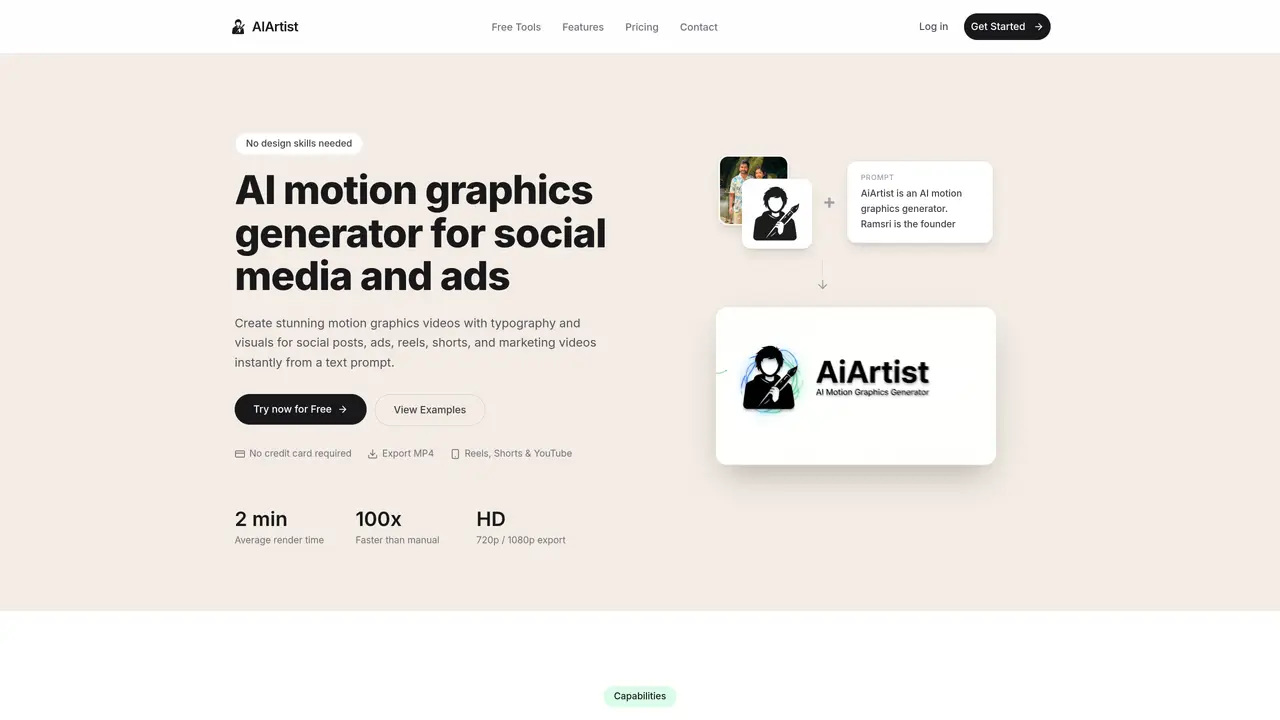
AIArtist is an AI-powered motion-graphics generator that transforms text prompts into polished kinetic-typography videos without requiring design skills, templates, or timeline editing. The platform uses a multi-stage generative AI pipeline combining large language models with image and video generation technology to analyze semantic content, generate contextual visuals, and produce smooth animations. Users can create professional-looking social media videos, ads, and marketing content in HD 720p or 1080p formats, optimized for platforms like Reels, Shorts, and YouTube. The tool automatically handles typography layout, color schemes, supporting visuals such as 3D objects or icons, and applies professional animation principles like easing and timing. This streamlines video production, allowing creators and marketers to focus on content rather than technical execution. AIArtist is designed for speed and scalability, delivering exports in under 3 minutes while maintaining visual impact and readability. The platform also offers a prompt gallery with real examples to inspire and guide users in crafting effective prompts for their projects.
AIArtist is an AI-driven motion-graphics generator that converts text prompts into kinetic-typography videos. It automates the creation of typography animations, background visuals, and smooth transitions to produce polished videos optimized for social media and ads.
The tool is designed for creators, marketers, and professionals who need to produce high-quality motion graphics quickly without requiring design or animation expertise. It suits those who want to scale video production for social media, digital ads, or presentations.
AIArtist uses a multi-stage generative AI pipeline. It first analyzes the text prompt to understand tone, pacing, and key elements. Then it generates contextual visuals and typography layouts, followed by a video engine that composes smooth animations and exports the final MP4 file.
No templates or manual timeline editing are required. The AI automatically generates and positions visuals, typography, and animations based on your prompt, though customization is limited to refining the input text for better results.
AIArtist supports exporting videos in HD 720p or 1080p MP4 format, optimized for social media platforms. It accommodates multiple aspect ratios, including 16:9 for standard videos and 9:16 for vertical formats like Reels and Shorts.
Users can start by entering a text prompt into the platform, which then generates a motion graphics video automatically. The process requires no prior design skills, and the tool provides a prompt gallery with examples to help users create their first videos.
aiartist.io · third-party estimates from Similarweb
Last 4 months · grows by one month every month
Share of visits by channel
Share of visits · estimated visits
Video & Animation · Sep 2026
Traffic figures are third-party estimates, good for scale and trends; they can differ from a company's own numbers. Updated monthly.
We use essential cookies to run aitoolnavio™, and optional cookies to analyze traffic and measure our marketing. You choose what we use — optional cookies stay off unless you turn them on. See our Privacy Policy.
One short email a week: fresh tools worth trying, honest takes and the updates that actually matter. No spam, unsubscribe any time.
Create marketing videos quickly, customize with templates, music, and photos, optimize for different platforms with AI.
AI video clipping and editing tool that turns long videos into short clips with captions, reframing, and one-click social publishing.
Boost social media engagement, produce AI music videos, and remix videos with any style effortlessly.
Create promotional videos effortlessly with WeVideo's intuitive drag-and-drop interface.
An AI creation platform for turning images into videos, adding twist endings, and building interactive roleplay stories.
Drag-and-drop video maker for creating professional product demos, explainer videos, and ads without coding skills.
AI-powered video clipping and editing tool that extracts viral moments, adds captions, and schedules shorts for TikTok, YouTube, and Instagram.
Submagic is an AI tool that helps content creators create viral reels and shorts 10 times faster than any other video editing tool.
Turn text or links into short, viral-ready videos for TikTok, Instagram, and YouTube without editing skills.
Turns long videos into ready-to-post short clips for TikTok, Reels, and YouTube Shorts in minutes.
AIReel lets creators make AI-generated videos from text or image in minutes.
AI-powered tool for accurate captions, video clipping, and impactful face centering.
Matched on what this tool does — grouped by the job you would be replacing.
matches Converts text prompts into kinetic-typography videos · Multi-stage AI pipeline for tone, pacing, and emphasis parsing · Generates contextual visuals and assets automatically
Generate motion graphics, kinetic typography, animated text and social-ready animations from prompts and templates without manual scene building.
AI video generator that turns text prompts or recordings into polished reels
AI editor that turns chat prompts into editable motion-graphic videos without a traditional timeline.
Turns long-form audio into kinetic typography videos by transcribing and syncing text with visual templates automatically.
matches Generates contextual visuals and assets automatically · Produces smooth animations with a video engine
Turns static photos into short MP4 videos with AI motion and prompt controls, designed for quick social-ready clips.
Happy Horse is a powerful AI video generator that turns text, images, and ideas into high-quality videos in seconds.
Converts still images into short AI-generated videos with adjustable motion and aspect ratio
Turns still photos into short videos using AI models and text prompts