Cloud-based unified communications platform for secure call, video, messaging, file sharing, and automated call routing.
12M visits/mo+2.9%#14 Productivity & Office

Web-based face-swapping and deepfake tool for images and short videos
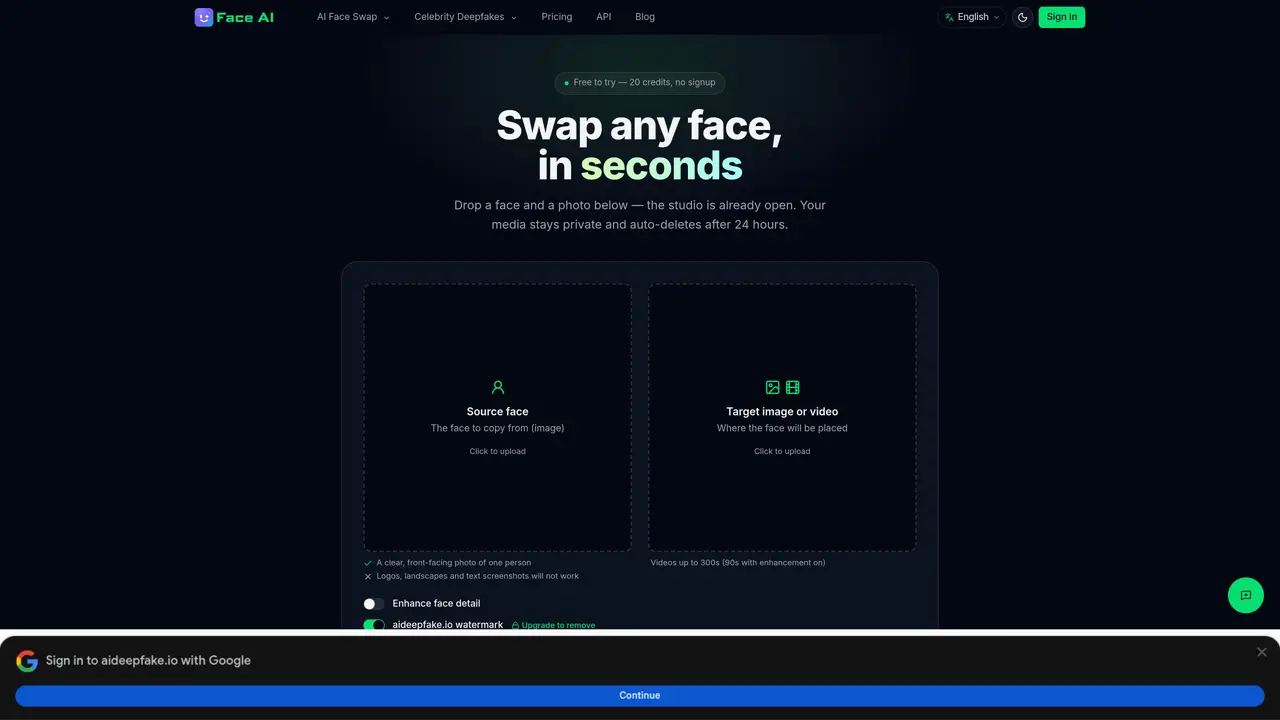
AI Deepfake Maker is a browser-based service that replaces faces in photos and videos using AI models. Users upload a source face image and a target image or video, and the tool automatically maps and swaps the faces while preserving lighting, skin tone and expression. The process runs in the cloud, requiring no installation or local GPU. Results can be previewed and downloaded in full resolution. All uploads are encrypted, processed only for the current job, and deleted from servers within 24 hours. The tool supports videos up to 300 seconds and offers an optional enhancement step for sharper detail. Outputs include visible watermarks on free renders and embedded provenance metadata to indicate synthetic origin.
AI Deepfake Maker is a browser-based tool that uses AI to replace faces in photos and videos. Users upload a source face image and a target image or video, and the tool automatically maps and swaps the faces while preserving lighting, skin tone, and expression.
The tool is suitable for individuals or creators who need to swap faces in images or videos for entertainment, content creation, or other purposes. It is designed for ease of use with no installation required.
AI Deepfake Maker operates on a pay-per-render credit system. Credits are purchased in packs and never expire, with no subscription required to start. Larger packs offer additional benefits like VIP batch processing.
AI Deepfake Maker offers a Face Swap API for developers or businesses looking to integrate face-swapping capabilities into their own applications or workflows.
The tool supports videos up to 300 seconds, with a 90-second limit when using the enhancement feature. Free outputs include visible watermarks, and all uploads are auto-deleted from servers within 24 hours.
To get started, visit the website, upload a source face image and a target image or video, and follow the on-screen instructions to preview and download the result. No account is required for a free trial.
We use essential cookies to run aitoolnavio™, and optional cookies to analyze traffic and measure our marketing. You choose what we use — optional cookies stay off unless you turn them on. See our Privacy Policy.
One short email a week: fresh tools worth trying, honest takes and the updates that actually matter. No spam, unsubscribe any time.
Cloud-based unified communications platform for secure call, video, messaging, file sharing, and automated call routing.
Create engaging videos with voiceovers, music, and customizations using a library of royalty-free assets.
Create, edit, subtitle, and translate pro-grade videos instantly.
Create realistic talking avatar videos from a photo with AI-powered lip sync and text-to-speech in multiple languages.
Ultra-fast video generation with pre-designed templates and a user-friendly interface design.
Topview AI is an AI-powered video creation platform that turns your product into engaging, attention-grabbing and viral-worthy video; no editing skills or cameras needed.
Generate engaging video content with AI-powered system, professional presenters, ease, scalability, and budget-friendly.
Generate videos featuring expressive AI characters from a single photo and text prompts with creative control.
Create lifelike videos from text and images.
VTuber software suite to create and animate custom VTuber avatars with VTuber Maker.
Transform images into engaging, AI-generated videos.
AI video generator that turns scripts or stories into long-form videos up to 50 minutes with consistent characters and 1080p export.
Matched on what this tool does — grouped by the job you would be replacing.
matches Face swap for images and videos · Batch processing for multiple images
Browser-based AI tool for hyper-realistic face swaps in videos up to 4K
Free browser tool that swaps faces in photos and videos with AI, auto-deleting uploads for privacy.
Swap faces in images using customizable templates while preserving surrounding areas.
Generate responsible AI face swaps for photos, videos, and GIFs with Deepfake Maker — experience the creative fun of ethical deepfake technology.
matches Optional enhancement for sharper face detail · Visible watermark on free outputs · Provenance metadata embedded in files
Clean up photos, remove watermarks, and restore images flawlessly using advanced AI technology.
Removes watermarks from images using AI while preserving detail
AI-powered online tool that removes watermarks from images and videos by letting users brush over the area to erase.