

Cloud-based unified communications platform for secure call, video, messaging, file sharing, and automated call routing.
12M visits/mo+2.9%#14 Productivity & Office
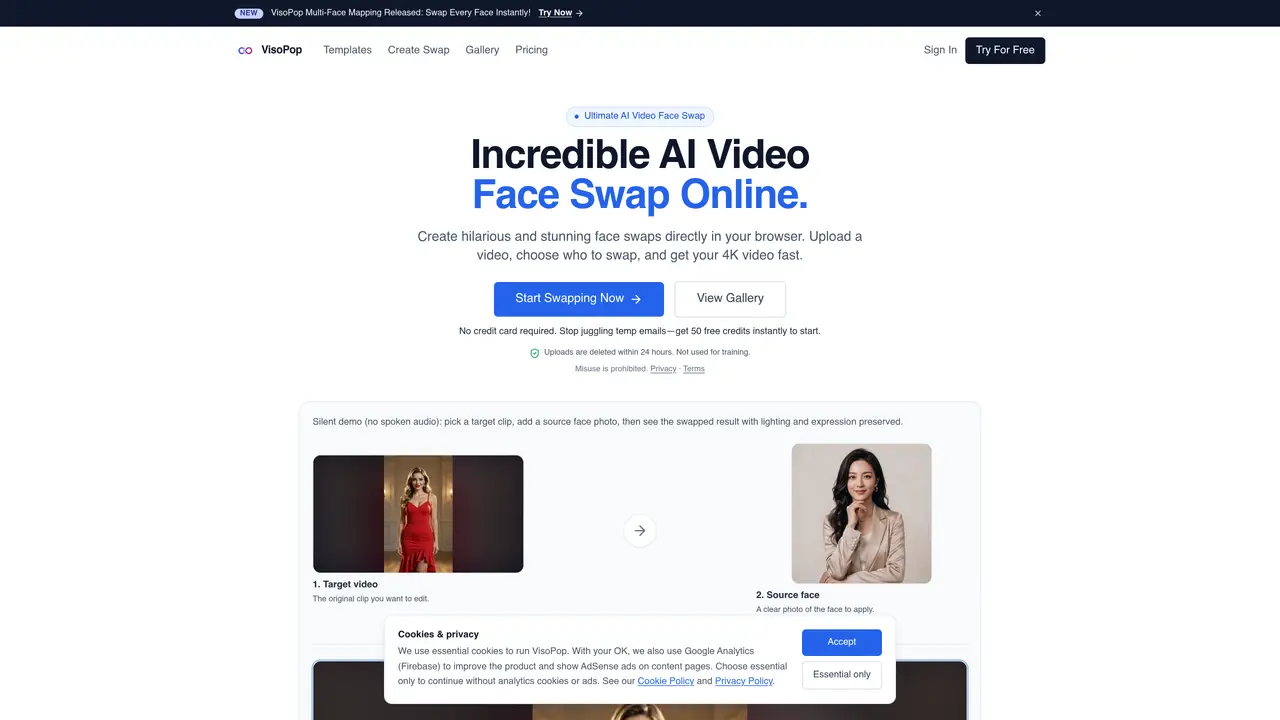
VisoPop is an online AI video face-swapping service that allows users to replace faces in uploaded videos with source photos while preserving lighting, expressions, and skin tones. The tool operates entirely in the browser and exports watermark-free results up to 4K resolution. Users upload a target video and one or more source face photos, then generate the swapped video through an automated AI process. Processing is handled server-side and typically completes within minutes. The platform supports single and multiple face swaps in group videos, making it suitable for memes, social media content, and creative projects. Media files are deleted within 24 hours of processing and are not used for training.
VisoPop is an AI-powered online video face-swapping tool that allows users to replace faces in uploaded videos with source photos while preserving lighting, expressions, and skin tones. It operates entirely in the browser and delivers results in minutes.
To swap a face, upload a target video file, then add one or more clear source face photos. The AI engine automatically maps and blends the faces, and the swapped video is generated and delivered to your device.
Yes, VisoPop supports multiple face swaps in a single video. The AI detects all individuals in the frame, allowing you to assign separate source faces for each person.
No, VisoPop preserves the original video resolution up to 4K. The AI ensures expressions, lighting, and skin tones match perfectly, and the exported video is watermark-free.
VisoPop offers pay-as-you-go pricing with no recurring subscriptions, delivers high-quality 4K results, and does not use uploaded media for training. Many competitors require subscriptions or provide lower-quality outputs.
All uploaded videos and photos are automatically deleted within 24 hours of processing. They are not stored or used for training purposes.
We use essential cookies to run aitoolnavio™, and optional cookies to analyze traffic and measure our marketing. You choose what we use — optional cookies stay off unless you turn them on. See our Privacy Policy.
One short email a week: fresh tools worth trying, honest takes and the updates that actually matter. No spam, unsubscribe any time.
Cloud-based unified communications platform for secure call, video, messaging, file sharing, and automated call routing.
Create engaging videos with voiceovers, music, and customizations using a library of royalty-free assets.
Create, edit, subtitle, and translate pro-grade videos instantly.
Create realistic talking avatar videos from a photo with AI-powered lip sync and text-to-speech in multiple languages.
Ultra-fast video generation with pre-designed templates and a user-friendly interface design.
Topview AI is an AI-powered video creation platform that turns your product into engaging, attention-grabbing and viral-worthy video; no editing skills or cameras needed.
Generate engaging video content with AI-powered system, professional presenters, ease, scalability, and budget-friendly.
Generate videos featuring expressive AI characters from a single photo and text prompts with creative control.
Create lifelike videos from text and images.
VTuber software suite to create and animate custom VTuber avatars with VTuber Maker.
Transform images into engaging, AI-generated videos.
AI video generator that turns scripts or stories into long-form videos up to 50 minutes with consistent characters and 1080p export.
Matched on what this tool does — grouped by the job you would be replacing.
matches Browser-based operation · Single and multiple face swapping · 4K resolution preservation
VideoSwapFace delivers state-of-the-art facial replacement technology for your video content with seamless motion tracking.
Online AI tool that swaps faces in images or videos with a few clicks, ideal for creative projects and quick edits.
AI-powered tool to create realistic face swap images and videos with 4K HD quality and fast processing.
Make yourself or a celebrity the star of any movie, music video, or meme.
matches Single and multiple face swapping · Watermark-free exports · Browser-based operation
Face AI is an all-in-one online face swap toolkit that lets you swap faces in photos, videos, and GIFs with fast, realistic AI results.
Create lifelike artwork, switch faces effortlessly, and design promotional materials with this versatile tool.
Web-based AI photo editor that edits faces, swaps faces, removes backgrounds, and generates headshots with no installation required.
Swap faces in images using customizable templates while preserving surrounding areas.