
AI-powered video messaging tool that records, shares, and manages video messages with AI-generated titles, summaries, and tasks.
16M visits/mo-3.4%#5 Chatbots & Assistants

Extends videos online by generating new footage before or after an existing clip using AI
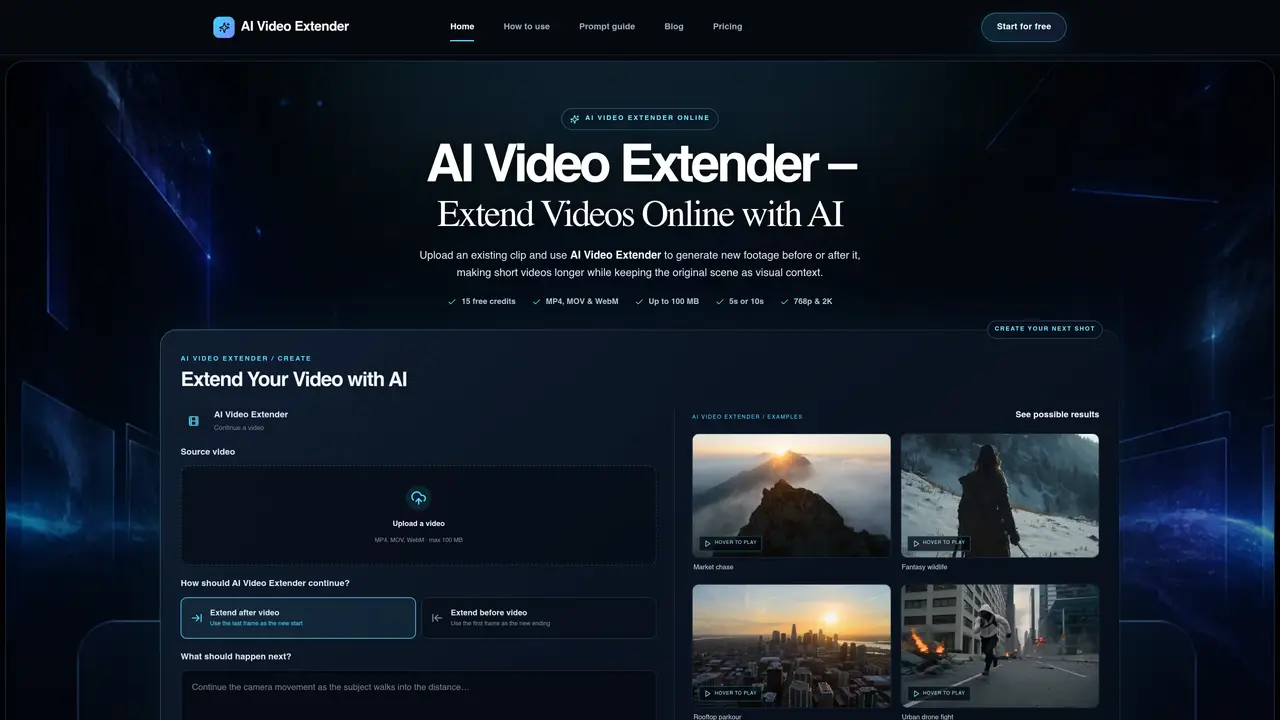
AI Video Extender is an online tool that generates new footage to extend videos either before or after an existing clip while preserving the original scene as visual context. Users upload a video in MP4, MOV, or WebM format up to 100 MB and choose between 5-second or 10-second extensions at 768p or 2K resolution. The tool supports multiple aspect ratios including 16:9 landscape, 9:16 portrait, and 1:1 square. Users provide a prompt describing the desired action or visual moment for the generated footage, which the AI uses alongside the source video’s context to create coherent extensions. This approach is useful for adding new footage to short videos without resorting to looping, slow motion, or freeze frames. The workflow is browser-based, eliminating the need for manual editing timelines. It is designed for extending various types of videos including social media content, product videos, cinematic scenes, marketing campaigns, and B-roll footage.
AI Video Extender is an online tool that generates new footage to extend videos either before or after an existing clip while preserving the original scene as visual context. Users upload a video and provide a prompt describing the desired action or visual moment for the generated footage.
The tool is designed for creators extending social media content, product videos, cinematic scenes, marketing campaigns, B-roll footage, and AI-generated clips. It supports vertical workflows for platforms like TikTok and Instagram Reels.
The tool offers a free trial with a limited number of credits. Users can generate extensions in 5-second or 10-second durations at 768p or 2K resolution, with additional credits required for further usage.
The tool supports MP4, MOV, and WebM formats up to 100 MB. Output resolutions include 768p and 2K, with aspect ratios of 16:9 landscape, 9:16 portrait, and 1:1 square.
Yes, users can choose to extend a video after the existing ending or before the original opening. The source video provides visual context for the newly generated section.
Users can start by signing in to access the free trial. They upload a video, select the extension direction (before or after), provide a prompt for the desired action, and choose the duration, resolution, and aspect ratio before generating the new footage.
We use essential cookies to run aitoolnavio™, and optional cookies to analyze traffic and measure our marketing. You choose what we use — optional cookies stay off unless you turn them on. See our Privacy Policy.
One short email a week: fresh tools worth trying, honest takes and the updates that actually matter. No spam, unsubscribe any time.
AI-powered video messaging tool that records, shares, and manages video messages with AI-generated titles, summaries, and tasks.
Unleash creativity: edit photos, videos, and designs with AI-enhanced tools.
Record lectures, create tutorials, and securely share videos with teams.
Create stunning videos in a few clicks, customize with powerful tools, and automate editing without experience.
Create, convert, and enhance videos effortlessly with professional effects and royalty-free music.
Create marketing videos quickly, customize with templates, music, and photos, optimize for different platforms with AI.
Automate video editing, add text-to-speech voice-overs, and optimize videos for impactful results.
Freemium, uncensored AI video and image creation for individual creators with text-to-video, image effects, and gem-based upgrades for HD and no watermarks.
Create, edit, subtitle, and translate pro-grade videos instantly.
Cloudinary provides APIs and tools to integrate, manage, and optimize images and videos for AI-driven visual experiences.
All-in-one AI suite for creators to automate workflows, edit media, and generate content across video, design, and productivity tools.
Generate cinematic video clips from text or images and refine them with AI-powered editing tools for creators and visual professionals.
Matched on what this tool does — grouped by the job you would be replacing.
matches Before and after video extension · 5-second and 10-second generation options · 768p and 2K resolution output
AI-powered video outpainting to resize clips without cropping or losing quality
Generates AI videos from text prompts, images, and references in a browser












