AI-powered video messaging tool that records, shares, and manages video messages with AI-generated titles, summaries, and tasks.
16M visits/mo-3.4%#5 Chatbots & Assistants

AI tool integration for video transcoding and media workflows via Model Context Protocol
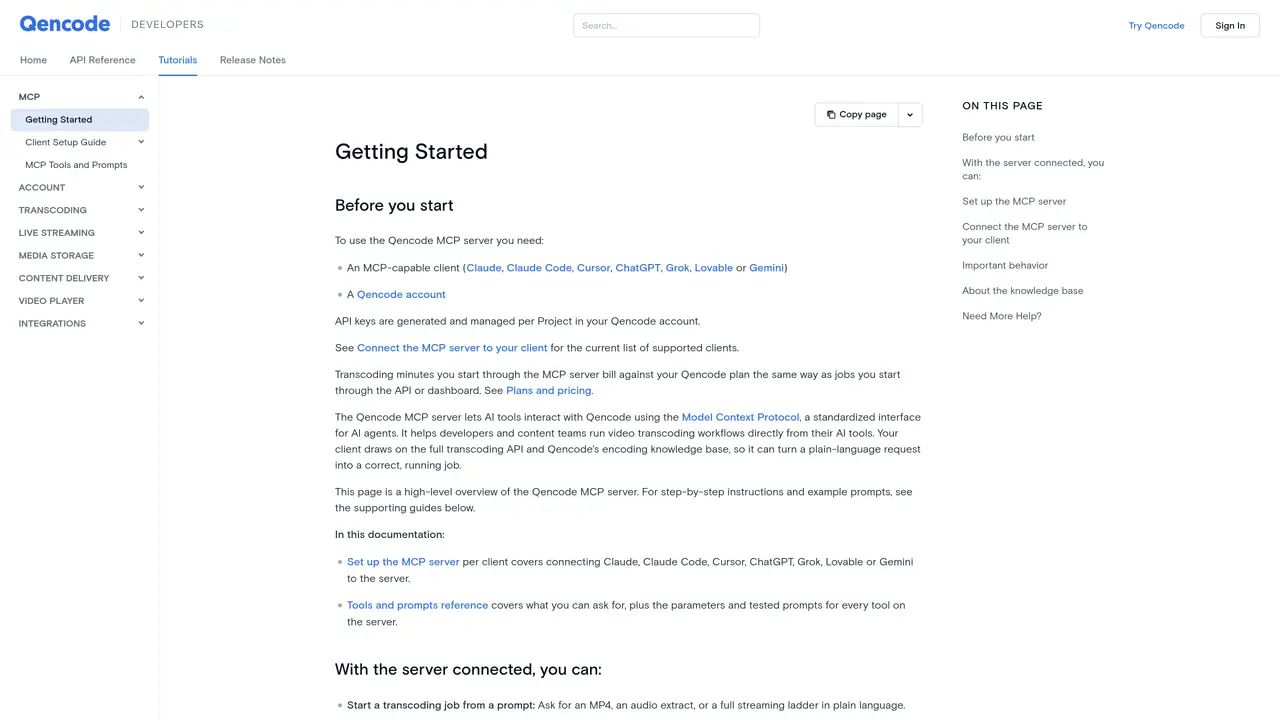
The Qencode MCP server enables AI tools to interact with Qencode’s transcoding and media services using the Model Context Protocol. It allows developers and content teams to run video transcoding workflows directly from AI clients such as Claude, Claude Code, Cursor, ChatGPT, Grok, Lovable, or Gemini. The server exposes Qencode’s full transcoding API and encoding knowledge base, enabling AI agents to process plain-language requests into executable transcoding jobs. Users can start transcoding jobs, generate adaptive bitrate streaming playlists, create subtitles and transcripts, produce thumbnails, stitch or clip videos, and manage media storage buckets. The server also supports querying Qencode’s documentation and tracking job progress within the AI client interface. Authentication is handled via Qencode API keys, which are billed against the user’s transcoding plan. No local installation is required beyond an MCP-compatible client, and setup varies by client with some offering one-click connectors.
The Qencode MCP server enables AI tools to interact with Qencode’s transcoding and media services using the Model Context Protocol. It allows users to run video transcoding workflows directly from AI clients such as Claude, ChatGPT, Grok, or Gemini.
The tool is designed for developers and content teams who want to automate video transcoding workflows within their AI clients. It is suitable for those managing media storage, generating subtitles, or creating adaptive bitrate streaming playlists.
Authentication is handled via Qencode API keys, which are generated and managed per project in the user’s Qencode account. These keys authorize transcoding jobs and are billed against the user’s transcoding plan.
The server supports MCP-compatible clients including Claude, Claude Code, Cursor, ChatGPT, Grok, Lovable, and Gemini. Some clients offer one-click connectors for easier setup.
Users can start transcoding jobs, generate adaptive bitrate streaming playlists, create subtitles and transcripts, produce thumbnails, stitch or clip videos, manage media storage buckets, and query Qencode’s documentation.
No local installation is required beyond an MCP-compatible client. The server is accessed via a hosted endpoint, and setup varies by client with some offering one-click connectors.
We use essential cookies to run aitoolnavio™, and optional cookies to analyze traffic and measure our marketing. You choose what we use — optional cookies stay off unless you turn them on. See our Privacy Policy.
One short email a week: fresh tools worth trying, honest takes and the updates that actually matter. No spam, unsubscribe any time.
AI-powered video messaging tool that records, shares, and manages video messages with AI-generated titles, summaries, and tasks.
Unleash creativity: edit photos, videos, and designs with AI-enhanced tools.
Record lectures, create tutorials, and securely share videos with teams.
Create stunning videos in a few clicks, customize with powerful tools, and automate editing without experience.
Create, convert, and enhance videos effortlessly with professional effects and royalty-free music.
Create marketing videos quickly, customize with templates, music, and photos, optimize for different platforms with AI.
Automate video editing, add text-to-speech voice-overs, and optimize videos for impactful results.
Freemium, uncensored AI video and image creation for individual creators with text-to-video, image effects, and gem-based upgrades for HD and no watermarks.
Create, edit, subtitle, and translate pro-grade videos instantly.
Cloudinary provides APIs and tools to integrate, manage, and optimize images and videos for AI-driven visual experiences.
All-in-one AI suite for creators to automate workflows, edit media, and generate content across video, design, and productivity tools.
Generate cinematic video clips from text or images and refine them with AI-powered editing tools for creators and visual professionals.
Matched on what this tool does — grouped by the job you would be replacing.
matches Start transcoding jobs from plain-language prompts · Generate adaptive bitrate streaming playlists (HLS and DASH) · Stitch and clip source videos for compilations or edits
Web-based AI editor that upscales videos to 4K, removes backgrounds and watermarks, generates subtitles, makes clips, and translates videos.
Upload videos or go live to receive a shareable link and embed code
matches Create subtitles, transcripts, and translations in SRT, VTT, or JSON · Produce thumbnails, smart thumbnails, and sprite sheets
Revolutionize transcription with unmatched accuracy, speed, and language support.
AI transcription and content generation tool that converts audio/video to text, detects speakers, and supports 55+ languages with subtitle translation.
AI-powered video translation, subtitling and dubbing platform
Browser-based transcription of audio and video files with local processing