Generate lifelike human videos with AI, making professional video creation fast and accessible for any user.
41M visits/mo+26.2%#1 Video & Animation

Generates cinematic videos from text, images, or video references with in-chat editing and native audio
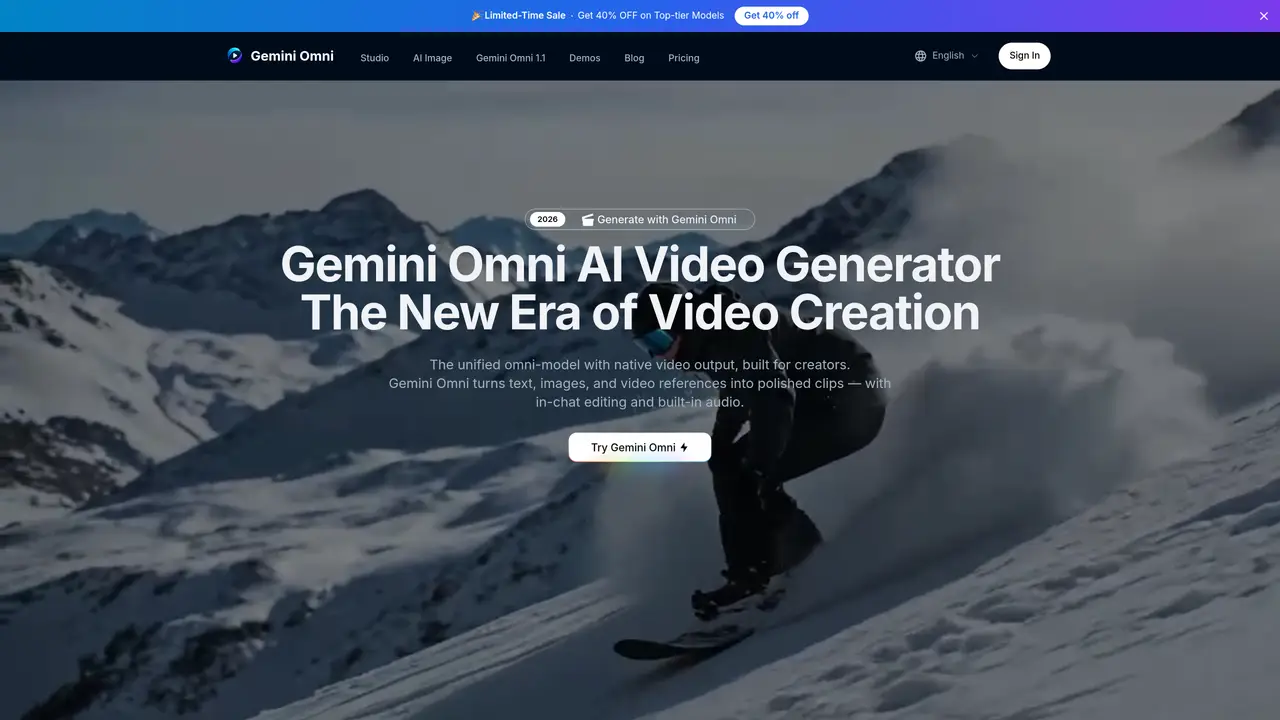
Gemini Omni AI Video Generator is a unified multimodal model designed to create, edit, and remix video content from text, images, video clips, or audio inputs. It operates through a conversational interface where users upload visual references, describe their vision, and generate polished clips without switching tools. The platform supports native video output in multiple quality settings, aspect ratios, and resolutions up to 4K, with built-in audio generation that includes synthesized sound effects, ambient noise, and dialogue. It offers in-chat editing capabilities such as remixing clips, swapping objects, removing watermarks, and rewriting scenes using natural language instructions. Additional features include AI avatars created from a single photo, sketch-to-video conversion, and built-in world knowledge for accurate scene generation. The tool is positioned for creators ranging from solo artists to production studios, enabling applications like ad animation, film VFX, character design, architectural visualization, educational content, and music-synchronized visuals.
Gemini Omni AI Video Generator is a unified multimodal model that creates, edits, and remixes video content from text, images, video clips, or audio inputs through a conversational interface. It generates polished clips with native video output, in-chat editing, and built-in audio generation.
The tool is designed for creators ranging from solo artists to production studios, enabling applications like ad animation, film VFX, character design, architectural visualization, educational content, and music-synchronized visuals.
Yes, it supports multiple quality settings, aspect ratios, and resolutions up to 4K. Users can select from Lite, Fast, or Flash models and choose resolutions like 720P, 1080P, or 4K.
Yes, the tool offers in-chat editing capabilities such as remixing clips, swapping objects, removing watermarks, and rewriting scenes using natural language instructions without switching tools.
It accepts text, images, video clips, or audio inputs. Users can upload visual references, describe their vision, and generate videos directly from the platform.
To get started, users can sign in, upload visual references or text prompts, describe their vision, and generate videos through the conversational interface. Some features may require login to try for free.
We use essential cookies to run aitoolnavio™, and optional cookies to analyze traffic and measure our marketing. You choose what we use — optional cookies stay off unless you turn them on. See our Privacy Policy.
One short email a week: fresh tools worth trying, honest takes and the updates that actually matter. No spam, unsubscribe any time.
Generate lifelike human videos with AI, making professional video creation fast and accessible for any user.
xAI builds Grok frontier AI models for reasoning, coding, voice, images, video, enterprise workflows, and developer APIs.
AI-powered video messaging tool that records, shares, and manages video messages with AI-generated titles, summaries, and tasks.
Explore and test Google’s experimental AI tools and prototypes before they become products.
Creates licensed videos, images, music.
Web and mobile AI platform for generating, editing, and training custom visuals from prompts with community models and face-swap tools.
Create stunning videos in a few clicks, customize with powerful tools, and automate editing without experience.
Create, convert, and enhance videos effortlessly with professional effects and royalty-free music.
Create engaging videos with voiceovers, music, and customizations using a library of royalty-free assets.
Create auto-resized campaign images and videos with DaVinci AI's generative media suite.
Freemium, uncensored AI video and image creation for individual creators with text-to-video, image effects, and gem-based upgrades for HD and no watermarks.
Generate cinematic video clips from text or images and refine them with AI-powered editing tools for creators and visual professionals.
Matched on what this tool does — grouped by the job you would be replacing.
matches Text-to-video generation · Cinematic-grade 4K output
Online AI video generator creating cinematic clips from text, images, audio, or video prompts
C Dance AI is a Seedance 2.0 based multimodal AI video generator for text, image, audio, and video creation with cinematic motion and native audio-video sync.
Converts text, images or audio into multi-shot cinematic videos up to 4K resolution
Google’s multimodal AI video model that lets users create, remix, and edit videos using natural language.
matches Image-to-video generation · Cinematic-grade 4K output
matches Built-in audio with Foley and dialogue synthesis · Cinematic-grade 4K output
AI platform that turns text or images into high-quality videos with multiple aspect ratios and styles.
Omni Flash is an AI video platform that turns text, images, or existing clips into cinematic 4K videos.
AI video generator that creates short cinematic videos from text or still images
Generates short videos from text prompts or images with optional audio
MiniMax H3 is a multimodal AI video generator that turns text, images, audio, and clips into cinematic videos with native stereo sound.
AI video generator that turns text prompts, images, references, and audio into cinematic videos for creators and marketers.
Wan 2.6 – Unified AI Video Generator with Native Audio