Generate lifelike human videos with AI, making professional video creation fast and accessible for any user.
41M visits/mo+26.2%#1 Video & Animation

MiniMax H3 is a multimodal AI video generator that turns text, images, audio, and clips into cinematic videos with native stereo sound.
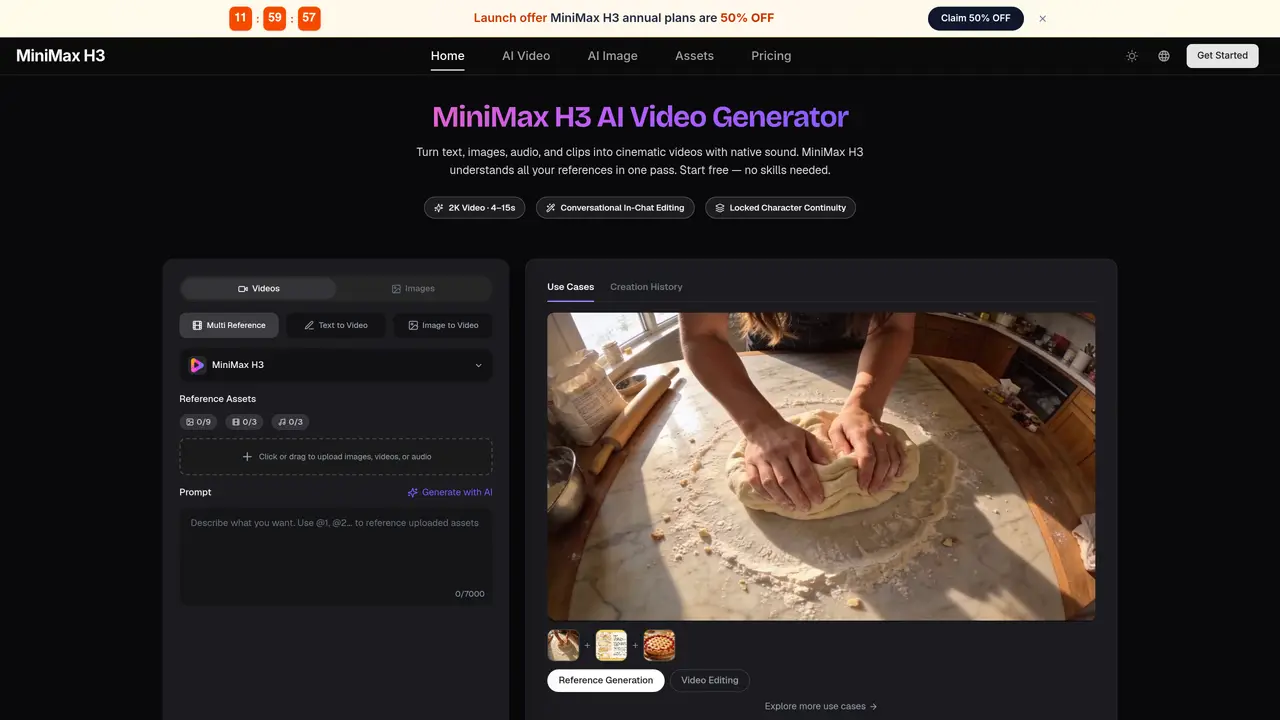
MiniMax H3 is built to let you edit a video the way a director gives notes — in a sentence. Swap a character, replace a green screen with a fairytale forest, relight a daytime shot into night, or rewrite a line of dialogue, and everything you didn’t mention stays pixel-stable. No timeline, no keyframes, no masking. That stability is what separates H3 from tools that regenerate the whole frame every time you tweak something. The same model also handles text to video, image to video with first/last frame control, and reference-based generation across six aspect ratios from 21:9 cinematic to 9:16 vertical. Start free and iterate shot by shot.
MiniMax H3 is an AI video generator that creates cinematic videos from text, images, audio, and video clips with native stereo sound. It supports multimodal inputs, allowing users to mix up to 9 images, 3 video clips, and 3 audio tracks in a single request.
MiniMax H3 is designed for creators, producers, and teams needing commercial-grade video output, including game developers, animators, e-commerce brands, and filmmakers. It suits users who require precise editing, consistent references, and high-quality results without advanced technical skills.
MiniMax H3 allows users to edit videos using plain-language instructions, such as swapping characters, relighting scenes, or rewriting dialogue. Unedited parts of the video remain pixel-stable, enabling iterative, shot-by-shot refinements like a director giving notes.
MiniMax H3 can generate text-to-video, image-to-video, and reference-based videos across six aspect ratios, including cinematic 21:9 and vertical 9:16. It excels in creating game content, product demos, brand films, and stylized animations with consistent visuals and sound.
Yes, MiniMax H3 includes native audio generation with stereo sound and supports voice cloning. Users can provide a voice sample, and the tool will generate new dialogue in that voice while maintaining natural synchronization with the video.
MiniMax H3 operates as a standalone model and does not require external integrations for its core functionality. It unifies generation, reference, and editing within a single model, eliminating the need to juggle multiple tools for completing a video project.
minimaxh3.ai · third-party estimates from Similarweb
Last 2 months · grows by one month every month
Share of visits · estimated visits
Other countries: 16.6%
How people reach this site from other AI tools
11 a month
Video & Animation · Sep 2026
Traffic figures are third-party estimates, good for scale and trends; they can differ from a company's own numbers. Updated monthly.
We use essential cookies to run aitoolnavio™, and optional cookies to analyze traffic and measure our marketing. You choose what we use — optional cookies stay off unless you turn them on. See our Privacy Policy.
One short email a week: fresh tools worth trying, honest takes and the updates that actually matter. No spam, unsubscribe any time.
Generate lifelike human videos with AI, making professional video creation fast and accessible for any user.
xAI builds Grok frontier AI models for reasoning, coding, voice, images, video, enterprise workflows, and developer APIs.
AI-powered video messaging tool that records, shares, and manages video messages with AI-generated titles, summaries, and tasks.
Explore and test Google’s experimental AI tools and prototypes before they become products.
Creates licensed videos, images, music.
Web and mobile AI platform for generating, editing, and training custom visuals from prompts with community models and face-swap tools.
Create stunning videos in a few clicks, customize with powerful tools, and automate editing without experience.
Create, convert, and enhance videos effortlessly with professional effects and royalty-free music.
Create engaging videos with voiceovers, music, and customizations using a library of royalty-free assets.
Create auto-resized campaign images and videos with DaVinci AI's generative media suite.
Freemium, uncensored AI video and image creation for individual creators with text-to-video, image effects, and gem-based upgrades for HD and no watermarks.
Generate cinematic video clips from text or images and refine them with AI-powered editing tools for creators and visual professionals.
Matched on what this tool does — grouped by the job you would be replacing.
matches Turns text, images, audio, and clips into cinematic videos · Handles text to video, image to video with first/last frame control · Supports reference-based generation across six aspect ratios
AI video generator that combines images, video, audio and text to create cinematic videos with precise
Generates short videos from text, images, or reference clips with sound included
AI video generator creating 2K clips with synced audio from text or images
AI video generator combining text, images, video clips, and audio for cinematic outputs
matches Generates native stereo sound · Native sound generation (dialogue, ambience, effects)
matches Pixel-stable editing without regenerating the whole frame
AI video generator that turns text prompts, images, references, and audio into cinematic videos for creators and marketers.
AI video generator that creates cinematic clips with synchronized sound from text or image prompts
Wan 2.6 – Unified AI Video Generator with Native Audio
Wan 2.6 makes 1080p videos from text, images, role-playing, create cinematic ai video, short clips.
C Dance AI is a Seedance 2.0 based multimodal AI video generator for text, image, audio, and video creation with cinematic motion and native audio-video sync.
Seedance 2.5 creates cinematic AI video from text prompts and reference images.
Generates AI videos from text prompts, images, and references in a browser
Generates cinematic videos from text, images, or video references with in-chat editing and native audio