

Generate lifelike human videos with AI, making professional video creation fast and accessible for any user.
41M visits/mo+26.2%#1 Video & Animation
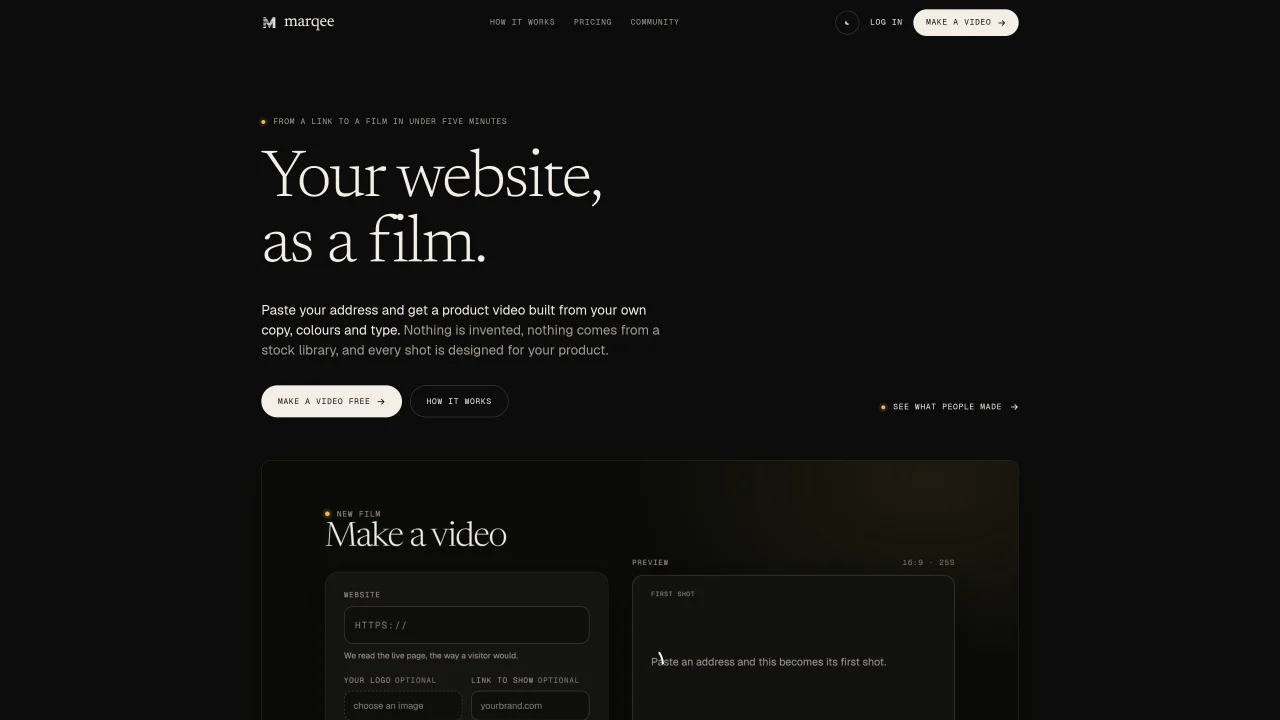
marqee converts a website into a short product video by reading the page’s headings, feature copy, colors, typefaces, pricing, and images. It drafts a script from the site’s own content, avoiding any unsupported claims, and designs each shot as real HTML, CSS, and a timeline rather than using stock footage or screen recordings. The process includes four stages: reading the page, writing the script, designing each shot, and checking and rendering the film. Each shot is measured for readability, stillness, contrast, and scale before rendering. The resulting 16:9, 1080p film can be downloaded and edited later without regenerating the entire video. The tool is designed for users who want to create product videos quickly from their existing web content without starting from scratch.
marqee converts a website into a short product video by using the site’s own headings, feature copy, colors, typefaces, pricing, and images. It drafts a script directly from the page’s content, avoiding unsupported claims, and designs each shot as real HTML, CSS, and a timeline rather than relying on stock footage or screen recordings.
The tool is designed for users who want to create product videos quickly from their existing web content without starting from scratch. It suits marketers, product teams, and agencies looking to repurpose website content into engaging video formats.
marqee follows four stages: reading the page to extract content, writing a script from the extracted text, designing each shot as real code, and checking each shot for readability, stillness, contrast, and scale before rendering the final 16:9, 1080p film.
Yes, each film opens in a Timeline editor where you can re-time shots, rewrite lines, or recolor the film without regenerating the entire video. Re-cutting costs fewer credits than creating a new film.
You receive a 16:9, 1080p MP4 file that you can download and keep. The film is 15 to 30 seconds long and includes your logo and website address at the end if specified.
marqee uses a credit-based system where a new film costs ten credits per second and a re-cut costs two credits per second. Credits are purchased in plans and do not expire, allowing flexibility in usage.
We use essential cookies to run aitoolnavio™, and optional cookies to analyze traffic and measure our marketing. You choose what we use — optional cookies stay off unless you turn them on. See our Privacy Policy.
One short email a week: fresh tools worth trying, honest takes and the updates that actually matter. No spam, unsubscribe any time.
Generate lifelike human videos with AI, making professional video creation fast and accessible for any user.
xAI builds Grok frontier AI models for reasoning, coding, voice, images, video, enterprise workflows, and developer APIs.
AI-powered video messaging tool that records, shares, and manages video messages with AI-generated titles, summaries, and tasks.
Explore and test Google’s experimental AI tools and prototypes before they become products.
Creates licensed videos, images, music.
Web and mobile AI platform for generating, editing, and training custom visuals from prompts with community models and face-swap tools.
Create stunning videos in a few clicks, customize with powerful tools, and automate editing without experience.
Create, convert, and enhance videos effortlessly with professional effects and royalty-free music.
Create engaging videos with voiceovers, music, and customizations using a library of royalty-free assets.
Create auto-resized campaign images and videos with DaVinci AI's generative media suite.
Freemium, uncensored AI video and image creation for individual creators with text-to-video, image effects, and gem-based upgrades for HD and no watermarks.
Generate cinematic video clips from text or images and refine them with AI-powered editing tools for creators and visual professionals.
Matched on what this tool does — grouped by the job you would be replacing.
matches Reads website content including headings, features, pricing, and images · Drafts a script from the site's own words · Designs shots as real HTML, CSS, and timelines
Converts product links into short-form video ads with guided steps
AI-powered video editor that turns articles into scripts, adds templates, stock media, and music, and supports collaboration.
AI tool that converts written scripts into fully voiced, subtitled videos without requiring camera footage or
Turns scripts into videos with AI-selected visuals and voices