Generate lifelike human videos with AI, making professional video creation fast and accessible for any user.
41M visits/mo+26.2%#1 Video & Animation

Browser-based AI video maker that generates videos from text or images using models like Kling, Veo, and Seedance with side-by-side comparisons and editing tools.
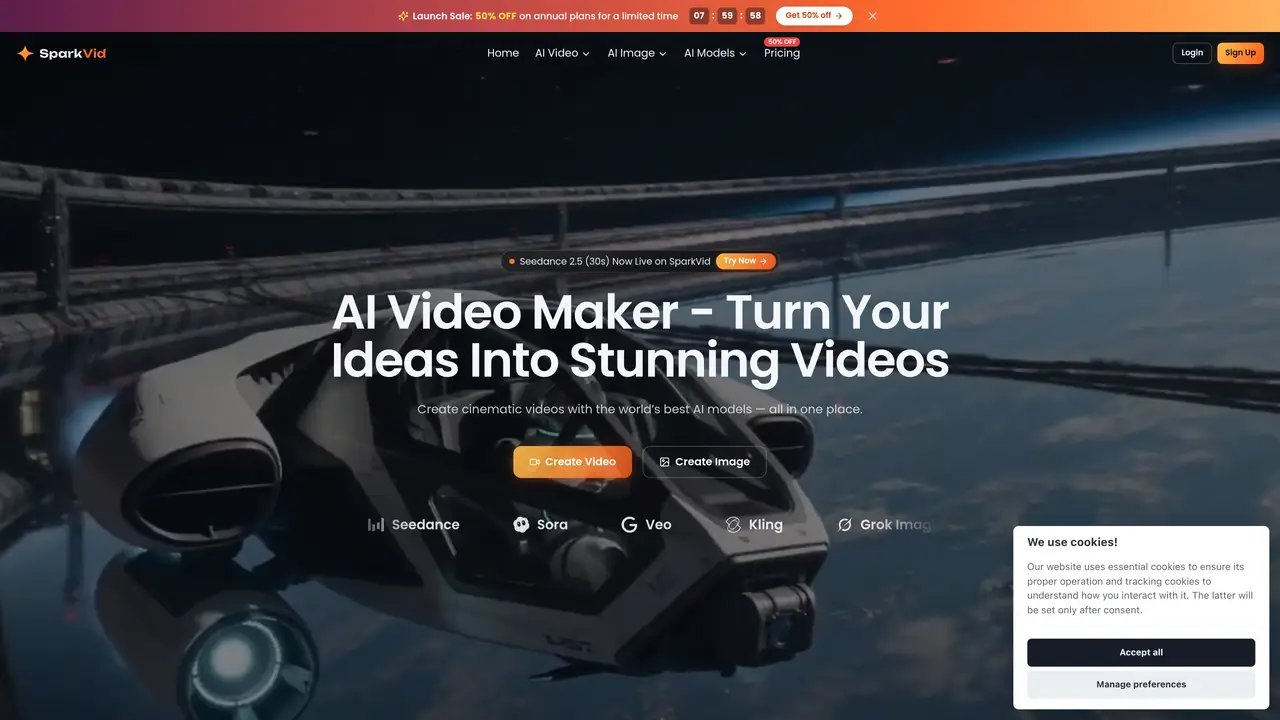
SparkVid is a browser-based AI video maker designed to transform text prompts or uploaded images into cinematic videos using multiple leading AI models, including Seedance, Kling, Veo, Sora, and Grok. The platform streamlines the entire video production process by integrating generation, editing, and image creation into a single workflow accessible directly from a browser. Users can start with a plain-language prompt or upload reference images, product shots, or artwork, and SparkVid interprets the scene, camera movement, lighting, and style to maintain consistency throughout the video. The tool offers precise directorial control, allowing users to transfer motion from reference clips, choreograph camera movements, and animate characters with natural detail. AI-powered editing enables users to modify videos by describing changes in natural language, such as removing objects, swapping backgrounds, or restyling footage without requiring masks or keyframes. Additionally, SparkVid supports AI image generation for creating concept art, product shots, and thumbnails, which can be seamlessly integrated into the video pipeline. The platform caters to both beginners and professionals, enabling faster content creation for social media, marketing, e-commerce, education, and film previsualization. With no software installation required, SparkVid positions itself as an efficient solution for turning ideas into polished videos quickly and collaboratively.
SparkVid is an AI-powered video creation platform that generates videos from text prompts or uploaded images using multiple AI models. It combines video generation, editing, and image creation in a single browser-based workflow, allowing users to create, direct, and edit videos without traditional editing software.
SparkVid is designed for creators, marketers, e-commerce professionals, educators, filmmakers, and indie content producers who need to produce high-quality videos quickly and efficiently. It suits users who want to generate videos from text or images without requiring advanced editing skills.
SparkVid offers a subscription-based pricing model, with options to choose different plans based on usage needs. The platform provides access to multiple AI models and features, including video generation, editing, and image creation, within the selected plan.
SparkVid operates as a standalone browser-based platform and does not explicitly mention integrations with external tools or platforms. However, it allows users to export videos and images, which can then be used in other workflows or uploaded to external platforms.
SparkVid is browser-based, which may limit performance for complex or long videos. Users must upload reference materials like images, videos, or audio, which can impact workflow efficiency. Additionally, advanced features like motion control and editing may require a learning curve for beginners.
To get started with SparkVid, users can sign up on the platform's website and choose a pricing plan. Once logged in, they can begin by selecting an AI model, entering a text prompt or uploading an image, and generating a video. The platform provides tools to refine and edit the video directly in the browser.
sparkvid.ai · third-party estimates from Similarweb
Last 2 months · grows by one month every month
Share of visits by channel
Video & Animation · Sep 2026
Traffic figures are third-party estimates, good for scale and trends; they can differ from a company's own numbers. Updated monthly.
We use essential cookies to run aitoolnavio™, and optional cookies to analyze traffic and measure our marketing. You choose what we use — optional cookies stay off unless you turn them on. See our Privacy Policy.
One short email a week: fresh tools worth trying, honest takes and the updates that actually matter. No spam, unsubscribe any time.
Generate lifelike human videos with AI, making professional video creation fast and accessible for any user.
xAI builds Grok frontier AI models for reasoning, coding, voice, images, video, enterprise workflows, and developer APIs.
AI-powered video messaging tool that records, shares, and manages video messages with AI-generated titles, summaries, and tasks.
Explore and test Google’s experimental AI tools and prototypes before they become products.
Creates licensed videos, images, music.
Web and mobile AI platform for generating, editing, and training custom visuals from prompts with community models and face-swap tools.
Create stunning videos in a few clicks, customize with powerful tools, and automate editing without experience.
Create, convert, and enhance videos effortlessly with professional effects and royalty-free music.
Create engaging videos with voiceovers, music, and customizations using a library of royalty-free assets.
Create auto-resized campaign images and videos with DaVinci AI's generative media suite.
Freemium, uncensored AI video and image creation for individual creators with text-to-video, image effects, and gem-based upgrades for HD and no watermarks.
Generate cinematic video clips from text or images and refine them with AI-powered editing tools for creators and visual professionals.
Matched on what this tool does — grouped by the job you would be replacing.
matches Generate videos from text prompts or uploaded images · Compare outputs from multiple AI models (Kling, Veo, Seedance) side by side · Text-to-video generation from natural-language prompts
LitVideo is a multi-model AI video generator that enables users to create high-quality videos from text, images, or existing footage.
A web-based AI image and video generator for creators and marketers, offering text-to-video, image-to-video, style transfer, and multi-model editing.
AI video creation platform that turns text, images, or clips into polished videos with effects, templates, and 4K upscaling for creators and marketers.
Seedance 2.5 creates cinematic AI video from text prompts and reference images.
matches AI-powered video editing with natural language instructions · Remove objects, swap backgrounds, or restyle footage without masks or keyframes · Motion control for videos
Transform videos, enhance images, animate characters effortlessly.
Unified workspace for generating, editing and organizing AI photos and videos
Instantly generate AI videos, UGC ads, animations, and social media clips from text prompts or images with automated editing workflows.
AI-powered studio for generating and editing videos and images from text prompts