Generate lifelike human videos with AI, making professional video creation fast and accessible for any user.
41M visits/mo+26.2%#1 Video & Animation

Convert any video into detailed AI prompts in seconds with an advanced Video to Prompt Generator.
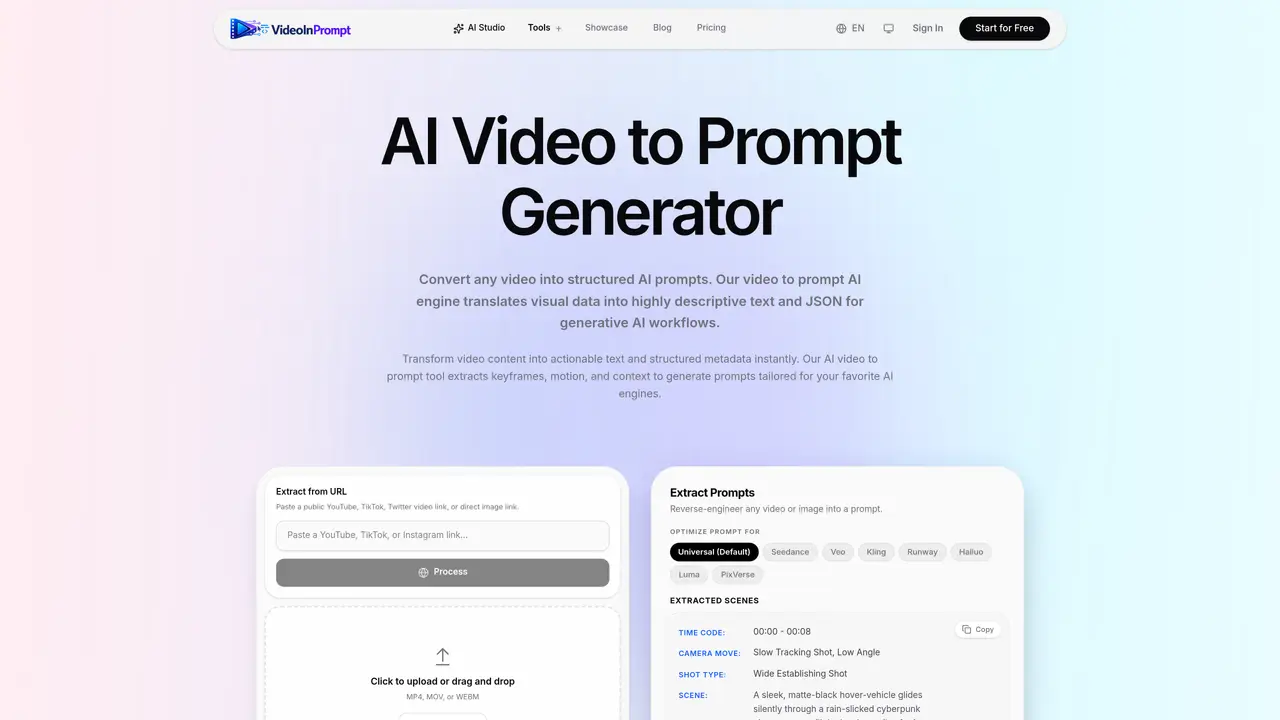
VideoInPrompt is an AI-powered Video to Prompt Generator that analyzes videos and converts them into detailed, structured prompts for AI models like ChatGPT, Gemini, Claude, Midjourney, Flux, Veo, Runway, and other generative AI tools. Instead of manually describing scenes, camera angles, lighting, motion, characters, and composition, users can upload a video and instantly extract high-quality prompts for recreating, editing, or understanding the content. Ideal for creators, marketers, filmmakers, developers, and prompt engineers looking to accelerate AI-powered content creation. The tool is designed to be user-friendly and efficient, allowing users to quickly generate detailed prompts from existing videos. This can save time and effort in creating new content, as well as improve the quality of the output. VideoInPrompt is suitable for a wide range of applications, including video editing, animation, filmmaking, and more.
VideoInPrompt converts video content into structured, detailed text prompts and JSON schemas for generative AI models like ChatGPT, Midjourney, Runway, and others. It analyzes videos frame-by-frame to extract keyframes, motion, lighting, subjects, and camera angles, then synthesizes this data into actionable prompts.
The tool is designed for creators, marketers, filmmakers, developers, and AI builders who need to extract precise prompts from video content for repurposing, ad generation, product descriptions, or AI automation workflows.
Users can upload a video file (MP4, MOV, or WEBM) or paste a public video link (YouTube, TikTok, Twitter) to extract prompts. The tool processes the video, identifies keyframes and context, and generates structured prompts tailored for specific AI engines.
Yes, VideoInPrompt generates prompts optimized for multiple AI engines, including Universal (default), Seedance, Veo, Kling, Runway, Hailuo, Luma, and PixVerse. The structured output can be used directly in these platforms.
The tool supports MP4, MOV, and WEBM video formats, as well as public video links from platforms like YouTube, TikTok, and Twitter. It extracts prompts from cinematic footage, product demos, social media content, and more.
VideoInPrompt requires public or uploadable video content and may not fully capture highly abstract or stylized visuals. The accuracy of prompts depends on the clarity and technical quality of the input video.
videoinprompt.com · third-party estimates from Similarweb
Last 2 months · grows by one month every month
Share of visits · estimated visits
Video & Animation · Sep 2026
Traffic figures are third-party estimates, good for scale and trends; they can differ from a company's own numbers. Updated monthly.
We use essential cookies to run aitoolnavio™, and optional cookies to analyze traffic and measure our marketing. You choose what we use — optional cookies stay off unless you turn them on. See our Privacy Policy.
One short email a week: fresh tools worth trying, honest takes and the updates that actually matter. No spam, unsubscribe any time.
Generate lifelike human videos with AI, making professional video creation fast and accessible for any user.
xAI builds Grok frontier AI models for reasoning, coding, voice, images, video, enterprise workflows, and developer APIs.
AI-powered video messaging tool that records, shares, and manages video messages with AI-generated titles, summaries, and tasks.
Explore and test Google’s experimental AI tools and prototypes before they become products.
Creates licensed videos, images, music.
Web and mobile AI platform for generating, editing, and training custom visuals from prompts with community models and face-swap tools.
Create stunning videos in a few clicks, customize with powerful tools, and automate editing without experience.
Create, convert, and enhance videos effortlessly with professional effects and royalty-free music.
Create engaging videos with voiceovers, music, and customizations using a library of royalty-free assets.
Create auto-resized campaign images and videos with DaVinci AI's generative media suite.
Freemium, uncensored AI video and image creation for individual creators with text-to-video, image effects, and gem-based upgrades for HD and no watermarks.
Generate cinematic video clips from text or images and refine them with AI-powered editing tools for creators and visual professionals.
Matched on what this tool does — grouped by the job you would be replacing.
matches Converts videos into detailed AI prompts in seconds · Analyzes video content to extract relevant information · Generates high-quality prompts for recreating, editing, or understanding video content
Downloads social videos and converts them into detailed AI video prompts
Instantly convert any YouTube video into accurate, readable transcripts using this free AI-powered tool.
matches Supports a wide range of AI models, including ChatGPT, Gemini, Claude, Midjourney, Flux, Veo, Runway, and more · Generates high-quality prompts for recreating, editing, or understanding video content
AI-powered video generator that converts text, images, or video prompts into high-quality videos without technical skills.
Vmake is an all-in-one AI-powered video creation and enhancement platform designed to help creators, marketers, and businesses produce high-quality video content quickly and effortlessly.
AI Inspo is an all-in-one AI video generator powered by Sora, Kling, Pixverse, Veo, Wan, Vidu, and more.
Google DeepMind’s Veo turns detailed text prompts into cinematic AI videos with realistic motion, native audio, and fine-grained creative control.