

Automate research, make corrections, and integrate easily into text editors for convenient content generation and error detection.
36M visits/mo+12%#4 Writing & Content
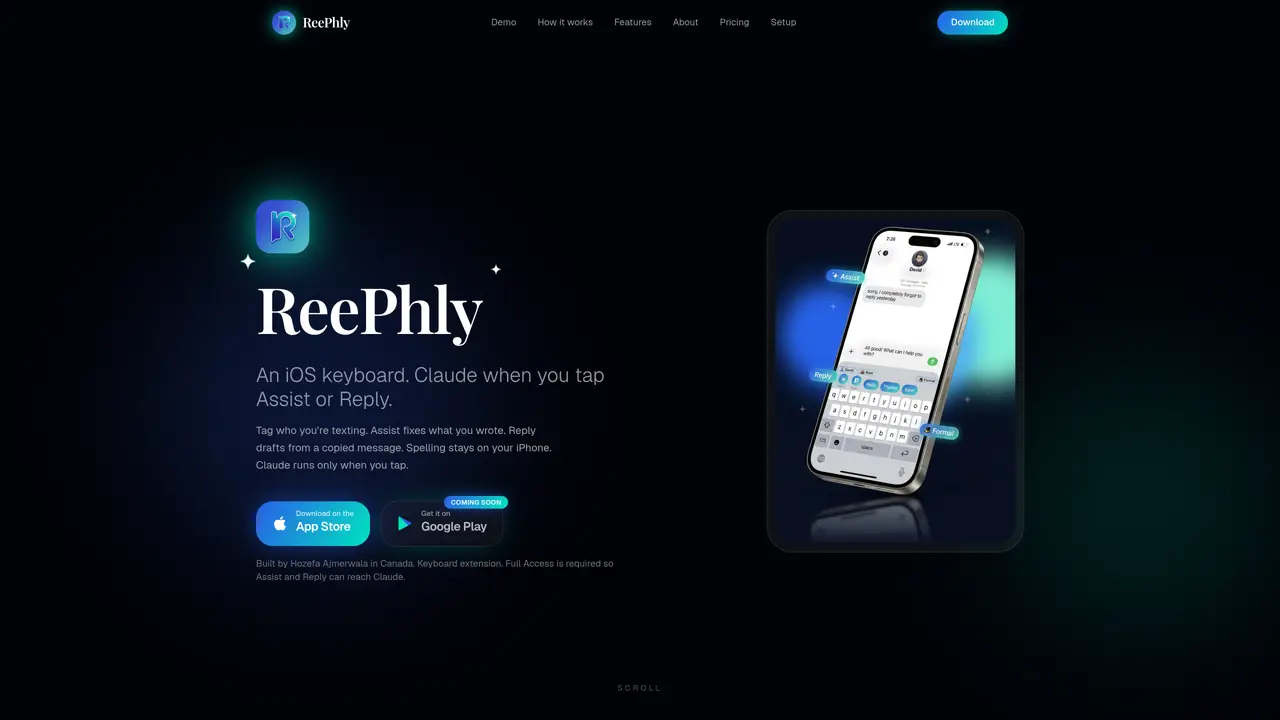
ReePhly is an iOS keyboard extension designed to integrate AI text assistance directly within messaging and email apps. It allows users to tag contacts and save notes or example messages for each person. The keyboard offers two main functions: Assist, which rewrites or improves selected text for grammar, tone, or clarity using Claude, and Reply, which drafts responses based on copied messages. All AI processing occurs only when the user explicitly taps Assist or Reply, ensuring that ordinary typing remains on-device. Spelling correction is handled locally on the iPhone. The tool requires Full Access permission to send selected text to Claude but does not upload general typing. Users can access basic features with token-based usage on the free plan or opt for an unlimited Pro plan without ads.
ReePhly is an iOS keyboard extension that integrates AI text assistance directly within messaging and email apps. It allows users to tag contacts and save notes or example messages for each person. The keyboard offers two main functions: Assist, which rewrites or improves selected text for grammar, tone, or clarity using Claude, and Reply, which drafts responses based on copied messages.
ReePhly is designed for iPhone users who frequently communicate via messaging or email apps and want to improve their writing efficiency and quality. It suits professionals, students, or anyone who values polished and context-aware responses.
ReePhly requires Full Access permission to send selected text to Claude only when you explicitly tap Assist or Reply. Ordinary typing remains on-device, and spelling correction is handled locally on the iPhone. Nothing is uploaded to Claude until you actively use the Assist or Reply features.
ReePhly offers a free plan with token-based usage for Assist and Reply features, where users can earn tokens by watching short ads. The Pro plan provides unlimited usage without ads and additional features like longer writing instructions and exclusive collectibles.
To get started, download ReePhly from the App Store, add the keyboard extension in your iPhone settings, and allow Full Access. Then, tag a contact, and you can begin using Assist or Reply features within your messaging or email apps.
ReePhly functions as a keyboard extension within iOS, so it integrates directly with messaging and email apps on the iPhone, such as Messages and Mail. It does not require separate integrations beyond the iOS keyboard setup.
reephly.ca · third-party estimates from Similarweb
Share of visits by channel
Share of visits · estimated visits
Writing & Content · Sep 2026
Traffic figures are third-party estimates, good for scale and trends; they can differ from a company's own numbers. Updated monthly.
We use essential cookies to run aitoolnavio™, and optional cookies to analyze traffic and measure our marketing. You choose what we use — optional cookies stay off unless you turn them on. See our Privacy Policy.
One short email a week: fresh tools worth trying, honest takes and the updates that actually matter. No spam, unsubscribe any time.
Automate research, make corrections, and integrate easily into text editors for convenient content generation and error detection.
AI-powered writing assistant for grammar, style, and tone improvements across documents and emails.
AI-powered writing tool for paraphrasing, summarizing, and enhancing writing effortlessly.
AI-powered proofreading, editing, plagiarism checking, and citation generation for academic papers.
Detect errors, check language style, reword sentences for desired writing style.
Detect errors, suggest real-time corrections, and provide a variety of writing tools.
AI-powered grammar and writing assistant that corrects English text, rephrases sentences, suggests synonyms, and translates content.
Instantly corrects spelling, typos, and punctuation, suggests synonyms, and ensures error-free content for businesses.
Hemingway offers a seamless solution for enhancing writing clarity and conciseness with its AI-powered tool.
Professional proofreading and editing service for students, writers, and businesses with 24/7 support and free samples.
Fix errors, paraphrase text automatically, and generate new content for clearer ideas.
Enterprise AI platform that enforces consistent, inclusive writing across teams with style rules and integrations.
Matched on what this tool does — grouped by the job you would be replacing.
matches AI-powered text rewriting via Claude · Assist function for grammar and tone improvements · Reply function for drafting responses from copied text
AI-powered writing assistant for grammar, style, and tone improvements across documents and emails.
AI-powered writing tool for paraphrasing, summarizing, and enhancing writing effortlessly.
Instantly reword, rewrite, and rephrase texts for improved readability, accuracy, and engaging, plagiarism-free content.
AI email assistant that rewrites, drafts, and improves messages in Outlook, Gmail, Chrome, and iOS with tone control and grammar fixes.
matches Keyboard extension for Messages, Mail, and other apps
A native macOS AI writing assistant that converts speech to text, rewrites text, and translates in 180+ languages across 300+ apps for Mac users.
Android keyboard that applies AI rewrites and translations directly inside any app
iOS keyboard that converts speech to text in any app with no limits
AI-powered reply generator for iOS that drafts messages in the user’s voice