

Generate content, correct spelling, suggest synonyms to enhance writing.
173M visits/mo+0.1%#1 Productivity & Office
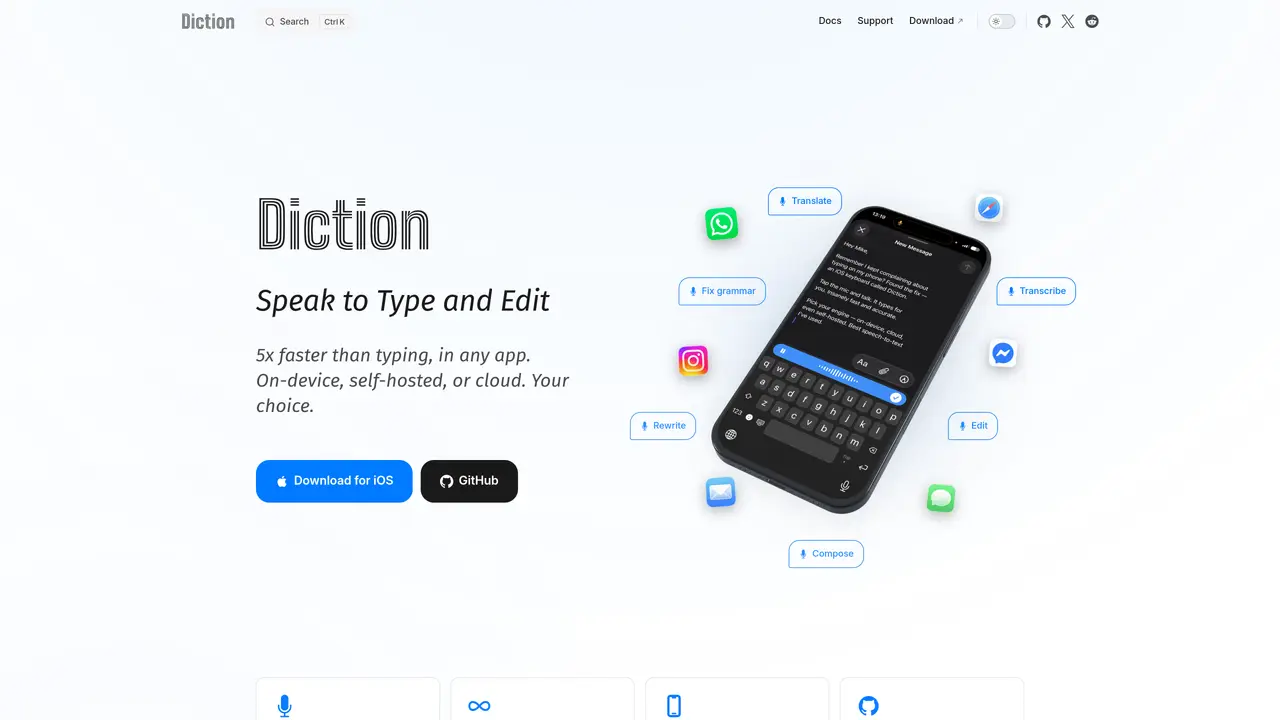
Diction is an iPhone keyboard that converts spoken words into text in real time across any application. It supports on-device processing, self-hosted servers, or a cloud option, giving users control over data handling and privacy. The tool offers unlimited dictation without daily caps or word restrictions, making it suitable for extended use. It includes multilingual support, allowing users to dictate or translate between languages. Editing features enable voice commands to rewrite, translate, or adjust grammar directly within the text. The app prioritizes privacy with AES-256-GCM encryption and zero data collection, ensuring audio remains local or under user control. It also provides customizable keyboard themes and a context-aware formatting system.
Diction is an iPhone keyboard that converts spoken words into text in real time across any application. It operates via on-device processing, self-hosted servers, or a cloud option, allowing users to choose their preferred method of data handling.
Diction is designed for iPhone users who prioritize speed, privacy, and flexibility in speech-to-text conversion. It suits individuals with speech impediments, professionals needing multilingual support, and privacy-conscious users who prefer local or self-hosted processing.
No, Diction offers unlimited dictation without daily caps or word restrictions, making it suitable for extended or frequent use across any application.
Diction prioritizes privacy with AES-256-GCM encryption, zero data collection, and the option for on-device processing. Audio remains local or under user control, and self-hosted servers allow users to manage their own data.
Yes, Diction includes editing features that allow users to rewrite, translate, or adjust grammar directly within the text using voice commands, such as saying 'translate this' or 'make it more formal'.
Users can download Diction from the App Store and choose between on-device, self-hosted, or cloud processing options. The app provides documentation and support resources for setup and customization.
We use essential cookies to run aitoolnavio™, and optional cookies to analyze traffic and measure our marketing. You choose what we use — optional cookies stay off unless you turn them on. See our Privacy Policy.
One short email a week: fresh tools worth trying, honest takes and the updates that actually matter. No spam, unsubscribe any time.
Generate content, correct spelling, suggest synonyms to enhance writing.
Turn messy team ideas into actionable plans with Miro's visual workspace.
Leverage analytics, automate tasks, share documents, and coordinate projects.
Integrates AI into Airtable to analyze data, summarize insights, draft content, and automate workflows without prior AI experience.
Cloud accounting software that automates bookkeeping, invoicing, and financial reporting for small and growing businesses.
Streamline teamwork, manage projects, automate tasks efficiently.
Automate code, research, and documents using agents.
AI assistant for safe, reliable productivity with code, collaboration, and integrations.
Create customizable tables, databases, and spreadsheets, share data securely with team members.
Easy-to-use CRM platform that automates lead capturing, prioritizes tasks, and provides sales pipeline analytics for businesses of all sizes.
Transforms thoughts into actions, enhancing productivity and efficiency.
Write & run code in 50+ languages, auto-complete with AI, and code faster with an intuitive interface.
Matched on what this tool does — grouped by the job you would be replacing.
Paid placement · similar tools from listings that support aitoolnavio™
Instant lead response for home-service pros: your phone rings on every new lead, plus 14 days of follow-up
matches On-device speech recognition without internet · Self-hosted transcription with custom models · Voice commands for editing, translating, and rewriting text
matches Cloud transcription with zero setup
Offline AI voice-to-text app for macOS and iOS that formats transcribed speech into clean text for emails, code, or documents.
Windows dictation tool that transcribes speech locally without cloud upload
Converts spoken words into structured markdown locally on macOS and iOS
Mac app for private, offline voice typing and text-to-speech using Apple Silicon with 31 languages and 64 voices.
Revolutionize transcription with unmatched accuracy, speed, and language support.
Automate audio transcription, add punctuation/formatting, and identify keywords in transcripts.
Automate audio transcription, convert recordings to transcripts, and transcribe lectures in multiple languages.