
Design, automate, and analyze email campaigns with drag-and-drop builders, AI editing, and real-time analytics.
5.2M visits/mo+4.7%#21 Business & Marketing

AI email assistant that rewrites, drafts, and improves messages in Outlook, Gmail, Chrome, and iOS with tone control and grammar fixes.
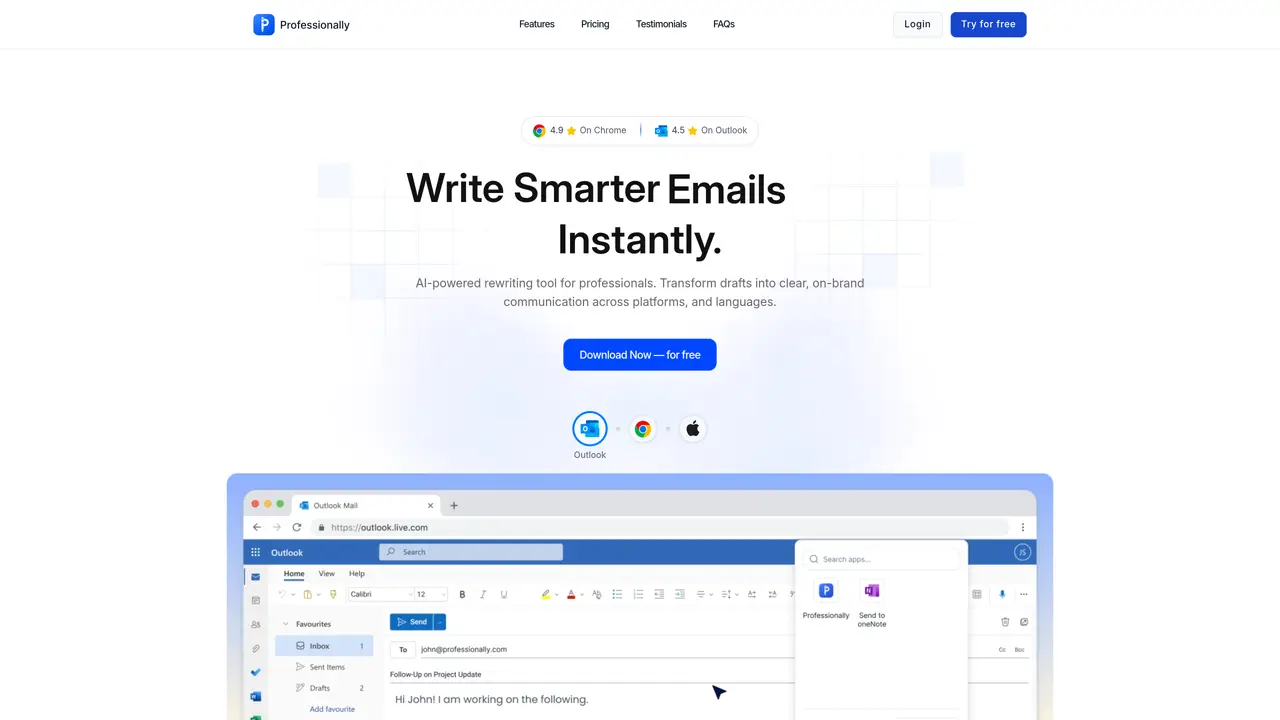
Professionally is an AI-powered email and message writing assistant designed for professionals who want to enhance their written communication across multiple platforms. The tool integrates directly into workflows like Outlook, Gmail, LinkedIn, and other text-based environments, allowing users to rewrite drafts, generate quick replies, and refine messages without leaving their existing tools. It offers tone customization with preset styles such as formal, friendly, or persuasive, as well as the ability to create and save custom tones for consistent messaging. The platform also provides grammar, clarity, and conciseness improvements to ensure polished and professional communication. Professionally supports cross-platform use through a Chrome extension, an iOS keyboard integration, and Outlook compatibility, with settings that sync across devices. Its focus on in-context assistance eliminates the need to switch to separate AI chat applications, streamlining the writing process for users who prioritize efficiency and consistency in their correspondence. The tool is particularly useful for professionals juggling high volumes of emails and messages who need to maintain a cohesive writing voice across different channels and teams.
Professionally is an AI-powered email and message writing assistant that integrates directly into platforms like Outlook, Gmail, and LinkedIn. Users select a tone, then click Rewrite or Quick Reply to instantly refine messages for clarity, tone, and intent without leaving their workflow.
Professionally supports Chrome, Outlook, and iOS devices. It functions as a Chrome extension, an Outlook add-in, and an iOS keyboard integration, ensuring cross-platform compatibility for users.
Yes, Professionally is not limited to the email address used for sign-up. Users can apply the tool to any inbox, whether personal or professional, with a single license covering all accounts.
Professionally offers predefined tone styles such as formal, friendly, or persuasive, and allows users to create and save custom tones. This ensures consistent messaging aligned with the user's intent across all communications.
Yes, Professionally offers a free trial that provides full access to its features for a limited time without requiring a credit card. This allows users to experience the tool's capabilities before committing to a plan.
Professionally automatically identifies and corrects grammar issues while refining sentence structure to enhance clarity and conciseness. This ensures messages are polished and professional without manual editing.
professionally.ai · third-party estimates from Similarweb
Last 4 months · grows by one month every month
Share of visits · estimated visits
Writing & Content · Sep 2026
Traffic figures are third-party estimates, good for scale and trends; they can differ from a company's own numbers. Updated monthly.
We use essential cookies to run aitoolnavio™, and optional cookies to analyze traffic and measure our marketing. You choose what we use — optional cookies stay off unless you turn them on. See our Privacy Policy.
One short email a week: fresh tools worth trying, honest takes and the updates that actually matter. No spam, unsubscribe any time.
Design, automate, and analyze email campaigns with drag-and-drop builders, AI editing, and real-time analytics.
Identify contacts, generate emails, track prospects and accounts based on key signals.
AI assistant that automates routine work across email, calendar, Slack, files and other tools with human oversight.
Schedule events, streamline projects, and draft emails efficiently with its features.
AI-powered email assistant that organizes inboxes, drafts replies, and automates routine tasks for professionals.
Generate SEO-friendly YouTube video scripts and descriptions for blog posts.
Create personalized emails, follow up automatically, and analyze for optimization and insights.
AI-powered email management for Gmail and Google Workspace teams with shared inboxes, AI drafting, automation, and analytics.
Cross-platform email client with unified inbox, calendar, and optional AI assistance for students, professionals, and small teams.
AI executive assistant that organizes Gmail and Outlook inboxes, drafts replies in your voice, schedules meetings, and tracks follow-ups for busy professionals.
Create interactive email campaigns with automated personalization.
Automate responses, personalize emails, and enjoy an intuitive interface for efficient email management.
Matched on what this tool does — grouped by the job you would be replacing.
matches AI rewriting and quick reply generation within supported communication tools · Tone customization with preset and custom writing styles · Grammar, clarity, and conciseness improvements
AI-powered Gmail add-on that drafts contextual email replies in your voice, supports 100+ languages, and integrates across devices.
Quiky is an AI-powered email generator that helps users quickly draft professional emails in various tones and styles.
Generate personalized, professional email replies effortlessly using in-app, share menu, and keyboard methods.
Automate email drafts, optimize communication, enhance productivity with advanced AI-powered features.
matches AI rewriting and quick reply generation within supported communication tools · Tone customization with preset and custom writing styles · Grammar, clarity, and conciseness improvements
matches Grammar, clarity, and conciseness improvements · Preset writing styles (formal, friendly, persuasive) · User-defined custom tone creation
A macOS AI writing assistant that proofreads, rewrites, summarizes, and drafts emails and Slack replies with cross-app integration and PDF/image chat.
A native macOS AI writing assistant that converts speech to text, rewrites text, and translates in 180+ languages across 300+ apps for Mac users.
An iOS keyboard extension that provides AI-assisted text editing via Claude
Android keyboard that applies AI rewrites and translations directly inside any app
AI-powered writing assistant for grammar, style, and tone improvements across documents and emails.
AI-powered writing tool for paraphrasing, summarizing, and enhancing writing effortlessly.
Instantly reword, rewrite, and rephrase texts for improved readability, accuracy, and engaging, plagiarism-free content.
AI-powered tool to fix grammar or change writing style