Summarizes, extracts, and rewrites content from files.
89M visits/mo+8.7%#2 Productivity & Office

A macOS AI writing assistant that proofreads, rewrites, summarizes, and drafts emails and Slack replies with cross-app integration and PDF/image chat.
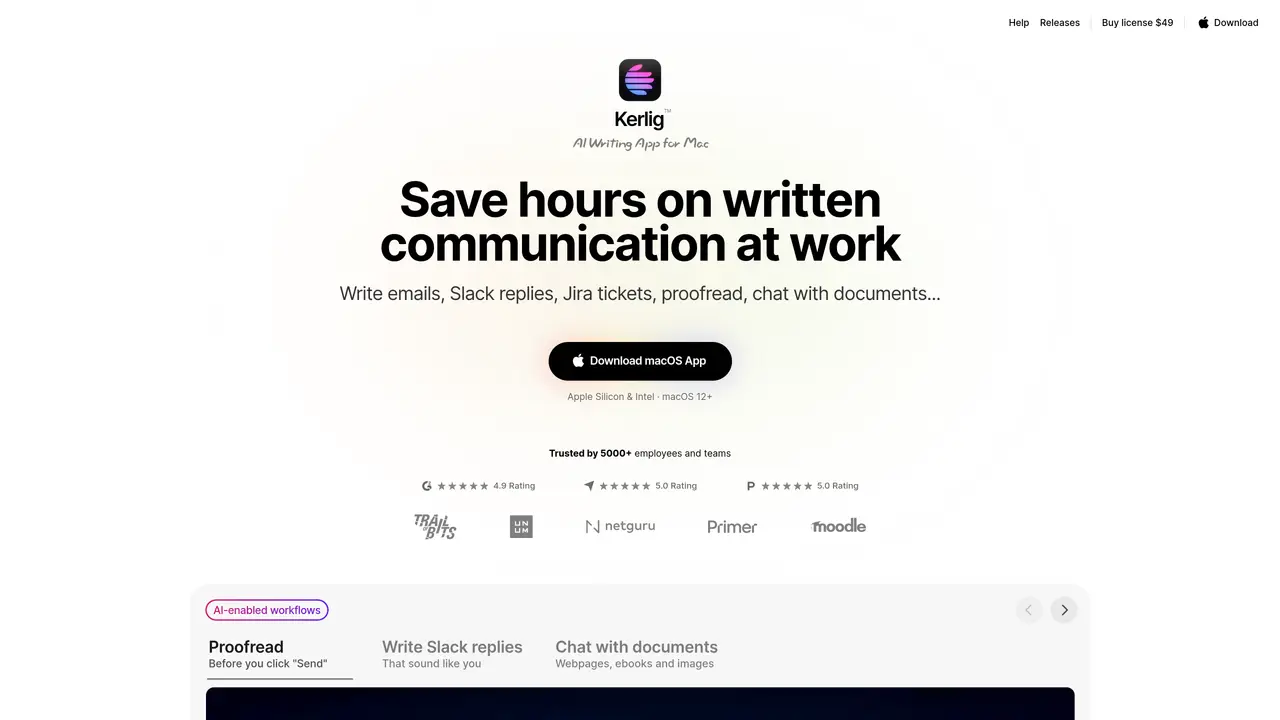
Kerlig is a desktop AI writing assistant designed for macOS users who need AI-powered writing help inside any application, including email, Slack, and Jira, without switching to a browser. It provides system-wide writing actions for proofreading, spelling and grammar fixes, rewrites, tone adjustments, summarization, translation, and structured outputs like converting text into a TypeScript interface. Users can choose from over 350 AI models via their own API keys from providers such as OpenAI, Anthropic, Google, Groq, and OpenRouter, or use local models like Apple Foundation Models, Ollama, and LM Studio. The tool supports chatting with attachments including PDFs, ebooks, documents, and images, with features like chat history, prompt editing, and response regeneration. Kerlig also offers shortcuts and automation through global hotkeys, built-in and custom actions, presets, and team deployment options such as remote CLI deployment and headless mode. The tool operates on a one-time license model with no subscription, though token usage is billed through connected providers. It emphasizes privacy by sending messages directly to providers and storing data encrypted locally on the Mac.
Kerlig is a desktop AI writing assistant for macOS that integrates AI-powered writing actions directly into any application, such as email, Slack, or Jira. It operates system-wide, allowing users to proofread, rewrite, adjust tone, summarize, translate, or generate structured outputs like TypeScript interfaces without switching to a browser.
Kerlig is designed for macOS users who frequently write emails, Slack messages, Jira tickets, or other professional communications and want to streamline their workflow with AI assistance. It suits individuals, professionals, and teams seeking a native, efficient AI tool integrated into their daily tasks.
Kerlig supports over 350 AI models via user-provided API keys from providers like OpenAI, Anthropic, Google, Groq, and OpenRouter, as well as local models such as Apple Foundation Models, Ollama, and LM Studio. Users can switch between models with one click.
Kerlig sends messages directly to the chosen AI provider and stores data encrypted locally on the user's Mac. This ensures that sensitive information remains secure and private, with no data stored in the cloud by Kerlig itself.
Kerlig operates on a one-time license model with no subscription fees. Users pay once for the license and only incur costs for tokens used through their connected AI providers. Licenses are available for individual users, professionals with multiple Macs, and teams.
Yes, Kerlig offers team deployment options, including remote CLI deployment and headless mode, allowing teams to integrate AI workflows across multiple Macs. Team licenses support up to 10 seats with priority support and additional features like remote management.
kerlig.com · third-party estimates from Similarweb
Last 4 months · grows by one month every month
Share of visits · estimated visits
Other countries: 54.7%
How people reach this site from other AI tools
9 a month
Productivity & Office · Sep 2026
Traffic figures are third-party estimates, good for scale and trends; they can differ from a company's own numbers. Updated monthly.
We use essential cookies to run aitoolnavio™, and optional cookies to analyze traffic and measure our marketing. You choose what we use — optional cookies stay off unless you turn them on. See our Privacy Policy.
One short email a week: fresh tools worth trying, honest takes and the updates that actually matter. No spam, unsubscribe any time.
Summarizes, extracts, and rewrites content from files.
Automate citation and reference management, aid research with text and data mining, and securely store and share documents.
Capture, organize, and share ideas, notes, and documents effortlessly.
Headless CMS that lets developers manage structured content and deliver it anywhere via flexible APIs and real-time collaboration tools.
Efficiently create and manage cases, streamline workflows, securely store and share documents, and collaborate with colleagues.
Access files, collaborate, and secure your data with unbeatable customizable system.
An AI-powered PDF editor and converter for editing, OCR, signing, annotating, merging, and chatting with documents across devices.
Browser-based PDF editor that edits, signs, converts, merges, compresses, and shares files, with AI for form filling, document chat, and PDF creation.
Securely store, access, and search documents from any device with ease.
Create and customize legal documents, consult lawyers, and access legal guides all in one platform.
Centralize brand assets, automate approvals, and collaborate with external partners in a single digital asset management platform.
AI diagramming and documentation tool for engineering teams to create and update cloud architecture, ERDs, and flowcharts from prompts, code, and CI/CD workflows.
Matched on what this tool does — grouped by the job you would be replacing.
matches System-wide writing actions for proofreading, grammar fixes, and rewrites · Cross-app integration for email, Slack, Jira, and other macOS apps · Global hotkeys and built-in/custom actions for automation
A native macOS AI writing assistant that converts speech to text, rewrites text, and translates in 180+ languages across 300+ apps for Mac users.
AI agent for macOS that integrates with apps and automates tasks
A macOS AI assistant that automates Finder, Mail, Calendar, Notes, and Safari workflows using conversational commands with encrypted privacy controls.
matches Chat with PDFs, ebooks, documents, and images (vision capabilities)
matches Structured output generation (e.g., TypeScript interfaces) · Code generation, editing, and visualization
matches System-wide writing actions for proofreading, grammar fixes, and rewrites · Cross-app integration for email, Slack, Jira, and other macOS apps
Revolutionize productivity with 1-Click AI: Chat, summarize, translate, and visualize effortlessly.
Desktop AI workspace with isolated agents for local document analysis and code editing
Converts static PDFs into interactive documents with question answering, summarization, and information retrieval.
Collaboration and version control platform for software development and AI model hosting.
Open-source AI gateway routing requests to any model or GPU at provider price
AI email assistant that rewrites, drafts, and improves messages in Outlook, Gmail, Chrome, and iOS with tone control and grammar fixes.
AI-powered Gmail add-on that drafts contextual email replies in your voice, supports 100+ languages, and integrates across devices.
AI executive assistant that automates Gmail workflows, drafts replies, schedules meetings, and coordinates actions across tools with approval.