Discover personalized fashion, receive expert advice, and enjoy convenient shopping with free shipping and returns.
6.8M visits/mo+15.2%#5 Lifestyle & Education

AI executive assistant that automates Gmail workflows, drafts replies, schedules meetings, and coordinates actions across tools with approval.
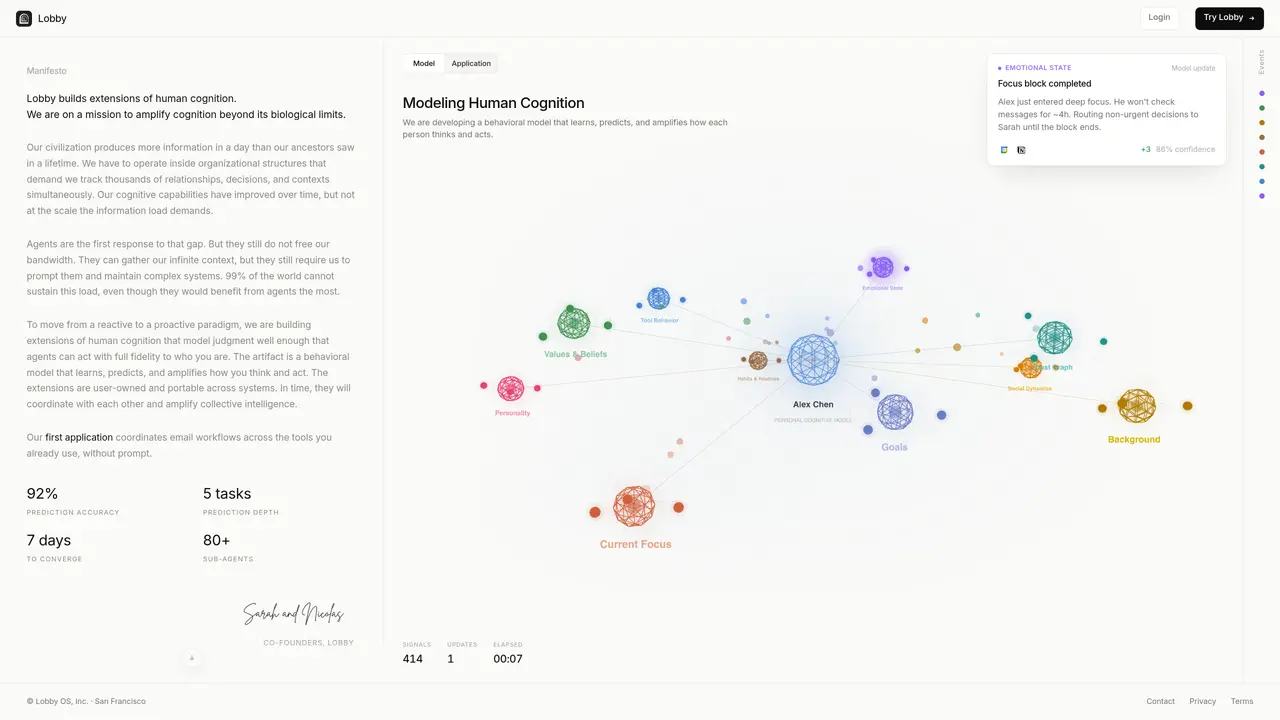
Lobby is an AI executive assistant designed for founders and business professionals who want routine email and calendar work handled end-to-end. It learns how users work and makes decisions across connected tools, then prepares coordinated actions for review. The tool handles email workflows by drafting personalized replies, summarizing threads, and organizing inbox work into categories such as action required, quick reads, and auto-archived items. For meetings, it proposes times based on calendar availability and context, creates invites after approval, and can prepare follow-up actions tied to conversations, such as updating a CRM record once connected. Lobby adapts its rules and preferences over time and offers a keyboard command to instantly access assistance for one-off requests. It operates with a no-prompt, no-setup approach and prioritizes approval-first execution, completing actions only after confirmation. Security controls include OAuth 2.0, encryption in transit and at rest, and a stated policy of no model training on emails.
Lobby acts as an AI executive assistant that coordinates email workflows and calendar management end-to-end. It learns user preferences and automates routine tasks such as drafting replies, summarizing threads, proposing meeting times, and preparing follow-up actions, all while requiring user approval before execution.
Lobby is designed for founders, business professionals, and teams who need to manage high volumes of email and calendar interactions efficiently. It suits users who want to delegate routine administrative work while maintaining control through approval-first execution.
Lobby builds a behavioral model that observes how you work, predicts your workflows, and adapts its decisions over time. It requires no prompts or manual setup, instead learning from your interactions to align with your judgment and preferences.
Yes, Lobby connects with over 50 tools and applications, allowing it to coordinate actions across your existing workflows. It integrates with email clients, calendars, CRM systems, and other business tools to streamline end-to-end processes.
Lobby employs OAuth 2.0 for authentication, encryption for data in transit and at rest, and explicitly states it does not train its models on user emails. These measures are designed to protect user data and maintain privacy.
To get started, you can sign up on the Lobby website and connect your email and calendar accounts. The tool operates with a no-prompt, no-setup approach, so you can begin using it immediately after setup, with actions requiring your approval before execution.
thelobby.ai · third-party estimates from Similarweb
Last 2 months · grows by one month every month
Traffic figures are third-party estimates, good for scale and trends; they can differ from a company's own numbers. Updated monthly.
We use essential cookies to run aitoolnavio™, and optional cookies to analyze traffic and measure our marketing. You choose what we use — optional cookies stay off unless you turn them on. See our Privacy Policy.
One short email a week: fresh tools worth trying, honest takes and the updates that actually matter. No spam, unsubscribe any time.
Discover personalized fashion, receive expert advice, and enjoy convenient shopping with free shipping and returns.
Personal assistant that coordinates tasks across apps and devices via text or call
Quickly narrow searches by category, control results by country or language, and find relevant, accurate results with ease.
Optimizes schedules by auto-organizing tasks and meetings.
AI assistant that drafts, reviews, and researches legal documents for lawyers and law firms.
Real-time task tracking, project management, collaboration, and task assignment.
An AI voice assistant that delivers emotionally intelligent, context-aware conversations with natural timing and personal engagement.
Identify technologies, analyze data, and refine search criteria with AI-powered tools for patent research and trend analysis.
Automate audio and video transcription, timestamps, speaker labels, diarization, and export with customizations.
An AI chat platform for immersive, personalized interactions with virtual companions, including image generation.
Customer relations assistant in Gmail
AI-driven app personalizing adaptive workouts for continuous improvement.
Matched on what this tool does — grouped by the job you would be replacing.
matches End-to-end email handling with draft replies and thread summarization · Meeting scheduling based on calendar availability and context · Cross-tool coordination for follow-up actions (e.g., CRM updates)
AI executive assistant that organizes Gmail and Outlook inboxes, drafts replies in your voice, schedules meetings, and tracks follow-ups for busy professionals.
AI assistant that triages inboxes, drafts replies, schedules meetings, and syncs CRM updates directly in Gmail and Outlook.
AI-powered assistant that automates email follow-ups and meeting scheduling by reading thread context and proposing availability across calendars.
Automates Gmail/Outlook inbox from plain language rules.
matches Meeting scheduling based on calendar availability and context · Approval-first execution for all actions
Tailor your booking page, sync availability with calendars, set recurring events, and avoid double-booking with reminders.
All-in-one AI productivity platform that automates tasks, schedules meetings, and generates reports from a single app.