
Design, automate, and analyze email campaigns with drag-and-drop builders, AI editing, and real-time analytics.
5.2M visits/mo+4.7%#21 Business & Marketing

AI-powered Gmail add-on that drafts contextual email replies in your voice, supports 100+ languages, and integrates across devices.
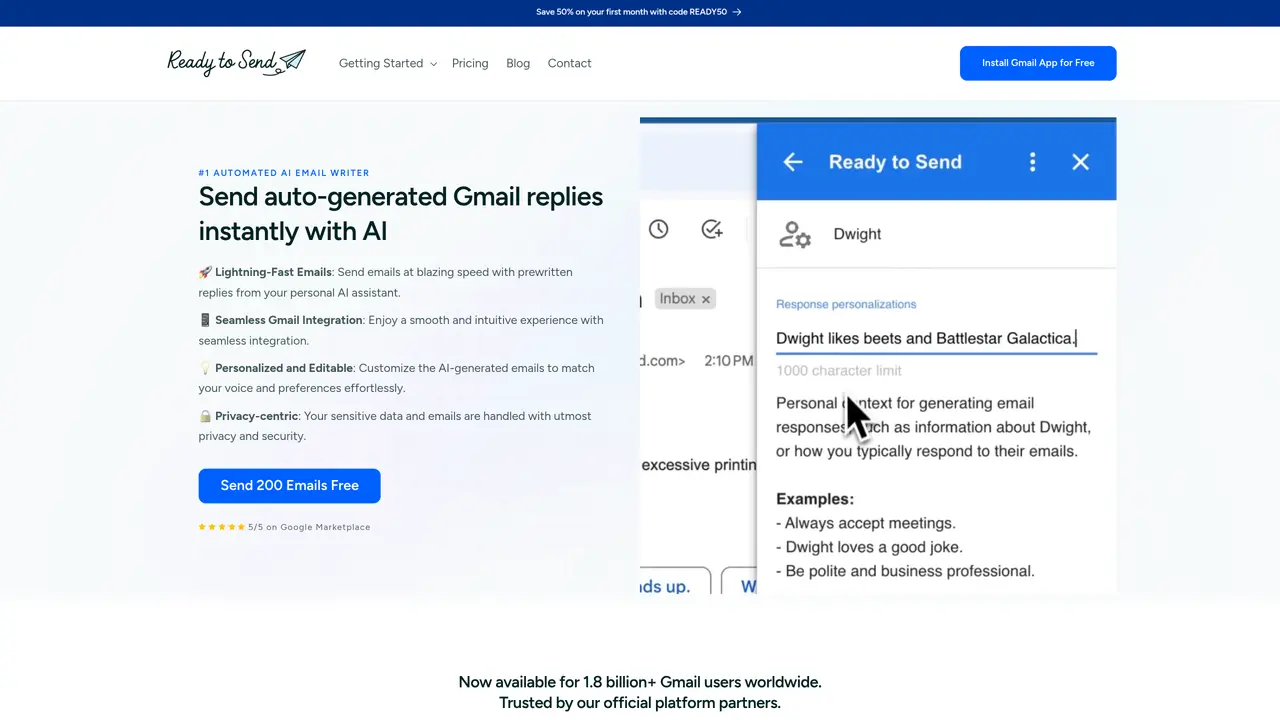
Ready to Send is an AI-powered Gmail add-on designed for professionals and individuals who need faster, more consistent email replies directly within Gmail. It automatically generates draft replies based on incoming email context and user personalization settings, allowing for quick review before sending. The tool integrates seamlessly across devices, including desktop and mobile Gmail, as well as Gmail-connected clients like Apple Mail and Microsoft Outlook. It supports over 100 languages with automatic language detection for incoming messages, making it useful for multilingual communication. Users can choose from multiple AI models, including OpenAI, Google Gemini, and Anthropic, and even connect custom API keys for tailored performance. The add-on operates with background automation, meaning drafts appear without requiring users to copy threads into separate chat tools. It emphasizes privacy by not training or fine-tuning on user data, and holds a 5/5 rating on the Google Workspace Marketplace. Pricing starts with a free tier of 200 emails, followed by subscription plans ranging from $5 to $49 per month, with optional annual discounts available.
Ready to Send is available as a Gmail add-on on the Google Workspace Marketplace. It has passed Google's security audit and complies with their data use policies. Follow the official getting started guide for installation instructions.
Yes. Ready to Send prioritizes data privacy and security, adhering to strict data protection regulations. It does not store emails or train AI models on user messages, and its systems have been independently audited for security compliance.
Yes, Ready to Send integrates natively with Gmail apps on both Android and iOS, allowing users to generate and review AI draft replies on mobile devices.
Ready to Send scans your inbox for new and unread emails requiring a response, filtering out newsletters, updates, promotions, automated notifications, and vacation replies. Users can also manually trigger replies or use labels for automation.
Yes, Ready to Send supports over 100 languages with automatic language detection. It can generate replies in the same language as the incoming email or in a user-specified language.
Users can personalize responses by describing their preferred tone, style, or specific instructions for different contacts. The AI generates drafts in the user's voice, which can be edited or regenerated before sending.
getreadytosend.com · third-party estimates from Similarweb
Last 4 months · grows by one month every month
Share of visits · estimated visits
Writing & Content · Sep 2026
Traffic figures are third-party estimates, good for scale and trends; they can differ from a company's own numbers. Updated monthly.
We use essential cookies to run aitoolnavio™, and optional cookies to analyze traffic and measure our marketing. You choose what we use — optional cookies stay off unless you turn them on. See our Privacy Policy.
One short email a week: fresh tools worth trying, honest takes and the updates that actually matter. No spam, unsubscribe any time.
Design, automate, and analyze email campaigns with drag-and-drop builders, AI editing, and real-time analytics.
Identify contacts, generate emails, track prospects and accounts based on key signals.
AI assistant that automates routine work across email, calendar, Slack, files and other tools with human oversight.
Schedule events, streamline projects, and draft emails efficiently with its features.
AI-powered email assistant that organizes inboxes, drafts replies, and automates routine tasks for professionals.
Generate SEO-friendly YouTube video scripts and descriptions for blog posts.
Create personalized emails, follow up automatically, and analyze for optimization and insights.
AI-powered email management for Gmail and Google Workspace teams with shared inboxes, AI drafting, automation, and analytics.
Cross-platform email client with unified inbox, calendar, and optional AI assistance for students, professionals, and small teams.
AI executive assistant that organizes Gmail and Outlook inboxes, drafts replies in your voice, schedules meetings, and tracks follow-ups for busy professionals.
Create interactive email campaigns with automated personalization.
Automate responses, personalize emails, and enjoy an intuitive interface for efficient email management.
Matched on what this tool does — grouped by the job you would be replacing.
matches Automatic draft replies based on email context and personalization settings · Cross-device Gmail integration (desktop, mobile, Apple Mail, Microsoft Outlook) · Background automation (drafts appear without copying threads to external tools)
Stop drowning in emails - Emilio prioritizes and automates your email, saving 60% of your time
AI email assistant that rewrites, drafts, and improves messages in Outlook, Gmail, Chrome, and iOS with tone control and grammar fixes.
Automate personalized, natural-sounding emails, customized to desired tone, style, and format.
AI-powered desktop assistant for Microsoft Outlook users to summarize, search and draft emails faster
matches Multilingual support with automatic language detection (100+ languages) · Automatically summarize emails to save time · Translate emails into 13 languages
Quickly generate answers, summarize emails, and translate into 13 languages.
AI-powered translator for text, emails and documents in over 100 languages
Automate repetitive emails, summarize emails quickly, and translate emails into 12 languages.