
Generate AI images, discover unique prompts, and save favorite images for quick reference.
4.5M visits/mo+9.2%#24 Image & Design

Converts short videos into structured AI prompts for visual direction
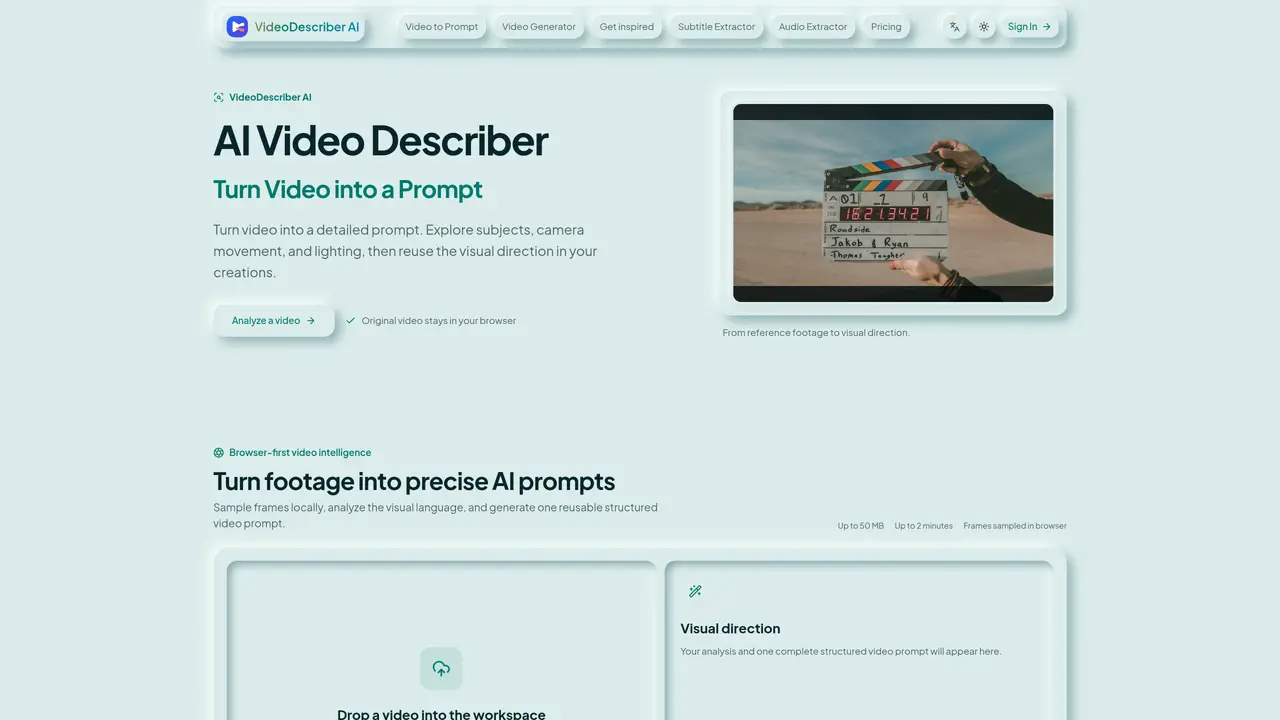
VideoDescriber AI transforms short video clips into detailed, structured prompts that capture the visual grammar of footage for reuse in AI video or image generation. The tool analyzes up to 2-minute videos under 50 MB entirely within the user’s browser, ensuring the original file remains local while only a few compressed frames are processed for analysis. It examines six interconnected visual dimensions—subject and action, composition, camera language, lighting, color, and style and pacing—to provide a comprehensive breakdown of what happens on screen, how the footage is composed, and what gives the clip its distinctive look. The output includes an overall visual setup summary, a time-based scene breakdown, and a reusable generation prompt that can be adapted for text-to-video or image-to-video models. This structured approach is designed for creators who need precise visual documentation without manually inspecting every shot, making it particularly useful for AI video creators, filmmakers, editors, marketing teams, and prompt designers. By separating global creative direction from chronological scene changes, the tool helps users reproduce visual references accurately or develop new creative variations with consistent visual language.
VideoDescriber AI analyzes short video clips and generates detailed, structured prompts that describe visual elements such as subject, composition, camera language, lighting, color, and style. The output includes an overall visual setup summary, a time-based scene breakdown, and a reusable generation prompt for AI video or image generation models.
The tool is designed for creators who need precise visual documentation without manual inspection of every shot, including AI video creators, filmmakers, video editors, marketing teams, and prompt designers who require detailed visual direction for reference or generation.
The workflow starts in the user’s browser, where the clip is checked and representative moments are selected. AI then describes the visual evidence and organizes it into a clear, time-based result, with only a few compressed frames sent for analysis while the original video stays local.
The tool supports MP4, WebM, and other browser-compatible formats. Clips can be up to 50 MB in size and 2 minutes in duration, making it suitable for references, advertisements, product shots, and short social videos.
No sign-in, AI request, or credits are required to use VideoDescriber AI. Users can drop a video into the workspace and receive an analysis immediately without additional steps.
Records of analyses are retained for up to 30 days, allowing users to reopen prompt sets generated from their videos during that period.
videodescriber.ai · third-party estimates from Similarweb
Share of visits by channel
Share of visits · estimated visits
Writing & Content · Sep 2026
Traffic figures are third-party estimates, good for scale and trends; they can differ from a company's own numbers. Updated monthly.
We use essential cookies to run aitoolnavio™, and optional cookies to analyze traffic and measure our marketing. You choose what we use — optional cookies stay off unless you turn them on. See our Privacy Policy.
One short email a week: fresh tools worth trying, honest takes and the updates that actually matter. No spam, unsubscribe any time.
Generate AI images, discover unique prompts, and save favorite images for quick reference.
Discover and share image and text prompts for AI generation, with courses and community support.
Browser tools and guides for composing and refining Suno AI music prompts
Discover ideal prompts, reduce API costs, and monetize your own ideas.
Enhance prompt clarity with actionable, improvement insights.
A Chrome extension and web app that refines, saves, and reuses AI prompts across multiple platforms like ChatGPT, Claude, and Copilot.
Explore and understand MidJourney prompts, identify patterns, uncover insights, and save/share findings with others.
AI low-code prompt generator for system designs and AI workflows
Transform prompts for better results, generate prompts for classroom discussions, and access a library of 200+ inspiring prompts.
Track, manage, and explore OpenAI API requests with a comprehensive dashboard and intuitive UI.
AIForWork.co is the most advanced ChatGPT prompt and resource library with custom GPTs and helpful resources.
All-in-one content creation tool for bloggers, featuring over 70 AI-powered tools to inspire ideas, generate outlines and titles, and rewrite existing content.
Matched on what this tool does — grouped by the job you would be replacing.
matches Video to structured prompt conversion · Reusable generation prompt output
Downloads social videos and converts them into detailed AI video prompts
Converts short videos into reusable AI video prompts with visual summaries and platform-specific versions
matches Subject and action identification · Composition and framing analysis · Camera language and movement detection
AI-powered storyboard generator and shot planner for visual story production
Converts long videos into viral clips using AI for TikTok, Reels and Shorts