
Generate speech with customizable voices in any language, and create captivating stories using natural-sounding voices.
34M visits/mo-7.6%#2 Audio & Voice
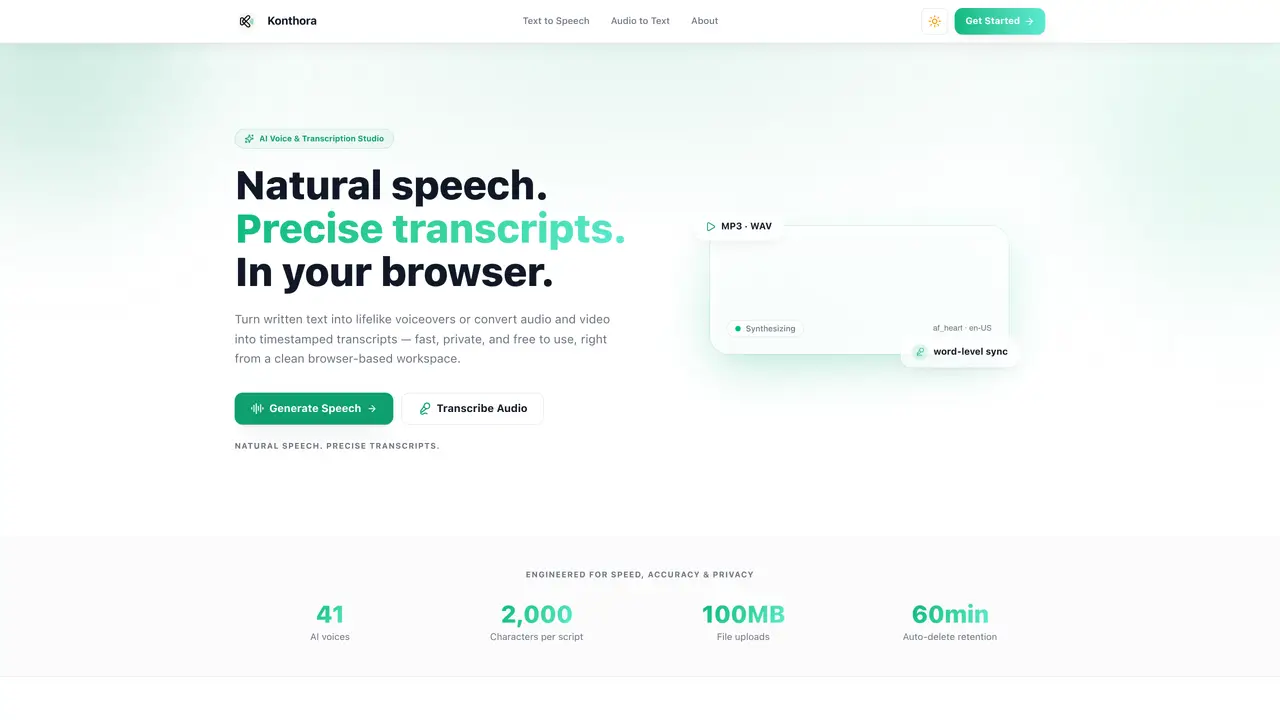
Kokoro TTS Studio is a browser-based workspace for converting written text into lifelike speech and transcribing audio or video into timestamped transcripts. The tool operates entirely in the user’s browser, processing data in-memory and auto-deleting files after 60 minutes to ensure privacy. It supports 41 AI voices across six languages, including English, Hindi, Spanish, French, Italian, and Portuguese, with granular controls for adjusting accent, speed, and playback. Users can export generated speech in MP3 or WAV format and transcripts in TXT, SRT, VTT, or JSON. The platform is designed for creators, podcasters, and professionals who need fast, private, and high-quality audio processing without requiring an account or software installation.
Yes, Kokoro TTS Studio is currently free to use. Users can generate speech and transcribe audio directly from their browser without creating an account.
For transcription, Kokoro supports uploading MP3, WAV, M4A, AAC, MP4, WebM, and MOV files.
Yes, transcripts can include timestamps at the sentence, paragraph, or word level to sync text with audio.
Yes, generated speech can be downloaded in MP3 or WAV format directly from the Text to Speech workspace.
No, uploaded texts are processed in-memory and immediately wiped after synthesis. Uploaded media files and transcripts are automatically deleted after 60 minutes.
Kokoro provides 41 AI voices across six languages: English, Hindi, Spanish, French, Italian, and Portuguese, with multiple voice profiles per language.
We use essential cookies to run aitoolnavio™, and optional cookies to analyze traffic and measure our marketing. You choose what we use — optional cookies stay off unless you turn them on. See our Privacy Policy.
One short email a week: fresh tools worth trying, honest takes and the updates that actually matter. No spam, unsubscribe any time.
Generate speech with customizable voices in any language, and create captivating stories using natural-sounding voices.
Generate audio content for podcasts, e-learning, or video production with natural-sounding voices on any device.
Create audio versions of documents, listen to text in multiple languages, and customize voice, pitch, and volume.
Cloud communications platform that lets developers embed SMS, voice, WhatsApp, email, video, verification, and conversational AI via APIs.
Create podcasts, audiobooks, and voiceovers, customize voice style, and generate natural speech from text.
Create transcripts of meetings, voice-overs for videos, and transcribe and review customer feedback efficiently.
Create engaging educational, marketing, and training videos using pre-built assets and an AI-driven text-to-speech engine.
AI-powered translation tool that detects and converts text between 15+ languages instantly with a single click.
Cartesia delivers real-time AI voice and TTS models with low-latency streaming, voice cloning, and transcription for interactive applications.
Create natural audio for podcasts, automate customer service responses, and generate audio for online courses.
Web-based AI toolkit for creators to generate AI videos, images, and natural voiceovers with credit-based plans.
Generate professional voiceovers, enhance language learning, and add synthesized speech to applications effortlessly.
Matched on what this tool does — grouped by the job you would be replacing.
matches Browser-based AI text-to-speech and audio transcription studio · MP3 and WAV export for speech · TXT, SRT, VTT, JSON export for transcripts
Free online audio and video transcription with timestamps
Free audio transcription, YouTube captions and subtitle conversion with AI summarization
Browser-based transcription of audio and video files with local processing
Converts MP3, M4A or WAV audio files to editable text without an account
matches TXT, SRT, VTT, JSON export for transcripts · Word-level timestamping for transcripts
Revolutionize transcription with unmatched accuracy, speed, and language support.
AI-powered transcription tool that converts audio/video to text with speaker labels and supports 99+ languages.
Transcribes podcasts, audio, and video into searchable text with timestamps
Browser-based tool for local audio and video transcription and subtitle editing